

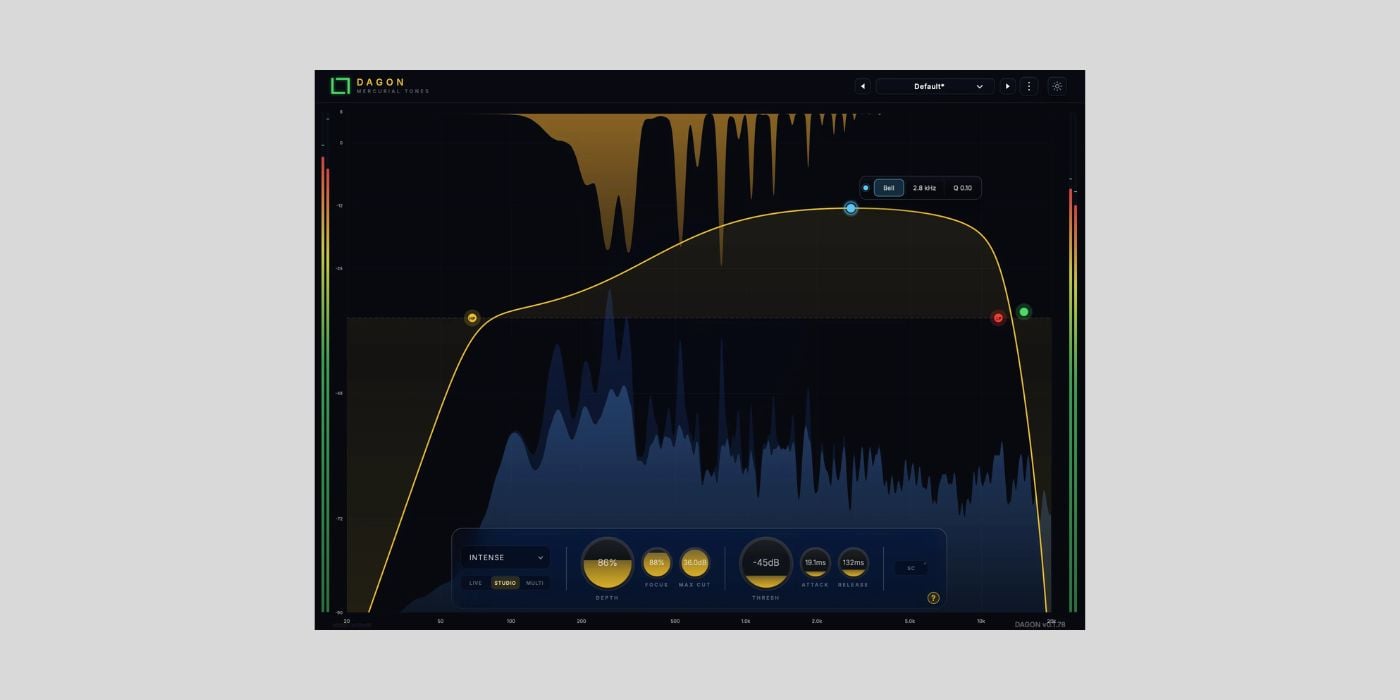

Mercurial Tones has released Dagon, a free resonance control plugin for macOS and Windows.
Dagon sits in the same broad category as plugins like oeksound soothe2 and Baby Audio Smooth Operator. It basically lets you detect resonances, harsh notes, and level spikes in context, then pull them down without flattening the whole track.
Similar to what we do manually when hunting down nasty frequencies with an EQ spike, but automatic and without hurting your ears.
Mercurial Tones is a new developer to me. We haven’t covered the company on BPB before, although it already has several products on its website. Dagon appears to be the only free one at the moment.
I have only spent a short time with Dagon so far, and I haven’t compared it head-to-head with paid alternatives like soothe2 or Smooth Operator yet. I plan to do that this week. First impressions are good, though, especially for a free plugin.
The website and parts of the interface do have some rough edges. The site copy has the familiar AI-assisted feel that I see more and more often nowadays, and I noticed a small interface issue where the plugin version overlaps with labels on the X-axis.
That doesn’t tell us anything about the DSP, of course. We’ve seen plenty of cases where a developer handles the audio engine themselves and uses AI or other tools to speed up the interface or website work.
As for the actual workflow, Dagon gives you five suppression modes. Resonance mode is the direct option for reducing active resonant peaks, while Soft and Perceptual are meant for smoother cleanup. Volume mode focuses on dynamic level suppression, and Smart mode detects relative spectral prominence instead of the raw input level.
I found that the Smart mode is the quickest way to start. The main threshold becomes an Amount control, so you can push the cleanup until the harshness steps back. Focus adjusts how selective the processing is, with lower values giving wider cleanup and higher values targeting narrower resonant areas. Attack and Release shape how quickly the plugin reacts and lets go.
One important note is the installation process. You need to claim Dagon through a free checkout, then install and activate it with Mercurial Tones Hub. I know many BPB readers won’t love that, and I’m in the same camp. For free plugins, a simple installer is much cleaner and more inviting than another hub.
Dagon is available in VST3 and AU formats for macOS and Windows.
Download: Mercurial Tones Dagon (FREE)
Deal of the day 🔥: Get 84% OFF Shadow Hills Mastering Compressor Class A (only $25)!
More:
Last Updated on June 15, 2026 by Tomislav Zlatic.

