
Close Menu

    Subscribe to Updates

    Get the latest creative news from FooBar about art, design and business.

    What's Hot

    Sympiano is a FREE reverb plugin that explores the inside of a grand piano

    setembro 14, 2026

    Fix Muddiness With Faders Only

    setembro 14, 2026

    Helio is a new FREE and open-source music sequencer

    setembro 14, 2026
    Facebook X (Twitter) Instagram
    Facebook X (Twitter) Instagram Vimeo
    Producer Gang | Home of Producers
    • Home
    • Articles
    • Downloads
      • VST’s
    • Tutoriais
    • Plugins

      Sympiano is a FREE reverb plugin that explores the inside of a grand piano

      setembro 14, 2026

      Helio is a new FREE and open-source music sequencer

      setembro 14, 2026

      ABYZOR releases IZZY, a FREE one-click synth for Windows

      setembro 14, 2026

      Get 3 FREE plugins: ChromaBox, Randomachine, and Analog Empire (5,000 copies each)

      setembro 14, 2026

      RC MIX releases $49 RC SNARE channel strip and offers RC RING for FREE

      setembro 14, 2026
    • News
      1. Plugins
      2. VST’s
      3. Hip-Hop
      4. Billboard
      5. View All

      Sympiano is a FREE reverb plugin that explores the inside of a grand piano

      setembro 14, 2026

      Helio is a new FREE and open-source music sequencer

      setembro 14, 2026

      ABYZOR releases IZZY, a FREE one-click synth for Windows

      setembro 14, 2026

      Get 3 FREE plugins: ChromaBox, Randomachine, and Analog Empire (5,000 copies each)

      setembro 14, 2026

      Glitchmachines – Polygon v2.1.0 for Windows

      abril 23, 2025

      Toontrack – EZbass 1.3.0 Update for Windows

      abril 23, 2025

      deltarray – GigLad PC Arranger 4.0.2 for Windows

      abril 23, 2025

      Toontrack – Funk Fusion EBX (SOUNDBANK)

      abril 23, 2025

      Drake Snippet Leaks Before J. Cole’s ‘The Fall-Off’ Drops

      fevereiro 6, 2026

      J. Cole Releases His “Last” Album ‘The Fall Off’

      fevereiro 6, 2026

      GloRilla’s Sister Says She’s “Obligated” To Give Family $2,500 Each

      fevereiro 6, 2026

      Bad Bunny Reveals What To Expect For Super Bowl LX Halftime Show

      fevereiro 6, 2026

      Beyonce Cowboy Carter Tour July 4th in Washington, D.C.: Best Moments

      julho 5, 2025

      Morgan Wallen Notches 18th Country Airplay No. 1

      julho 5, 2025

      Best Moments in Cardiff, Wales

      julho 4, 2025

      Bad Bunny ‘NUEVAYol’ Pro-Immigrant Video Arrives on Fourth of July

      julho 4, 2025

      Understanding Two Legendary Compressors – Universal Audio

      setembro 11, 2026

      The Complete Guide – Universal Audio

      setembro 9, 2026

      Origins of EMT Reverb – Universal Audio

      agosto 27, 2026

      Classic UAD Reverbs Explained – Universal Audio

      agosto 27, 2026
    • Learn How to Sell Beats
    Producer Gang | Home of Producers
    • Home
    • Plugins
    • Hip-Hop
    • News
    • Learn How to Sell Beats
    Home»Tutorials»Fix Muddiness With Faders Only
    Tutorials

    Fix Muddiness With Faders Only

    Producer GangBy Producer Gangsetembro 14, 2026Nenhum comentário5 Mins Read
    Facebook Twitter Pinterest LinkedIn Tumblr WhatsApp VKontakte Email
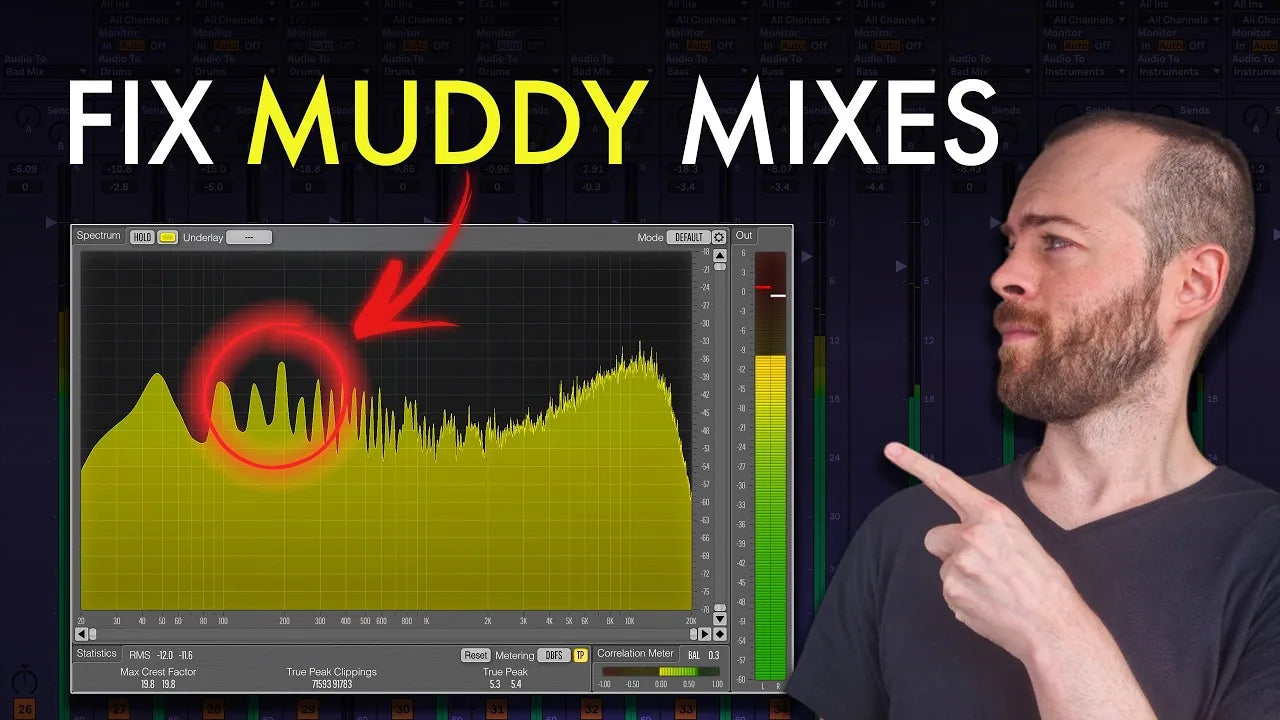
    How to level a mix in Ableton: fix muddiness with faders only
    Share
    Facebook Twitter LinkedIn Pinterest Email


    There is one mixing technique that kills muddiness, fixes masking, and gets you a balanced, punchy mix, and it is not an expensive plugin or a clever processing chain. It is leveling: setting the relative volume of every track before you touch anything else.

    Everybody learns it on day one and then stops paying attention to it, but EQ, compression and saturation only enhance what the faders already decided. The walkthrough below takes one techno mix from unbalanced to club ready with nothing but the faders, no devices added. The project is a Melodic Techno track from Rising.

    Judge every move in context

    Make every decision with the whole track playing, because changing one level changes how everything else sounds. Solo is a diagnostic tool, not a decision tool: use it to find the problem, judge the fix in the full mix.

    Full Ableton arrangement and mixer while judging mix levels in context

    Cast the roles before you touch a fader

    Listen through once and write down what you hear. Treat the track like a film: one element plays the main role, everything else is supporting cast. If you cannot tell who the lead is within a few seconds, that is the first thing to fix.

    Key notes from this mix:

    • Bass way too loud
    • Kick buried
    • Clap disappears
    • Hi-hats too bright
    • Lead too quiet

    Ableton tracks grouped by role: lead, support, atmosphere and impact

    Anchor everything to the kick

    In dance music the kick drives the floor, so it sets the reference every other fader answers to. Dial it in first, metered on the master, and the rest falls into place much faster.

    Key moves:

    • Kick alone, watching the master: aim for roughly -8 dB (genre dependent)
    • Set this before anything else, it is the reference level for the whole mix
    • Sidechain still applies later, but levels come first

    Kick level checked on the Ableton master with a SPAN spectrum analyser

    Get the low end under the kick

    The bass fighting the kick is what muddies everything above it. The check: with the kick alone the master reads about -8 dB, so adding the bass should cost you about 1 dB, not 6.

    Key moves:

    • Kick solo: master around -8 dB
    • Add the bass: a jump to -2.6 is about 6 dB too much
    • Pull the bass down until the master reads about -7.5
    • With a spectrum analyser on the master, the bass should dance just below the kick fundamental, never above it
    • Layered basses (sub, mid, character) have to sit under the kick together, not each on its own

    This matters most on a big system: too much bass masks the vocals and the synths, so the crowd hears a loud bass, a buried kick and nothing else.

    Spectrum analyser showing the bass sitting under the kick fundamental in Ableton

    Let the clap cut through and the hats support

    With the low end clear you can finally hear everything else. Keep the full track playing and focus on one group at a time. People dance to the clap, so it has to be audible, and energy dumped into hi-hats is what makes a floor cover their ears.

    Key moves:

    • Pull Hat Closed and Hat Loop down so they sit behind, not upfront
    • Bring the clap up until it cuts through in the full mix
    • Check the offbeat hat inside the hat loop: loud enough to move to, never overpowering

    Ableton mixer with clap, hat, bass and lead fader levels after a leveling pass

    Watch your ears, not the clock

    After two or three hours your ears fatigue and you stop hearing objectively. The classic symptom is reaching for the hi-hats again. Make your level decisions inside about 45 minutes, then walk away and come back fresh.

    Make space before you make anything louder

    The lead synth is the hook, so it has to be upfront, but the fastest route there is not the lead fader. Pull the supporting elements out of the way first, then lift the lead into the space you just made.

    Key moves:

    • Group the loud supporting parts (the stab and atmos layers) and pull them down together, around 8 dB
    • The lead pops out noticeably from that move alone
    • Raise the saw lead last, only until it is clearly the main character

    Ableton mixer with the stab and atmos supporting channels pulled down to make space for the lead

    Go deeper on the kick and bass relationship

    Same project, same sounds, same devices, only the faders moved, and the mix is ready for mastering. Leveling gets the kick and the bass into the right relationship, and if you want the complete setup behind that relationship, from choosing and shaping the kick to layering the bass, sidechain and the EQ moves that keep them out of each other’s way, take Course: Low End, Kick & Bass Setup.

    Watch the full breakdown

    Hear the before and after A/B on the same section:

    Leveling: fixing a muddy techno mix with faders only, PML YouTube tutorial

    Reference tracks

    Typical reference tracks for this style are:

    • Norman Hood – Full Moon Shadow
    • Massano – Do It To Me
    • Kevin de Vries – Born Like That
    • Cassian, Matt Ryder – A Feeling I Miss
    • Jimi Jules – My City’s On Fire (Anyma & Cassian Remix)
    • Anyma, Magnus – Leave A Mark
    • Moritz Hofbauer – In A Blurry World
    • The Temper Trap – Sweet Disposition (Artbat Remix)



    Source link

    Share. Facebook Twitter Pinterest LinkedIn Tumblr WhatsApp Email
    Previous ArticleHelio is a new FREE and open-source music sequencer
    Next Article Sympiano is a FREE reverb plugin that explores the inside of a grand piano

    Related Posts

    10 Chord Progressions for 10 Emotions

    setembro 7, 2026

    How to Make Groovy, Banging Drums: 3 Complete Setups

    agosto 22, 2026

    How to Make Melodic House Basslines: Deep and Warm

    agosto 21, 2026

    How to Make Melodic House Like Nohr and Oskar Med K

    agosto 20, 2026
    Demo
    Our Picks
    • Facebook
    • Twitter
    • Pinterest
    • Instagram
    • YouTube
    • Vimeo
    Don't Miss

    Sympiano is a FREE reverb plugin that explores the inside of a grand piano

    By Producer Gangsetembro 14, 20260

    Sympiano is a reverb plugin that explores the inside of a grand piano, and it…

    Fix Muddiness With Faders Only

    setembro 14, 2026

    Helio is a new FREE and open-source music sequencer

    setembro 14, 2026

    ABYZOR releases IZZY, a FREE one-click synth for Windows

    setembro 14, 2026

    Subscribe to Updates

    Get the latest creative news from SmartMag about art & design.

    Producer Gang | Home of Producers
    Facebook X (Twitter) Instagram Pinterest
    • Home
    • Plugins
    • Hip-Hop
    • News
    • Learn How to Sell Beats
    © 2026 Producer Gang. Designed by Audio Escola.

    Type above and press Enter to search. Press Esc to cancel.