

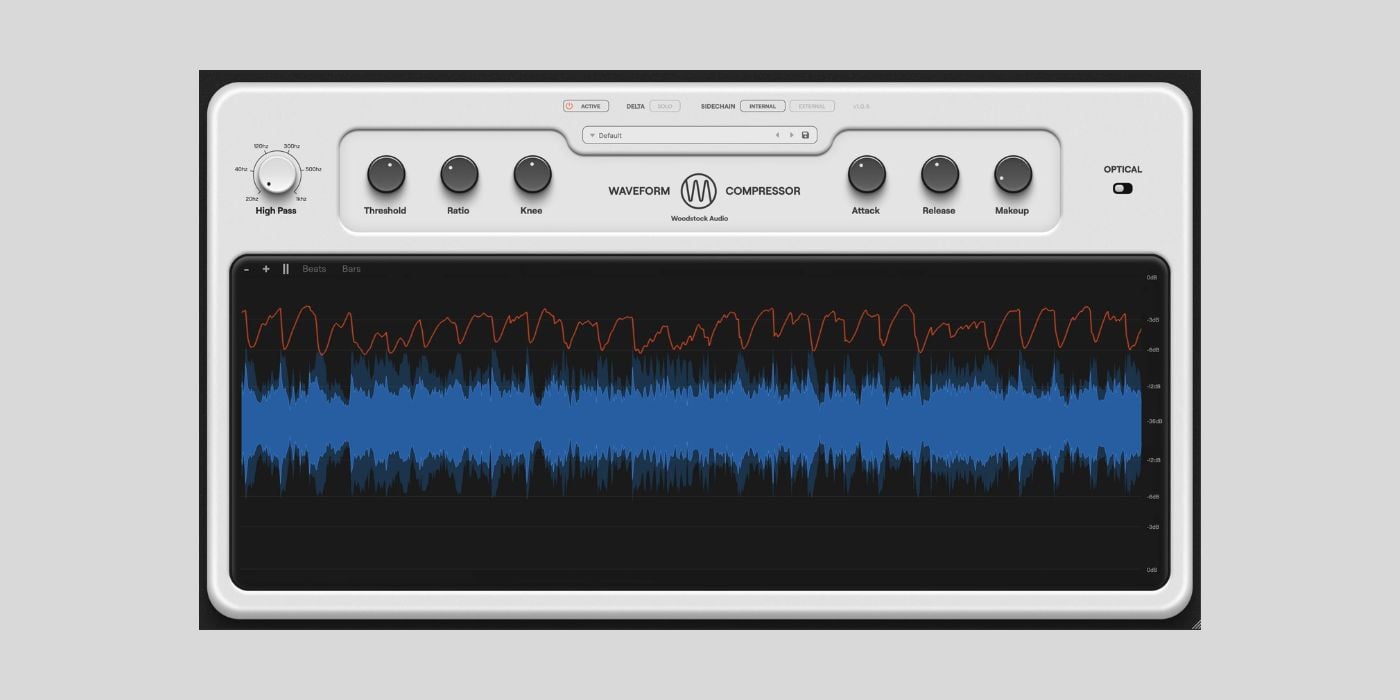

Woodstock Audio has released Waveform Compressor, a free compressor plugin for macOS and Windows.
Obviously, free compressors are nothing new, and most of us already have way more compressor plugins than we realistically need. And pretty much every DAW out there comes with a decent comp of its own.
But even so, Waveform Compressor is worth a closer look because it feels like a well-rounded and polished tool rather than just another freebie. It appears to be closely related to Woodstock Audio’s commercial Open Compressor (£89), but offering a small subset of its core ideas in a simpler package.
Waveform Compressor is a feedforward, peak-detecting compressor with the standard controls you’d expect: threshold, ratio (from gentle 1:1 up to 24:1), attack, release, and knee.
The timing ranges are particularly wide, covering everything from extremely fast transient control (20 microseconds attack) to slow compression with release times up to five seconds. A detector high-pass filter lets you reduce the influence of low frequencies, which is useful on bass-heavy material or full mixes.
What sets this plugin apart for me is the large, high-resolution waveform visualiser. After all, it’s why the plugin got its name.
You can see the incoming signal and the compressed output at the same time, with a gain reduction line and a visible threshold. The included zoom controls, a pause function, and optional beat and bar lines make it easy to slow things down and study what’s happening.
You can clearly see how transients are shaped and how overall gain changes over time. You should still rely on your ears, of course, but the visual feedback makes compression much easier to understand.
I think that this visual approach makes Waveform Compressor super useful for beginners. Compression is one of the harder mixing concepts to grasp, and being able to see how attack, release, and ratio affect the signal in real time really helps connect theory with practice.
At the same time, more experienced users can use the visualiser as a precise analysis tool when dialing in subtle settings.
In addition to the regular VCA-style mode, there’s an Optical mode designed to mimic classic opto compressors. Here, the timing becomes program-dependent, with variable attack and a two-stage release that adapts based on how much and how long gain reduction is applied.
The opto mode works well on vocals, bass, and other sources where you want smooth compression.
Waveform Compressor also includes Delta Solo, which lets you listen only to what the compressor is removing. This is excellent for fine-tuning and for training your ear to recognize over-compression or transient loss.
You can get the plugin for free by adding it to your cart on the Woodstock Audio website and completing checkout with a valid email address. No license or activation is required.
Waveform Compressor is available in VST3, AU, and AAX formats for Windows 10/11 and macOS 10.13 and later.
Download: Waveform Compressor (FREE)
Deal of the day 🔥: Get the Black Octopus Monster Drum Bundle for only $10!
More:
Last Updated on February 10, 2026 by Tomislav Zlatic.

