

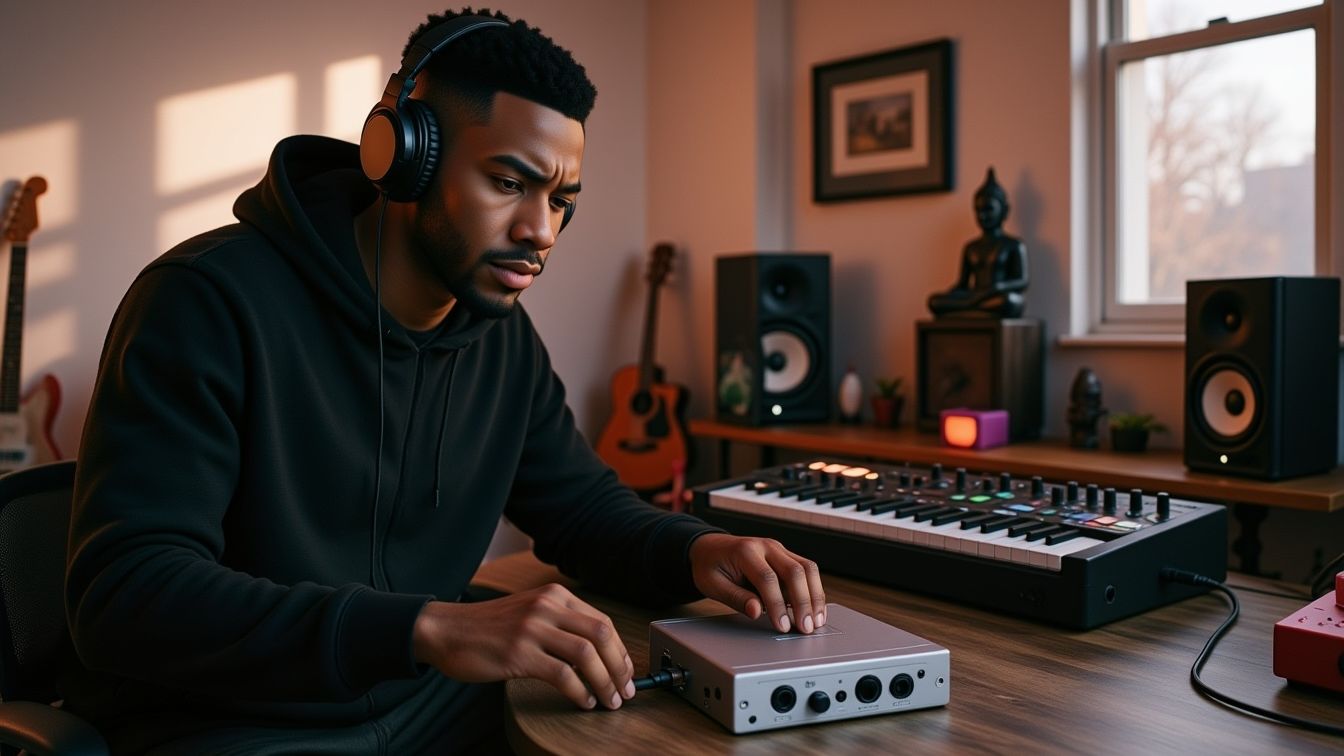

Introduction — The Secret Tool Behind Clean, Clear Recording
Every studio — from bedroom setups to world-class rooms — relies on one small, essential box that quietly saves recordings every single day:
the DI box.
Whether you’re recording guitar, bass, keyboards, synths, drum machines, or even running audio through pedals, the DI is what makes the signal clean, quiet, consistent, and mix-ready.
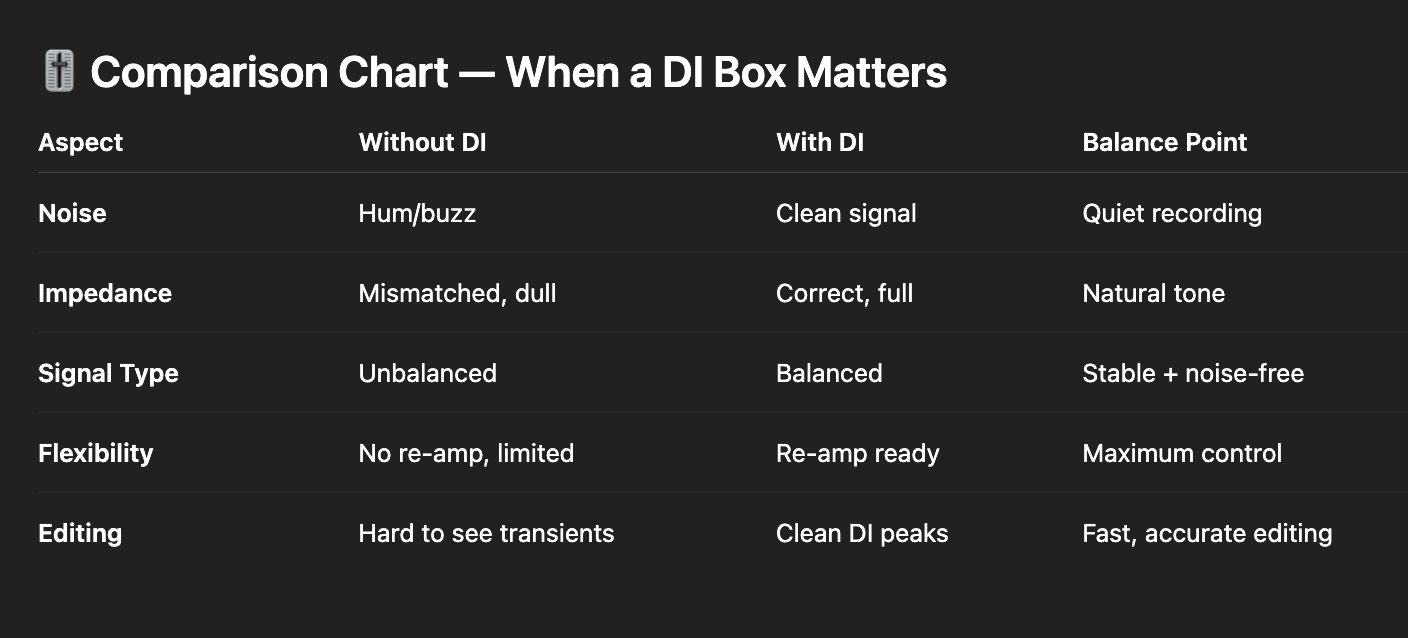
It solves noise.
It solves tone loss.
It solves impedance mismatch.
And it unlocks powerful workflows like re-amping and precision editing.
Let’s break it down.
Quick Summary
👉 A DI box (“Direct Injection”) converts an unbalanced, high-impedance instrument signal into a balanced, low-impedance mic-level signal so it can travel cleanly into a recording interface or mixing desk. It improves tone, reduces noise, matches levels, and enables re-amping and clean editing.
The term Direct Injection (or Direct Input) describes sending an instrument directly into the recording system without needing an amplifier first.
Instead of using a loud amp and microphone, a DI lets you inject the instrument signal straight into the mixer, interface, or preamp.
This gives you:
Musicians often shorten the phrase to simply: DI.
10 Universal Rules for Recording Anything with a Microphone 🎤
Understanding DI boxes starts with understanding these two types of signals:
Unbalanced Signal
Common in: guitars, basses, keyboards, pedals
Runs through: TS instrument cables
Problems:
Balanced Signal
Common in: microphones, DI outputs, pro audio lines
Runs through: XLR cables
Benefits:
-
noise-rejection (thanks to differential wiring)
-
clean signal over long distances
-
stable, professional level
Why the DI matters:
A DI converts your unbalanced signal into a balanced one so you can record cleanly.
Recording Vocals for Dummies: How to Get Started
Now the second core concept: impedance.
High Impedance (Hi-Z)
Low Impedance (Low-Z)
Why the DI matters:
A DI matches the impedance of your instrument to the impedance of your interface or preamp.
This preserves clarity, bass response, and dynamics.
⭐️ Download my Free Guide The Magic EQ Settings that work on EVERYTHING!
Like guitar pickups, microphones, and studio monitors, DI boxes come in two types: Some that require power and some that don’t.
Passive DI
-
simple transformer-based design
-
no power required
-
smooth tone
-
handles loud, hot signals well (keyboards, synths, basses)
Good analogy:
Passive DI = passive pickups
Active DI
-
powered (phantom power, battery, or wall power supply)
-
includes active circuitry
-
boosts and buffers weak signals
-
best for low-output instruments like passive basses or guitars
Analogy:
Active DI = active pickups
Quick Rules of Thumb
A passive DI is totally fine for everything but you can also use this approach:
When recording guitar or bass, engineers often record:
This gives the best of both worlds:
-
amp tone (character, distortion, air, movement)
-
DI tone (clean, punchy, flexible)
You typically plug the instrument into the DI first, then use the DI’s Thru or Link output to feed the amplifier.
For professional bass recordings, the DI is crucial.
Bass tones are usually a blend of:
-
clean DI (punch, clarity, transient definition)
-
amp mic (growl, color, warmth)
-
sometimes pedal distortion track
The DI carries the focus and low-end stability.
The amp adds flavor.
This blend is the standard across rock, pop, metal, R&B, and modern production.
 ⭐️ Start by downloading all of my FREE Music Production Guides ⭐️ It took me years to learn this stuff!
For standard electric guitar recording, the DI is not used in the final mix.
Why?
Because clean DI electric guitar (without amp simulation) sounds:
-
dry
-
flat
-
stringy
-
“funk only”
But engineers still record the DI anyway — not for tone, but for workflow.
Recording a DI opens the door to re-amping, one of the most powerful tools in modern production.
With a DI track, you can later send the clean signal out into:
-
a real amp
-
an amp simulator pedal
-
a re-amp box
-
software plugins
-
any combination of tones
This lets you change guitar or bass tones after the performance.
No pressure.
No regret.
No commitment too early.
This is how major producers build album-ready tones.
From Dull to Harsh: How to Choose the Best Microphone for Any Voice or Instrument 🎙️
Distorted or heavily colored amp tracks often hide transients.
This makes editing hard.
The DI track, however, shows:
For tight editing — especially in rock, pop, metal, and modern bass production — the DI is the guide track.
Once you’re ready to edit, group the DI and amp mic tracks together.
This ensures:
Never edit DI and amp tracks separately — they must move as one.
Q: Do I always need a DI box?
A: Only if your instrument is unbalanced/high-impedance or you’re running long cables. Keyboards and active basses often benefit from a DI too.
Q: Can I record guitar without an amp using only a DI?
A: Yes, but you’ll want a plugin or amp sim — the raw DI tone isn’t meant to be the final sound.
Q: Should beginners buy a passive or active DI?
A: Active DI for passive guitars/basses. Passive DI for synths, keyboards, and active pickups.
Q: Why do live engineers love DI boxes?
A: They eliminate noise, allow long cable runs, and make levels predictable.
 ⭐️ Take my Free Ableton Live Online Course and make your first song in 90 minutes
The DI box is one of the simplest tools in recording — but also one of the most powerful.
It protects your tone.
It keeps your sessions flexible.
It makes editing cleaner.
It enables re-amping.
It reduces noise.
When in doubt, record the DI.
You’ll always be glad you did.

⭐️ Download my Free Magic Delay settings Guide ⭐️

⭐️ Download my Free Magic Reverb settings Guide ⭐️
#protools #daw #homestudio #recordingschool #recording #musicproduction
Also read:
How to Start Your Own Online Business Teaching Music

Hey, I’m Futch – Music Production Coach and Ableton Certified Trainer

Learn how to make your first song and beat in Ableton Live with my
FREE 90-minute Ableton Live course
I’ve been teaching audio engineering and music production for 35 years.⭐️
Check out my new online music production program: Music Production Ninja…

