

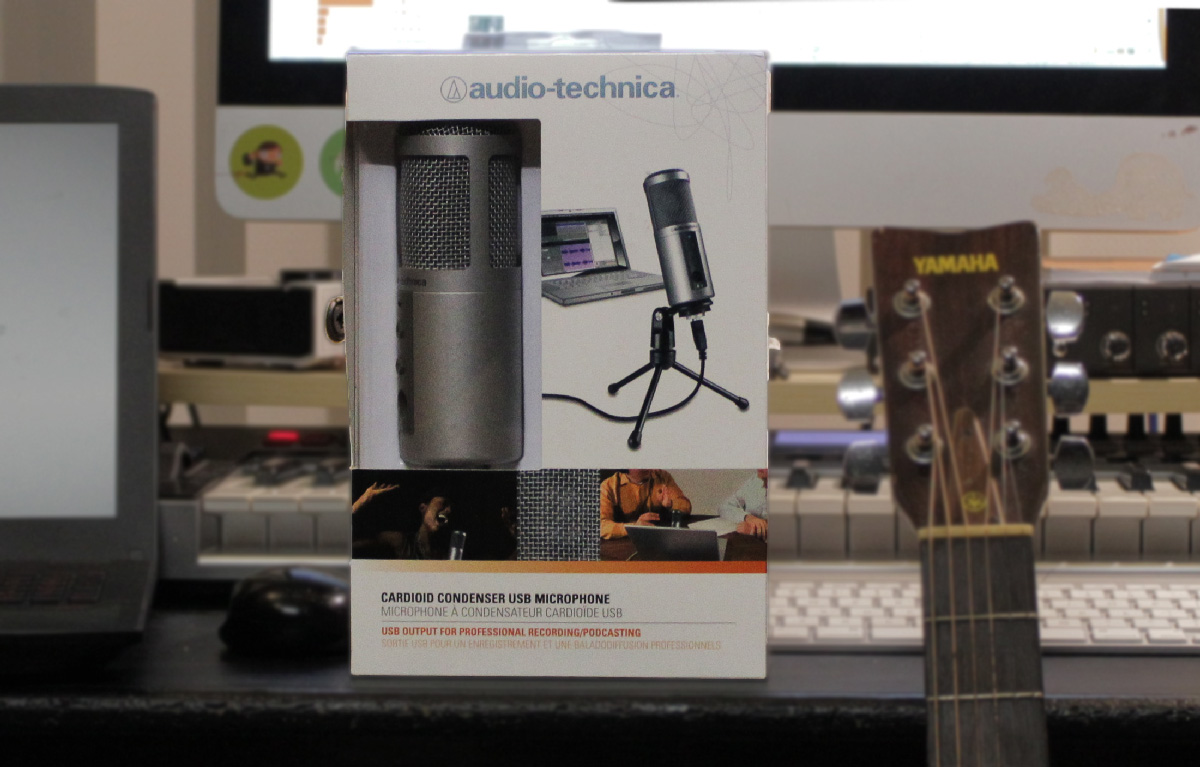

Advertised to be ideal for podcasting, home studio and voiceovers, the ATR2500-USB appears to be a microphone made for voice projects. Featuring a large diaphragm condenser powered via USB from your computer (PC or Mac), the ATR2500-USB is a solution to those looking to achieve studio quality sounding recordings without the hassle of learning technical knowledge.
Watch the video review on the ATR2500 USB Condenser, listen to it and read on for a more detailed review.
A plug and play USB condenser microphone. (I didn’t need to install any drivers). The microphone comes with a table stand, mic clip and USB cable to get your started quickly on your recording projects. However for more serious recordings, you might want to consider buying a proper microphone stand which is perhaps more stable for your use.
Some Technical Details About The ATR2500
- 30 – 15,000 Hz
- Cardioid Condenser
- Up to 16bit / 48kHz
- Headphone Monitor Output & Volume Switches
- Comes with a microphone clip, table mic stand and USB cable.
Setting Up The ATR2500 For Recording

Setting up the microphone was pretty simple. It takes a little bit of hand-screwing to get the mic clip secured on the bottom of the microphone and another bit of twisting to then get the mic clip mounted on the supplied table stand.
The table microphone stand wasn’t very sturdy. While it will work as a startup table microphone stand, I’d recommend that you buy a heavy-duty table microphone stand before you eventually accidentally knock the microphone over. The microphone clip will work with all standard table microphone stands.
As you work on your desk, you might bump your table every now and then. Even simple keyboard typing will result in little shock bumps that would affect the microphone. The supplied microphone clip is only a simple microphone clip, so if you’re experiencing lots of bumps while using the microphone on your desk, you might want to further invest in a shock mount for the ATR2500.
It’s unfortunate that Audio Technica does not make shockmounts for this particular microphone model, a workaround would be to buy the Samson SP01 Spider Shockmount which would take care of isolating the microphone from shock bumps. The Samson shockmount is inexpensive and fits the ATR2500 nicely, however your access to the headphone volume buttons would be limited.
The supplied USB cable is about 1.8m long and is long enough if you put your microphone on the table.
Recording & Monitoring On The ATR2500

With everything set up, I dug into recording on the Audio Technica ATR2500. There is no necessary driver or software installation needed on the PC or Mac. Simply plug it in, your computer would probably do a little of driver setting up on its own and you’ll find the microphone listed in your sound panel.
You’ll have to go into your input devices (on a Mac) and your recording devices (on a PC) to control the input level of the microphone. The microphone works with apps like Skype, Google Hangouts, Audacity, Adobe Audition and most major DAWs. Just make sure you change the input microphone from your computer’s onboard microphone to the ATR2500 USB when using those applications.
The volume buttons on the microphone are monitoring levels. They do not change the input levels of the microphone. The 3.5mm headphone monitoring on the microphone is a direct monitoring of the microphone, which means you’ll hear the input signals of the microphone at zero latency. Basically, it takes the signal from the microphone and directly feeds it into the direct monitor. This is exceptionally useful when you need to record without latency, for example; recording vocals over a song.
In my test, I did some voice and guitar recordings with the ATR2500. The microphone was able to pick my voice up pretty clearly and precisely with a fair amount of input signal setting. I didn’t have to push the input signal all the way to the max, so the microphone would be great for even people with a very soft voice. The microphone also has a pretty low noise floor, making it great for super clean & quiet voice recordings, provided that you also have a quiet and isolated room.
However with recording guitars, I found the microphone to be slightly muddy. It lacked a little bit of bright emphasis and definitely wouldn’t be my ideal microphone when it comes to recording guitars. However with some effects like compressors and equalizers used on the recording, I was able to produce a usable guitar recording with the ATR2500.
As usual with most budget level Audio Technica condenser microphones, I found the microphone to be not very bassy. The microphone show strengths in the mid and upper frequencies and lack that ‘deep & warm’ sound you hear in epic voice overs. A way to get more bass from the microphone is to record closer to the microphone.
The ATR2500 can be used without a pop filter for normal use like Skyping and podcasting. For serious recordings, you’ll want to get a pop filter to avoid plosives being recorded into the microphone. Any simple pop filter that latches on your microphone stand would do the job well.
An inexpensive OEM branded pop filter like this would do!
Final Thoughts
The Audio Technica ATR2500 would be ideal people who do podcasting, radio and voice-overs. You won’t go wrong with the ATR2500 for most voice projects even if it lacks a little of bass end. You could use the ATR2500 to record some instruments but stay away if you’re going to primarily record instruments in your studio.
Pros
- Easy to use & convenient
- Very clean & clear voice recordings
- Nice input monitoring for zero-latency monitoring
- Generous input signal
- Great price
Cons
- Not so ideal for recording instruments
- Lacks a little of bass and bottom end
- Only records up to 48kHz
Additional Item Worth Considering

This would change how your recording sounds
Want to step up the recording quality of your ATR2500? Isolated and get better recordings with a Reflexion filter. These babies work by shielding your microphone from room echo and also unwanted noise such as computer whirring noises, A/C noise, mouse clicks and more.

