

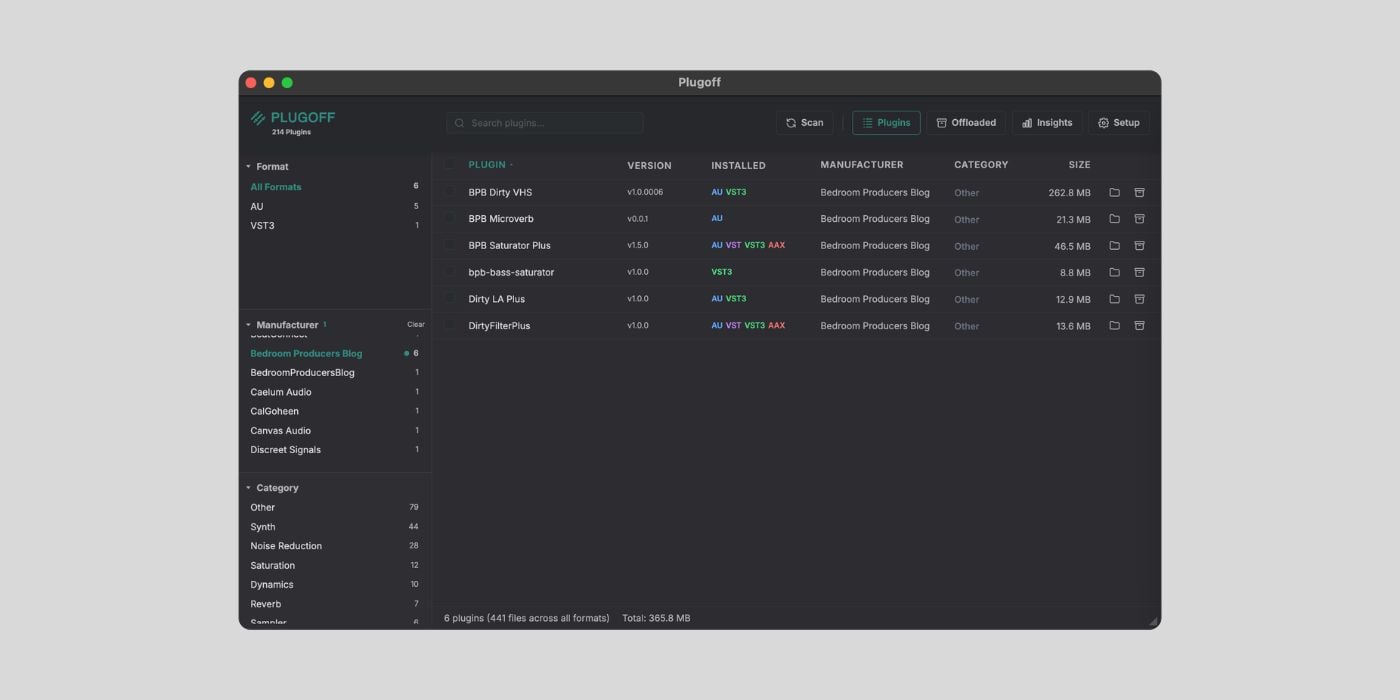

Midifex has released Plugoff, a free app for macOS and Windows that scans, organizes, and offloads your audio plugins. It supports AU, VST, VST3, and AAX formats.
Plugoff is currently free, but the developer stated that it will become a paid product in the future. So, now is the perfect time to get it.
When you test roughly ten plugins a week like I do, plugin folders get messy fast. Things pile up, you forget to install a bunch of plugins, and suddenly the DAW’s plugin list is three times longer than it should be.
I’ve been using the Audio Plugin Uninstaller ($9) by White-Blue Sound for a while now, which does a good job of listing everything and removing all traces when you uninstall. There’s also the Sonisto Access Manager.
Plugoff, especially for free, is a solid addition to this small but useful category of tools.
My first impressions are very good. Plugoff scans your system and lists every installed plugin with details like manufacturer, format, version, size, and category. You can filter and sort by any of those, which makes it easier to get a clear picture of what’s actually on your machine.
I find the layout a bit more intuitive than the Audio Plugin Uninstaller, which I’m currently using. Everything is organized and easy to browse.
The coolest feature here, though, is offloading. If you want to keep a plugin installed on your system but remove it from your DAW (so it doesn’t show up in your plugin list and doesn’t slow down scanning), Plugoff moves it to a vault folder.
You can restore it with one click whenever you need it, or permanently delete it later. You can also offload to an external drive to free up disk space and keep a backup.
There’s a handy UAD-specific feature, too. Universal Audio users know how unlicensed plugins clutter their DAW’s plugin lists. Plugoff can import your UA Connect System Profile and separate authorized plugins from trials, expired licenses, and unmatched entries, so you can offload the ones you don’t actually own.
Other features include Smart DAW Recommendations (which flags redundant plugin formats based on your DAW), a dashboard with visual breakdowns of your library, and a PDF export for generating a full plugin inventory grouped by manufacturer.
One bit of irony I had to chuckle at. The app itself takes up over 400 MB of disk space, so if you’re downloading this specifically to free up storage, those offloaded plugins better be some big ones.
We’ve had a lot of discussion about Gear Acquisition Syndrome in our community lately. If your plugin folders are overflowing, or you just want an easier way to clean up after testing something you didn’t like, Plugoff is one of the best options you can try right now for free.
You can download it directly from the website and then use your email to sign in after installation.
Plugoff requires macOS 12 or later or Windows 10 or later.
Download: Plugoff by Midifex (FREE)
Deal of the day 🔥: Get 90% OFF Ripple Phaser by Minimal Audio!
More:
Last Updated on April 1, 2026 by Tomislav Zlatic.

