

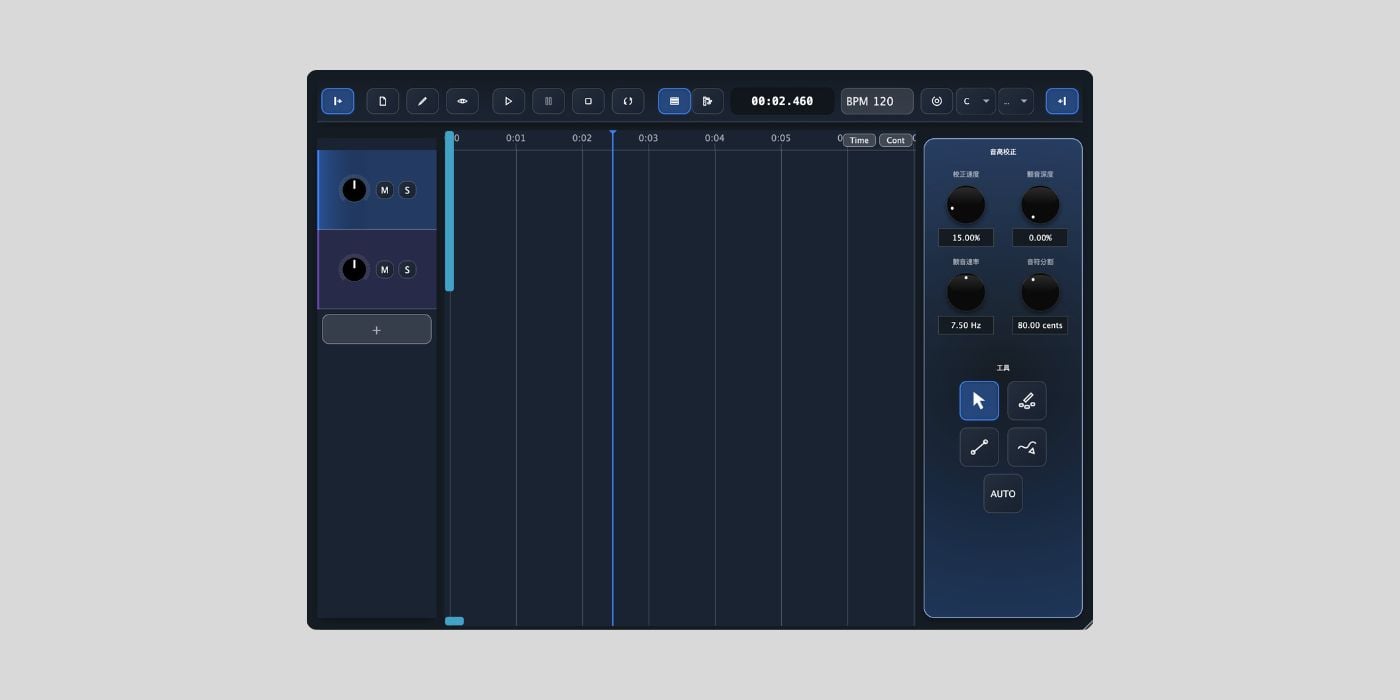

OpenTune is a free, open-source pitch-correction tool for Windows and macOS.
The project is still in beta, but it’s worth checking out if you are looking for a free Melodyne or Auto-Tune-style alternative with an AI-based approach. The biggest blocker for potential users like me, though, is that the interface is in Chinese.
Part of my work here at BPB is often testing an obscure-looking plugin so you do not have to. I did my best with this one, but I currently do not have access to a Windows machine, so I tested the macOS version on my main laptop.
The macOS installer is a pretty large download for a plugin, around 780 MB, and it is not signed, so I had to bypass the macOS security warning to install it. After installation, the VST3 did not appear in Studio One, although the standalone version worked.
So, the test is incomplete, but at least I can confirm that the standalone version works. However, if you’re uncomfortable bypassing security warnings or operating software with a foreign-language interface, I recommend skipping this one.
For those feeling adventurous, here’s what OpenTune is about.
Instead of relying only on traditional DSP pitch shifting, OpenTune uses RMVPE pitch extraction and a PC-NSF HiFiGAN neural vocoder through ONNX Runtime. The developer says the goal is to preserve the original formants while regenerating the vocal at a corrected or transposed pitch.
In other words, OpenTune tries to avoid the “duck voice” or “different singer” effect that can happen when pitch correction pushes too far. That is their claim, anyway.
The workflow is clearly inspired by manual pitch correction software like Melodyne. OpenTune includes hand-drawing, note editing, anchor tools, automatic key detection, and automatic tuning. It also supports several correction scales, including Chromatic, Major, Minor, Pentatonic, Dorian, Mixolydian, and Harmonic Minor.
OpenTune V1.5 Beta adds VST3 ARA2 extension support, which should allow it to run in compatible hosts such as Studio One and Logic Pro with region-binding and rendering workflow support. Unfortunately, it wouldn’t load in Studio One for me.
The latest beta includes a new Undo/Redo system with up to 500 history steps, a floating render status badge, lower memory usage, improved note generation, and macOS release-level support. GPU acceleration is handled through DirectML on Windows and CoreML on macOS.
OpenTune can import WAV, FLAC, OGG, and MP3 files, and the interface supports Chinese, English, Japanese, Russian, and Spanish. The GitHub page and demo material are mostly in Chinese.
Since the macOS release is not fully notarized, use your best judgment and trust your antivirus and operating system security tools.
OpenTune is released under the AGPL v3.0 license. It is available as a standalone app and VST3 plugin, with ARA2 support in compatible hosts.
Download: OpenTune (FREE)
Deal of the day 🔥: Get the VATRA mix finisher plugin by Flame Sound!
More:
Last Updated on August 17, 2026 by Tomislav Zlatic.

