


Get the rich character of a record and leave flat-sounding demos behind.
You nailed the take. Your vocals were perfect. But on playback, something’s missing. It’s not out of tune. It just sounds boring.
There are a lot of reasons a recording can fail the vibe check, but one of the most overlooked is what’s happening before your signal ever reaches your DAW.
In this article, we’ll break down the importance of preamps, how they work, and how Volt USB audio interfaces give you the rich, full character of a finished record.
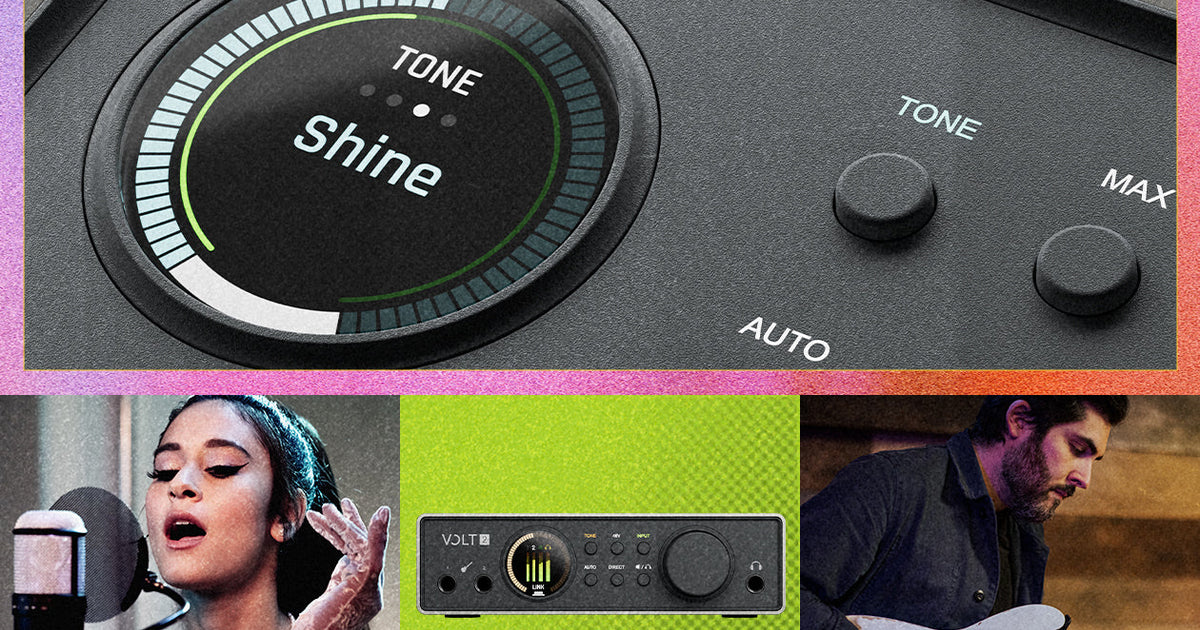
Volt’s Tone Shaping Preamps give you the sound of a finished album from the start. With three settings, you can quickly add Tube, Solid State, or British Class-A tone to everything you record.
What Do Mic Preamps Do?
Microphone and instrument signals are too weak to be recorded on their own, so a preamp’s first job is to boost those signals up to line level. But after that is when things get interesting.
Your recorded tone actually starts at the preamp stage. Every preamp circuit, whether it’s tube or solid-state, imparts its own character while boosting your signal. Some add warmth and harmonic saturation, others are cleaner and transparent, while others add more obvious grit. And the harder you push the preamp, the more that character shows through.
“Your mic preamp will reveal the texture of your sound more from mic to line, than in any other stage of the recording process,” says producer Joel Hamilton (Tom Waits, The Black Keys). “That’s why there’s so much mythology surrounding vintage preamps.”
What Are Volt’s Tone Shaping Preamps?
Volt USB audio interfaces give your recordings incredible tone right from the start. With three mic preamp modes, you can quickly add Tube, Solid State, and British Class-A tone to everything you record:
Warmth: Thick, dark, and warm, inspired by US Tube designs of the ‘50s
Focus: Mid-focused and tight in the lows, inspired by US Solid-State designs of the ‘70s
Shine: Balanced, with sparkle up top, inspired by British Class-A designs of the ‘70s
On Volt Max models, those same presets also add harmonic saturation for a richer, more driven character. And because the presets are digitally controlled, your settings are recallable in UAD Console or the LUNA DAW, and ready for your next session.
Clean vs. Character: Why Most Interface Preamps Sound Flat
Most built-in audio interface preamps are designed to be neutral. They simply boost your signal to a record-ready level. By leaving out harmonic content, musical clipping, and saturation, you don’t have to commit to a sound when tracking — you can add it later with plug-ins.
Using preamps with built in analog character works the opposite way. Tube and transformer-based circuits add subtle distortion, harmonic saturation, and a touch of compression as you drive them harder — the same qualities that make recordings sound rich and alive.

Hearing finished-record sound in your studio monitors or headphones changes how you perform.
How Preamps Influence Your Recordings
A demo captures an idea. A record captures the performance and the tone. Track through a flat preamp and you’re essentially recording a scratch track. It’s missing the personality that makes the listener — and the performer — feel something.
“That’s why I pretty much commit everything, especially drums, bass, guitar and keys,” says drummer and producer Trevor Lawrence, Jr. (Alicia Keys, Bruno Mars). “What you’re committing to at that moment is the sound that inspired the musical performance. Listening to it without that sound could completely alter the intent of the performer.”
“If I have a microphone and a singer that are both bright, I want a complimentary preamp that sounds rounder and softer.”
Joe Chiccarelli (The White Stripes, The Strokes)
Volt Preamp Settings for Vocals, Guitar, and Bass
There’s no “right answer” when it comes to choosing preamps. It depends on your source and what sounds good to you. But there are some good starting points.
Here is some guidance for Volt’s Tone Shaping Preamps based on your source:
Vocals: Bright or thin voices can benefit from the low-mids and softer highs of Warmth mode. Fuller voices can handle the added presence and air of Shine mode, putting them front-and-center in a dense mix.
Guitar: The Focus mode’s tight, punchy character helps electric guitar pop out of a mix, while Shine’s sparkle and detail will enhance a fingerpicked acoustic guitar part.
Bass: Warmth mode is a natural fit with its harmonic warmth, pulling bass forward and fattening up a flat DI tone with grit and texture.
Final Tips for Adding Character with Volt’s Tone Shaping Preamps
With Volt Tone Shaping preamps, it isn’t about finding a single correct mode or setting. It’s about hearing a finished-sounding tone in your headphones while you record, so the performance and final mix arrive at the same time.
— Darrin Fox
Related Articles
Frequently Asked Questions
What is a preamp?
A preamp boosts the weak signal from a microphone or instrument up to line level so it can be recorded. A preamp also shapes your tone, adding its own color to the sound.
Do I need a preamp if I already have an audio interface?
Most audio interfaces have preamps built in, so you don’t need a separate one to get started. But not all built-in preamps are created equal. Volt’s Tone Shaping Preamps go a step further, adding character presets on top of the standard clean gain.
What are Volt’s Tone Shaping Preamps?
A preamp that combines clean gain with built-in character presets, letting you color your sound as you record instead of relying only on plug-ins afterward.
Which preset should I use for vocals?
It depends on your voice. Bright, thin sources often match well with Warmth mode with some US Tube-style roundness. Conversely, fuller, huskier voices can benefit from the Shine mode and added air.
Which preset works best for guitar?
Electric guitar often suits a tight, punchy character with Focus mode pulling in classic US Solid-State tones from the 1960s and ’70s. Acoustic guitar can benefit from British Class-A style sparkle and detail with Shine mode.
Can I change presets after recording?
Tone Shaping is applied while tracking and becomes part of the captured audio, so it’s worth auditioning preset modes against your source before committing to a take.
Is tone shaping the same as compression?
No. Tone shaping colors your tone as you record. Compression controls dynamics — how loud and quiet parts of your signal are. Volt Max offers both independently.

