
Close Menu

    Subscribe to Updates

    Get the latest creative news from FooBar about art, design and business.

    What's Hot

    Buchert Audio releases The Double Wide FREE stereo width plugin for macOS

    junho 15, 2026

    Get W.A. Production Mutant Delay FREE for a limited time

    junho 15, 2026

    drop_out audio launches MonoDelay lo-fi delay plugin (INTRO OFFER)

    junho 15, 2026
    Facebook X (Twitter) Instagram
    Facebook X (Twitter) Instagram Vimeo
    Producer Gang | Home of Producers
    • Home
    • Articles
    • Downloads
      • VST’s
    • Tutoriais
    • Plugins

      Buchert Audio releases The Double Wide FREE stereo width plugin for macOS

      junho 15, 2026

      Get W.A. Production Mutant Delay FREE for a limited time

      junho 15, 2026

      drop_out audio launches MonoDelay lo-fi delay plugin (INTRO OFFER)

      junho 15, 2026

      Kage Production releases the Persistent Series (beta) plugins for Windows

      junho 15, 2026

      Mercurial Tones releases Dagon FREE resonance control plugin

      junho 15, 2026
    • News
      1. Plugins
      2. VST’s
      3. Hip-Hop
      4. Billboard
      5. View All

      Buchert Audio releases The Double Wide FREE stereo width plugin for macOS

      junho 15, 2026

      Get W.A. Production Mutant Delay FREE for a limited time

      junho 15, 2026

      drop_out audio launches MonoDelay lo-fi delay plugin (INTRO OFFER)

      junho 15, 2026

      Kage Production releases the Persistent Series (beta) plugins for Windows

      junho 15, 2026

      Glitchmachines – Polygon v2.1.0 for Windows

      abril 23, 2025

      Toontrack – EZbass 1.3.0 Update for Windows

      abril 23, 2025

      deltarray – GigLad PC Arranger 4.0.2 for Windows

      abril 23, 2025

      Toontrack – Funk Fusion EBX (SOUNDBANK)

      abril 23, 2025

      Drake Snippet Leaks Before J. Cole’s ‘The Fall-Off’ Drops

      fevereiro 6, 2026

      J. Cole Releases His “Last” Album ‘The Fall Off’

      fevereiro 6, 2026

      GloRilla’s Sister Says She’s “Obligated” To Give Family $2,500 Each

      fevereiro 6, 2026

      Bad Bunny Reveals What To Expect For Super Bowl LX Halftime Show

      fevereiro 6, 2026

      Beyonce Cowboy Carter Tour July 4th in Washington, D.C.: Best Moments

      julho 5, 2025

      Morgan Wallen Notches 18th Country Airplay No. 1

      julho 5, 2025

      Best Moments in Cardiff, Wales

      julho 4, 2025

      Bad Bunny ‘NUEVAYol’ Pro-Immigrant Video Arrives on Fourth of July

      julho 4, 2025

      How to Use Reverb on Vocals – Universal Audio

      junho 2, 2026

      Carlos de la Garza on Mixing Paramore and Death Cab for Cutie – Universal Audio

      maio 19, 2026

      Native vs. DSP Plug-Ins – Universal Audio

      maio 13, 2026

      Best Guitar Amp Sims for 2026 – Universal Audio

      maio 13, 2026
    • Learn How to Sell Beats
    Producer Gang | Home of Producers
    • Home
    • Plugins
    • Hip-Hop
    • News
    • Learn How to Sell Beats
    Home»Editorial»How to get started with Native Access
    Editorial

    How to get started with Native Access

    Producer GangBy Producer Gangagosto 1, 2025Nenhum comentário1 Min Read
    Facebook Twitter Pinterest LinkedIn Tumblr WhatsApp VKontakte Email
    How to get started with Native Access
    Share
    Facebook Twitter LinkedIn Pinterest Email


    7. Install third-party instruments and serial numbers

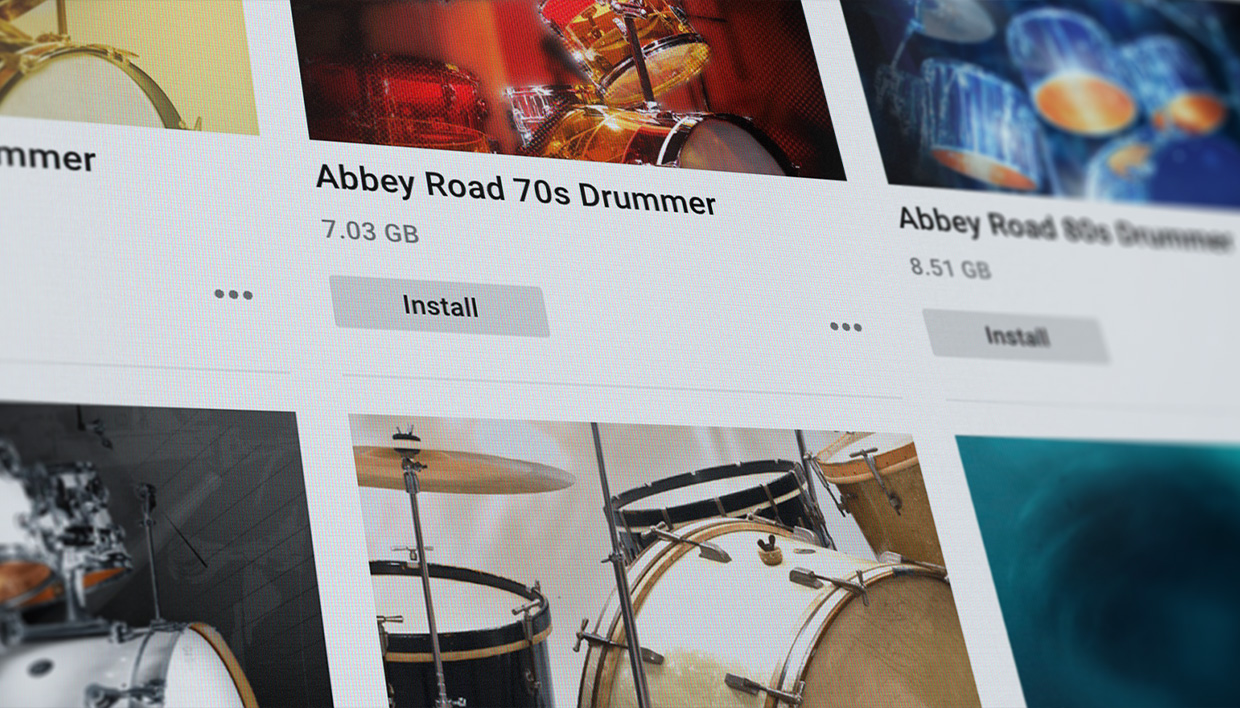
    Native Access isn’t just for Native Instruments products, but it’s also used for things like iZotope, Brainworx, as well as hundreds of instruments created by different companies. Many of the instruments created by other companies can be purchased directly from native-instruments.com by selecting the “Brands” category and either “All,” “Installed,” or “Available.” This list shows you all of the companies and their products.

    To install a third-party Kontakt library using Native Access, first download and install the library from its manufacturer, then use Native Access to register and install it. Some libraries don’t require Native Access for installation; you’ll need to add them manually within Kontakt.

    Download and install the Library by locating the third-party Kontakt library you want to install on your computer. Carefully follow the installation instructions, which may involve unzipping files and potentially running an installer. Take note of where you installed the library’s main folder. You may need to install the third party library using Native Access.

    Open Native Access, and click Add Serial, located in the bottom left hand corner and add in the Serial number provided by the manufacturer.



    Source link

    Share. Facebook Twitter Pinterest LinkedIn Tumblr WhatsApp Email
    Previous ArticleTyler, the Creator Teases NJ Crowd, Says He Knows Nothing…
    Next Article Daddy Yankee Slaps Ex-Wife With New $12M Lawsuit, Claimin…

    Related Posts

    The organic precision behind Calcou’s Anjuna release featuring Reaktor

    junho 8, 2026

    Parallelle on crafting living basslines with Reaktor and TRK-01

    junho 2, 2026

    Where will your sound lead you? Explore the Native Instruments Summer Sale

    junho 1, 2026

    How Mr. Bill builds sonic worlds in Massive X

    maio 29, 2026
    Demo
    Our Picks
    • Facebook
    • Twitter
    • Pinterest
    • Instagram
    • YouTube
    • Vimeo
    Don't Miss
    Plugins

    Buchert Audio releases The Double Wide FREE stereo width plugin for macOS

    By Producer Gangjunho 15, 20260

    Buchert Audio has released The Double Wide, a free one-knob stereo width plugin for macOS.…

    Get W.A. Production Mutant Delay FREE for a limited time

    junho 15, 2026

    drop_out audio launches MonoDelay lo-fi delay plugin (INTRO OFFER)

    junho 15, 2026

    Kage Production releases the Persistent Series (beta) plugins for Windows

    junho 15, 2026

    Subscribe to Updates

    Get the latest creative news from SmartMag about art & design.

    Producer Gang | Home of Producers
    Facebook X (Twitter) Instagram Pinterest
    • Home
    • Plugins
    • Hip-Hop
    • News
    • Learn How to Sell Beats
    © 2026 Producer Gang. Designed by Audio Escola.

    Type above and press Enter to search. Press Esc to cancel.