

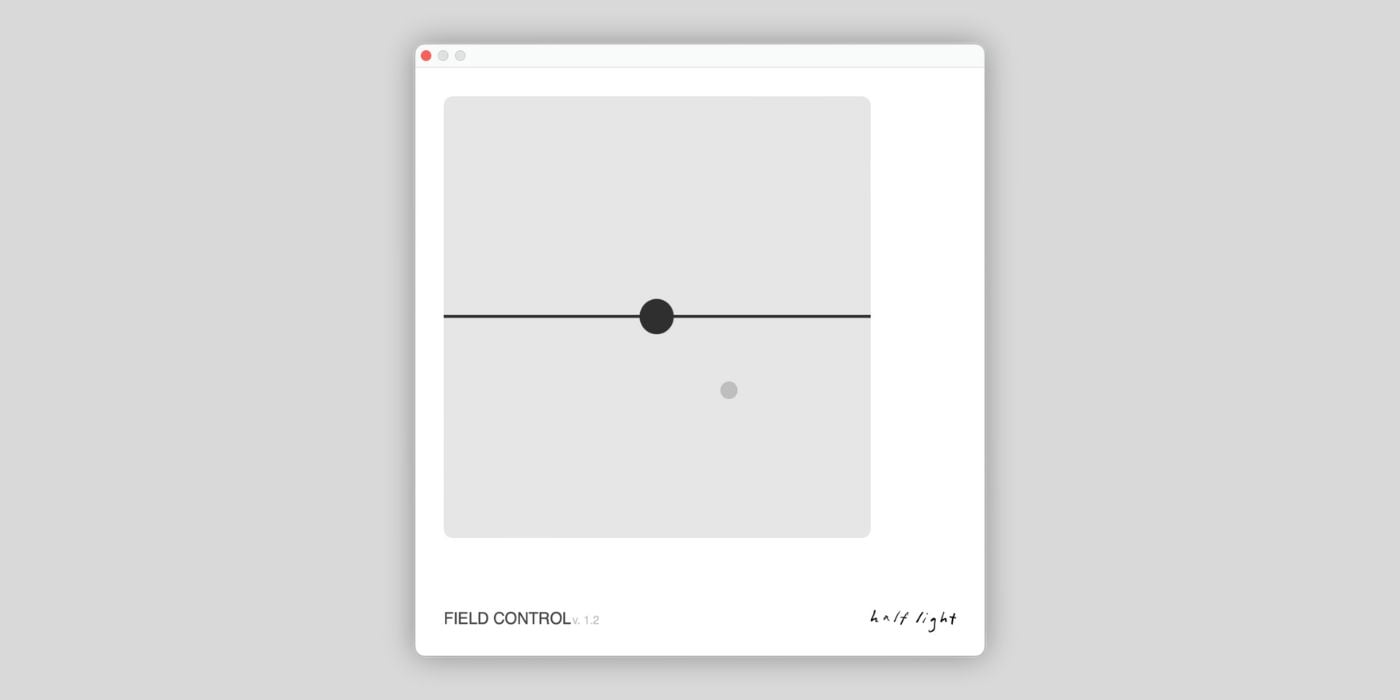

Field Control is a new plugin for macOS and Windows from Half Light Audio, and you can download it for free now.
The plugin is available in AU, VST, and AAX formats for macOS and Windows.
You need to create an account with Half Light Audio to download Field Control; once you do, the installers are available immediately.
So, what is Field Control?
Well, Field Control is one of the most minimalistic plugins we’ve ever covered, in every sense.
It’s a simple plugin that allows you to tilt, pan, and delay your audio.
We often say that less is more in music, and that’s usually true of plugins, especially regarding interface design and workflow.
Field Control has the most stripped-bare interface I can recall, but it’s immediately functional.
When you load the plugin, you’ll see an XY pad with two movable points.
The larger black point adjusts the tilt, which, in turn, shifts the balance between light and dark. A severe tilt either way brings out pretty bold effects, whether it’s a really bold, low-end sound or thinner lows and a bright top end.
It’s a simple control for subtle balance adjustments or character-altering shifts.
If you click the smaller grey point, you’ll see the following parameters appear down the right side of the GUI: Time, Feedback, Pan, and Mix.
Dragging the smaller point around will adjust the Time (Y axis) and Pan (X axis) settings. You can use it to add Haas-like stereo width or pitch-drifting effects.
As you can see and hear from the developer’s short demo, you can use the Feedback control to create a slapback effect, which is lovely for chord stabs.
You have to try Field Control for yourself to appreciate it; it’s a quick and easy way to shape and position sound, and the minimal design works well.
I know some of you ran into some problems when trying to download the pack, but it seems the creator has addressed the issues, and all is well again.
Last Updated on February 6, 2026 by Tomislav Zlatic.

