
Close Menu

    Subscribe to Updates

    Get the latest creative news from FooBar about art, design and business.

    What's Hot

    How to Make Tech House Basslines Like Max Styler

    agosto 13, 2026

    quietformat releases SURVIVE, a FREE feature-packed clipper plugin

    agosto 12, 2026

    Dusk Audio releases Tape Echo 2, a FREE Space Echo-style delay plugin

    agosto 12, 2026
    Facebook X (Twitter) Instagram
    Facebook X (Twitter) Instagram Vimeo
    Producer Gang | Home of Producers
    • Home
    • Articles
    • Downloads
      • VST’s
    • Tutoriais
    • Plugins

      quietformat releases SURVIVE, a FREE feature-packed clipper plugin

      agosto 12, 2026

      Dusk Audio releases Tape Echo 2, a FREE Space Echo-style delay plugin

      agosto 12, 2026

      NoirSonance releases Decompressor, a FREE upward dynamics plugin

      agosto 12, 2026

      I AM CHOIR sings your lyrics and melody inside your DAW (intro price)

      agosto 12, 2026

      GIVEAWAY: Win Buckets And Decay delay plugin by Bjango

      agosto 11, 2026
    • News
      1. Plugins
      2. VST’s
      3. Hip-Hop
      4. Billboard
      5. View All

      quietformat releases SURVIVE, a FREE feature-packed clipper plugin

      agosto 12, 2026

      Dusk Audio releases Tape Echo 2, a FREE Space Echo-style delay plugin

      agosto 12, 2026

      NoirSonance releases Decompressor, a FREE upward dynamics plugin

      agosto 12, 2026

      I AM CHOIR sings your lyrics and melody inside your DAW (intro price)

      agosto 12, 2026

      Glitchmachines – Polygon v2.1.0 for Windows

      abril 23, 2025

      Toontrack – EZbass 1.3.0 Update for Windows

      abril 23, 2025

      deltarray – GigLad PC Arranger 4.0.2 for Windows

      abril 23, 2025

      Toontrack – Funk Fusion EBX (SOUNDBANK)

      abril 23, 2025

      Drake Snippet Leaks Before J. Cole’s ‘The Fall-Off’ Drops

      fevereiro 6, 2026

      J. Cole Releases His “Last” Album ‘The Fall Off’

      fevereiro 6, 2026

      GloRilla’s Sister Says She’s “Obligated” To Give Family $2,500 Each

      fevereiro 6, 2026

      Bad Bunny Reveals What To Expect For Super Bowl LX Halftime Show

      fevereiro 6, 2026

      Beyonce Cowboy Carter Tour July 4th in Washington, D.C.: Best Moments

      julho 5, 2025

      Morgan Wallen Notches 18th Country Airplay No. 1

      julho 5, 2025

      Best Moments in Cardiff, Wales

      julho 4, 2025

      Bad Bunny ‘NUEVAYol’ Pro-Immigrant Video Arrives on Fourth of July

      julho 4, 2025

      How iHeart’s Ruby Studio Uses Apollo to Podcast at Scale – Universal Audio

      julho 29, 2026

      A Guide to Distortion for Home Recordists – Universal Audio

      julho 24, 2026

      UAFX Guitar Amp Emulators – Universal Audio

      julho 17, 2026

      Step-by-Step Guide – Universal Audio

      julho 17, 2026
    • Learn How to Sell Beats
    Producer Gang | Home of Producers
    • Home
    • Plugins
    • Hip-Hop
    • News
    • Learn How to Sell Beats
    Home»Tutorials»How to Make Tech House Basslines Like Max Styler
    Tutorials

    How to Make Tech House Basslines Like Max Styler

    Producer GangBy Producer Gangagosto 13, 2026Nenhum comentário3 Mins Read
    Facebook Twitter Pinterest LinkedIn Tumblr WhatsApp VKontakte Email
    How to make tech house basslines like Max Styler (Drift)
    Share
    Facebook Twitter LinkedIn Pinterest Email


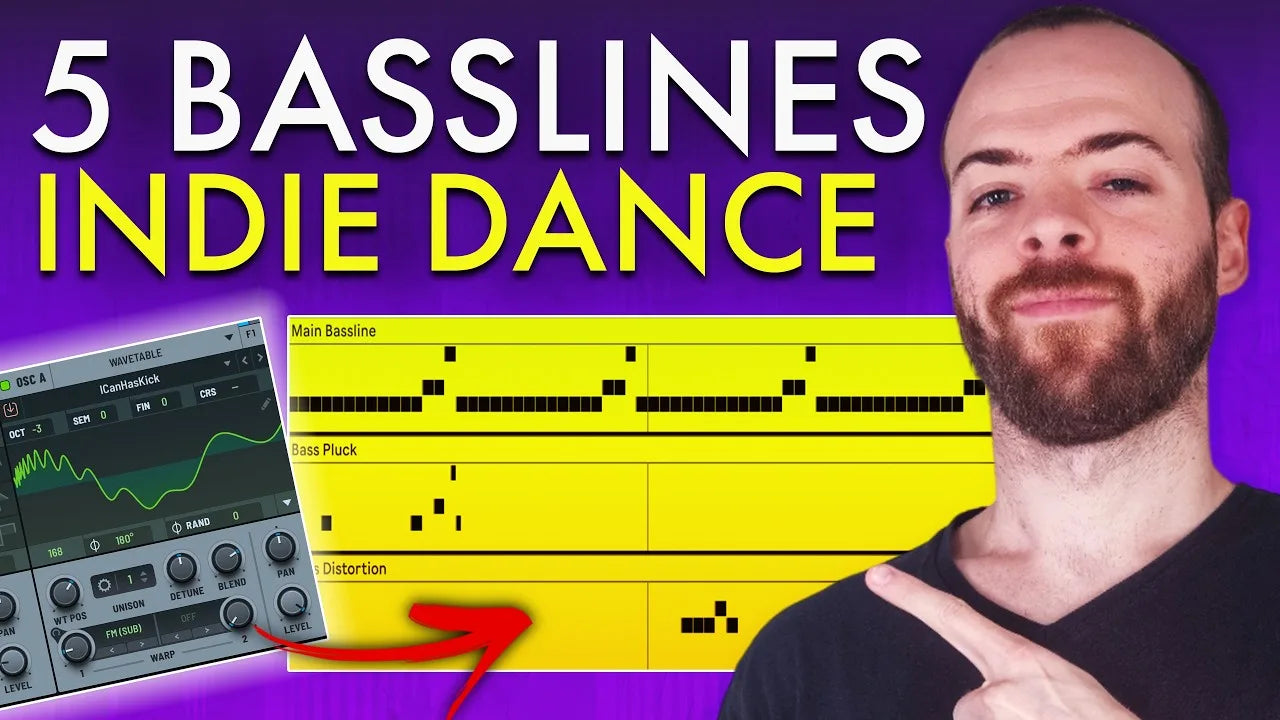
    Max Styler’s minimal, bass-heavy sound is built for the dancefloor: groovy, powerful, and engineered to keep the energy high all night. This breakdown takes his bass work apart into five layers, each with a different timbre and role: the main bass, the accent pluck, the response, the phase-distortion refresh, and the wow fill. Keep it minimal and let the bass do the work.

    Step 1: The Main Bass Line

    The core groove, a simple phrase with a semitone twist and an end-of-phrase figure for movement. The rule of thumb: amp straight, filter plucky.

    Key settings:

    • Amp envelope (ENV 1): straight and clean so the note hits as-is
    • ENV 2: plucky and short, assigned to the filter cutoff
    • Oscillators: a pure sine for the sub, plus an ICanHasKick-style wavetable for body and crunch
    • FM and LFO modulation for movement
    • EQ Eight boosting the upper mids for presence

    Max Styler main bassline MIDI in Ableton with EQ Eight

    Step 2: The Deep Bass Pluck

    An accent layer that pushes the end-of-phrase melody, sitting deeper than the main bass so the two never fight.

    Key settings:

    • FM-style and ICanHasKick-style wavetables for grit
    • Filter cutoff mostly closed so it sits deep
    • ENV 2 to filter cutoff for pluck and movement
    • ENV 1 shorter and snappier than the main bass
    • A dimension widener for stereo width, and a low cut to leave sub space for the main bass

    Serum deep bass pluck patch for tech house

    Step 3: The Response Bass

    The response to the pluck’s call, with a contrasting, more forward character. A half-step movement gives it that classic tech house low-end motion.

    Key settings:

    • More grit than the pluck, from phase distortion (find the sweet spot) and tube distortion
    • More forward and audible in the mix
    • Distinct oscillators, filter and envelopes for a clear contrast against the pluck

    Serum response bass patch with phase and tube distortion

    Step 4: The Phase-Distortion Bass

    A short, punchy bass placed right before the loop restarts, refreshing the loop with a new, narrower character.

    Key settings:

    • A narrower character built on phase distortion
    • A short, punchy envelope
    • Placed just before the loop restart as a refresh

    Phase-distortion bass placed before the loop restart in Ableton

    Step 5: The Wow Fill

    A longer-attack bass used as a fill at the end of a phrase, before the next one kicks in. The filter opens gradually for that “wow” lift.

    Key settings:

    • A single note or short figure at the phrase end
    • A longer attack on the amp and/or filter
    • The filter opening gradually for the wow effect

    Serum wow-fill bass patch with a longer filter attack

    Grab the full project

    Want the full project? Drift has 8 Ableton project files, 300+ samples, and 50+ Serum 2 presets with matching MIDI, including the bass patches behind this breakdown.

    Watch the full breakdown

    See all five bass layers in the video:

    Reference tracks

    Typical reference tracks for this style are:

    • Piatto – Things We Never Know
    • Mihai Popoviciu – Here
    • Mau P – Merther
    • Kolter – Liquor Store
    • Chris Lorenzo – Appetite
    • Chris Lorenzo, Max Styler – London’s On Fire
    • EdiP – Lock Y Phone
    • AYYBO, Discip – 4 Ya Mind


    ← Older Post


    Source link

    Share. Facebook Twitter Pinterest LinkedIn Tumblr WhatsApp Email
    Previous Articlequietformat releases SURVIVE, a FREE feature-packed clipper plugin

    Related Posts

    5 Lessons for a Modern Sound

    agosto 12, 2026

    The HOTLAP Formula: Melodic Techno Meets Afro House

    agosto 11, 2026

    4 Levels of Percussive Afro Tech

    agosto 10, 2026

    4 Levels From Basic to Pro

    agosto 4, 2026
    Demo
    Our Picks
    • Facebook
    • Twitter
    • Pinterest
    • Instagram
    • YouTube
    • Vimeo
    Don't Miss
    Tutorials

    How to Make Tech House Basslines Like Max Styler

    By Producer Gangagosto 13, 20260

    Max Styler’s minimal, bass-heavy sound is built for the dancefloor: groovy, powerful, and engineered to…

    quietformat releases SURVIVE, a FREE feature-packed clipper plugin

    agosto 12, 2026

    Dusk Audio releases Tape Echo 2, a FREE Space Echo-style delay plugin

    agosto 12, 2026

    NoirSonance releases Decompressor, a FREE upward dynamics plugin

    agosto 12, 2026

    Subscribe to Updates

    Get the latest creative news from SmartMag about art & design.

    Producer Gang | Home of Producers
    Facebook X (Twitter) Instagram Pinterest
    • Home
    • Plugins
    • Hip-Hop
    • News
    • Learn How to Sell Beats
    © 2026 Producer Gang. Designed by Audio Escola.

    Type above and press Enter to search. Press Esc to cancel.
