

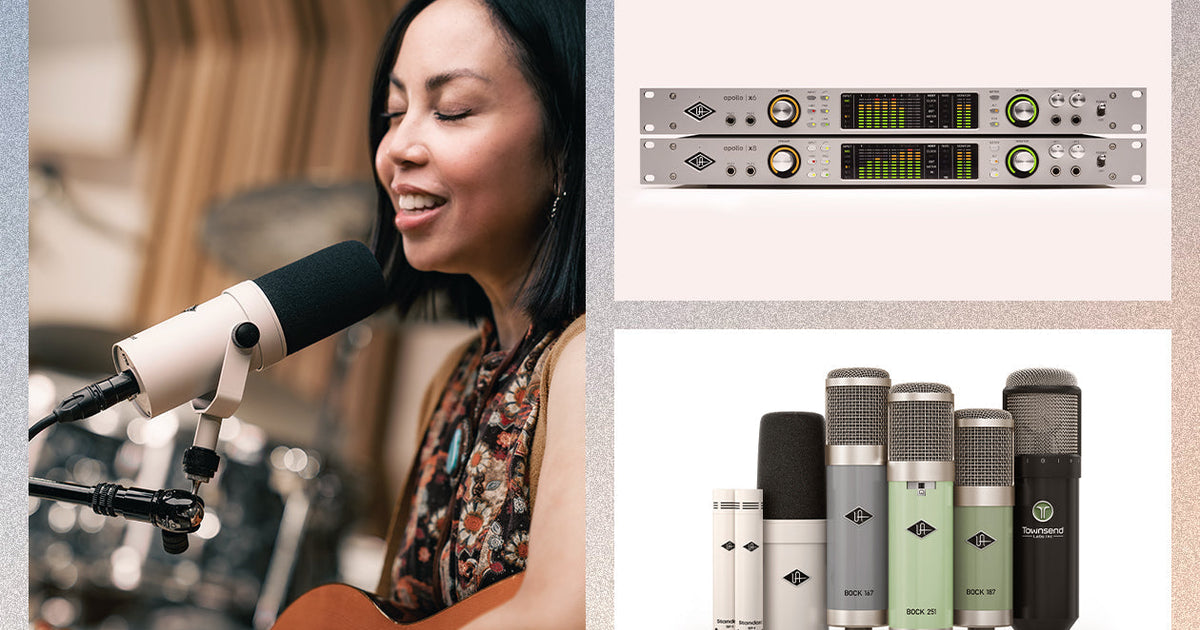

A great vocal recording starts before you ever insert a plug-in.
Before compression, EQ, or reverb, the most important decisions happen at the microphone: where it sits in relation to the sound source, how loud the signal enters your interface, and how intentionally you capture the source.
One of the biggest advantages of recording through an Apollo interface is that you can build a complete vocal chain inside UAD Console, helping you hear an inspiring sound while still making careful decisions about what gets recorded.
That means better, more emotive performances.
In this guide, we’ll walk you through a complete vocal recording workflow using:
-
The right microphone for your room
-
Proper mic placement
-
Apollo gain staging inside Console
-
Neve 1073 Preamp & EQ Collection in the Unison slot
-
Teletronix LA-2A Leveler Collection for optical compression
-
1176 Classic Limiter Collection for transient control
-
Lexicon 224 Digital Reverb on an aux send
-
Optional UAD Auto-Tune Realtime X during tracking
How to Choose the Right Vocal Microphone for Home Studio Recording
Before opening Console, your microphone choice determines how much of the room, vocal tone, and detail enters the chain.
The right microphone isn’t always the most expensive one. It’s the one that fits the environment.
UA SD-1 Dynamic Microphone: Best for Untreated Rooms and Home Studios
The SD-1 is often the smartest choice when recording in an untreated space.
As a dynamic microphone, the SD-1 naturally rejects more room noise than condensers, making it especially useful when:
-
Recording in home studios
-
Traveling
-
Tracking vocals near reflective walls
-
Working in louder environments
It also gives vocals a focused, modern forwardness that sits naturally in dense productions.
The SD-1 works with Hemisphere mic modeling, which lets you further shape the microphone’s character within the chain. The Hemisphere Mic Collection offers additional tonal options while still using the same physical microphone, meaning one mic can adapt quickly depending on the vocalist.
Hemisphere allows you to harness the authentic sound of the most popular microphones ever made.
Sphere LX and DLX Modeling Microphones offer something unique: your microphone decisions don’t have to end when tracking begins. Because Sphere captures dual capsules, you can change mic models later or even during tracking.
That means you can:
This is especially powerful when tracking vocals, because what you hear can change how you perform.. A brighter model may encourage softer delivery; a darker model may encourage more intensity.
Sphere also integrates naturally into Apollo workflows, since mic emulations become part of the Console chain itself.

Audition Classic mics before, during, and after recording with Sphere Mic Collection.
UA Bock 187, 167, and 251 Microphones for Premium Condenser Vocal Recording
For a classic large-diaphragm condenser approach, the UA Bock 187, 167, and 251 offer rich vocal detail, depth, and openness.
These microphones excel when:
They pair beautifully with vintage-style preamps, since they already carry strong dimensionality before processing begins.
 The Bock 187, 167, and 251 are UA’s flagship condenser microphones, handbuilt in Santa Cruz, California.
1. Master Mic Placement First
Even the best microphone changes dramatically depending on placement. A small distance adjustment often matters more than any EQ applied later.
A Reliable Starting Position
-
Position the mic six to eight inches from the source
-
Angle it slightly off-axis
-
Place a pop filter between the vocalist and the mic to prevent plosives
Why Slightly Off-Axis Works
Singing directly into the capsule can exaggerate harsh consonants. Angling slightly off center often smooths P sounds, S sounds, and heavy blasts of breath without losing clarity.
Consistency Is Everything
If the vocalist moves dramatically during a take, the tone changes constantly, which causes compression to react differently phrase to phrase. A steady position creates a more controllable recording at the source.
2. Set Proper Gain Staging in UAD Console App
Before plug-ins, gain staging determines whether your vocal feels clean, dynamic, or unintentionally stressed.
Inside UAD Console, you want a healthy signal without chasing hot levels.

UAD Console and Apollo interfaces completely change how you track and monitor vocals.
What to Look For
Aim for peaks around:
This gives enough headroom for sudden vocal peaks. Modern converters don’t need aggressive input levels.
Why Lower Is Better Than Too Hot
If the signal clips before compression, no plug-in can truly undo it. A little extra headroom prevents clipping during emotive moments.
Watch the Apollo Meter, Not Just Your Ears
A vocal may sound exciting in headphones while still entering too hot. Trust the Console meter.
3. Use the Neve 1073 UAD Plug-In in the Unison Slot for Hardware-Quality Tone
The Unison slot is where tone begins. Loading the Neve 1073 Preamp & EQ Collection there changes Apollo’s input behavior to more closely mirror the original hardware preamp, rather than simply adding EQ after the fact.
Why Unison Changes the Feel
The Neve 1073 does more than add EQ. It adds:
-
Gain interaction
Input gain responds more like the original preamp structure, so pushing the signal changes both tone and level. -
Input impedance
Apollo adjusts impedance at the hardware input, which changes how the microphone interacts with the preamp. -
Harmonic character
The plug-in models the saturation and tonal coloration associated with driving the preamp.
The result is a front end that feels more like recording through hardware.
I have never felt completely comfortable pulling up a Neve plug-in until UA came out with their Neve 1073 Mark II.
Will Yip (Turnstile, Title Fight, Turnover)
Great Starting Settings
4. Add the Teletronix LA-2A UAD Plug-In for Optical Compression and Warmth
The Teletronix LA-2A Leveler Collection is ideal as the first compressor in the chain. Its optical tube design produces a slower, more musical attack that smooths dynamics naturally and adds warmth.

The LA-2A is known for smooth compression and a warm tube tone perfect for sweetening vocals.
Aim For Gentle Reduction
Target two to four dB of gain reduction. This adds warmth, smoothness, and more stable headphone monitoring. When you hear gentle control, it’s easier to relax and focus on the performance.
5. Add the 1176 Classic Limiter UAD Plug-In for Transient and Peak Control
The 1176 Classic Limiter Collection catches what the LA-2A leaves behind. Quick consonants and sudden peaks become easier to manage.

The 1176’s fast attack and release times make it ideal for catching peaks and transients.
Suggested Tracking Settings
The vocal should still feel alive and dynamic.
6. Add Lexicon 224 on an Aux Send
The Lexicon 224 Digital Reverb works beautifully on a Console aux send because it inspires your performance without printing reverb into the recording.

The Lexicon 224 is known for its characterful plate and concert reverb sounds, and now those same algorithms are available in plug-in form.
Why Aux Sends Matter During Tracking
Using an aux send lets the vocalist hear space, warmth, and sustain while keeping the dry vocal untouched. A short plate or a small hall usually provides enough support without masking the pitch. Keep in mind: some singers prefer to monitor dry, so always check in when tracking someone else.
Add Optional Auto-Tune for Confidence
Antares Auto-Tune Realtime Advanced can help singers stay relaxed if pitch concern becomes a distraction. Use subtle settings — the goal is support, not obvious correction.
Monitor or Commit: Which Should You Choose?
Apollo Console lets you decide whether plug-ins are recorded to the track or simply heard in the mix.
Monitor Only
Best when testing sounds or preserving options for later.
Commit While Recording
Best when you trust the chain and the tone is clearly right.
A practical rule: commit tone, monitor effects. In practice, that usually means:
Complete UAD Vocal Chain for Apollo: Step-by-Step
Inside Console:
-
Mic choice
-
Gain staging
-
Neve 1073 in Unison slot
-
Teletronix LA-2A
-
1176 Classic Limiter
-
Lexicon 224 on aux send
-
Optional Auto-Tune

This chain creates a clean source, strong performances, and less work when it’s time to mix. Most importantly, it helps you forget the technical side and focus entirely on delivery.
Because when vocal recording works, nobody notices the chain — they only hear the emotion.
— Brit Rogers
Related Articles:
Frequently Asked Questions
What UAD plug-ins should I use to record vocals with Apollo?
The core UAD vocal chain for Apollo is: Neve 1073 Preamp & EQ Collection in the Unison slot for preamp tone, Teletronix LA-2A Leveler Collection for optical compression, and 1176 Classic Limiter Collection for peak control. Add Lexicon 224 Digital Reverb on an aux send. All run in realtime through Apollo Console with near-zero latency.
What is the Unison slot and why does it matter for vocal recording?
The Unison slot is a dedicated insert in Apollo Console that links the UAD plug-in directly to Apollo’s analog input stage. When the Neve 1073 is loaded there, Apollo adjusts its hardware input impedance to mirror the original preamp circuit, changing how the microphone interacts with the front end and adding harmonic character before the signal is converted.
What gain level should I set in Apollo Console when recording vocals?
Aim for peaks around -12 dBFS, with occasional peaks up to -10 dBFS. Modern converters don’t need a hot signal — this headroom prevents clipping during emotive passages that compression can’t fix after the fact. Watch the Apollo Console meter directly rather than relying on how the signal sounds in headphones.
What’s the difference between the LA-2A and the 1176 for vocal recording?
The Teletronix LA-2A Leveler Collection uses optical tube compression with a slower, more musical attack — ideal for smoothing overall vocal dynamics and adding warmth. The 1176 Classic Limiter Collection uses FET circuitry with a much faster attack, catching transient consonants and sudden peaks the LA-2A lets through. Running both in series gives you level control plus peak protection.
Should I print UAD plug-ins to the recording or just monitor through them?
A useful rule: commit tone, monitor effects. Print the Neve 1073 in the Unison slot — the impedance and harmonic character are part of the source. Gentle LA-2A compression can also be printed if the settings are locked in. Leave the Lexicon 224 reverb in monitor-only mode so the dry vocal remains flexible in the mix.
Can I use Auto-Tune while tracking vocals in UAD Console?
Yes. Antares Auto-Tune Realtime Advanced runs as a UAD plug-in inside Apollo Console, so it processes in realtime through the headphone mix during tracking. Use subtle settings — the goal is to reduce pitch anxiety so the vocalist relaxes and performs freely, not to apply obvious pitch correction to the printed recording.

