

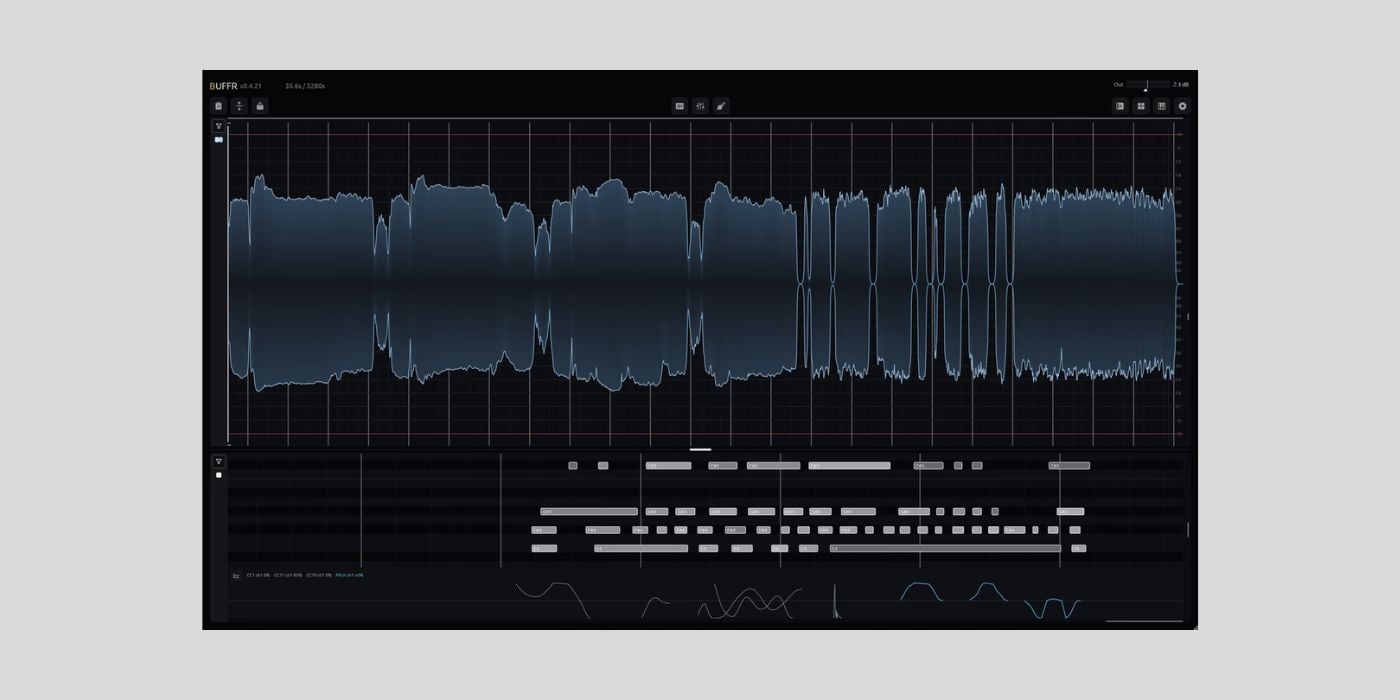

Matari Audio has released BUFFR, a free public beta of a retrospective audio, system audio, and MIDI capture plugin for macOS, Windows, and Linux.
Important note before we get into the details: the public beta is free, but each beta license lasts 21 days from first use. There is no announced beta program end date, but I do not have pricing info yet or confirmation on whether beta access will be prolonged.
I will update the article when Matari Audio shares more details about the final pricing and beta timeline. I liked BUFFR enough to post about it now despite the 21-day beta limit.
The basic idea is similar to tools like Rolling Sampler or Rewind, but BUFFR goes further. It can keep up to 120 minutes of multichannel audio and MIDI history, so you can recover a performance after the moment has already passed.
This makes a lot of sense to me personally. Even after 20 years of producing music on a computer, when I jam, things usually go well, but the moment I press record to capture a MIDI performance, I kind of freeze up and hit the wrong key or mess up the timing every few notes.
Something like BUFFR, which captures the performance without the pressure of recording, is pretty cool. I think Matari Audio is onto something here, and my first impressions are great.
BUFFR can capture up to 16 audio channels, system audio as its own stereo source, and MIDI across all 16 channels. It retains notes, velocity, CC, pitch bend, channel pressure, poly pressure, SysEx, and full MPE.
The global MIDI mode is one of the more interesting parts. BUFFR can open your hardware controller’s OS MIDI input directly, so the plugin can sit on the master channel and still remember what you played on your keyboard. You do not necessarily have to arm a separate MIDI track just to feed BUFFR.
There is also Spectral Grab, which lets you select sound across time and frequency inside the spectrogram. You can extract or remove only the frequencies you want, then reconstruct the selection with FFT, minimum-phase, or linear-phase processing before dragging it out.
For audio, BUFFR can drag selections straight into a DAW or file manager. It defaults to 24-bit FLAC, with WAV, MP3, AAC, Ogg/Opus, and AIFF also available. MIDI selections drag out as Standard MIDI Files.
The plugin also includes markers, snapping, offline processing, playback, recovery across restarts, and an open drag-and-drop protocol developed by Matari Audio.
The interface still feels a bit rough around the edges to me, and it could be made more intuitive over time. But overall, BUFFR already feels like a very solid tool and definitely worth downloading while the beta is free.
The plugin only records while BUFFR is running in your DAW, so it cannot recover audio or MIDI from before the instance was loaded. Matari Audio also states that capture, playback, editing, processing, and export happen locally. Only licensing, download, and support data you deliberately submit is sent to Matari.
Anyway, I know a 21-day license isn’t ideal, but it’s an interesting tool that’s worth trying. Again, I’ll update the article once I learn more about the pricing.
BUFFR is available in CLAP and VST3 formats for macOS, Windows, and Linux. The current macOS beta is unsigned and includes a local installer.
Download: Matari Audio BUFFR (FREE 21-day beta license)
Deal of the day 🔥: Get SSL Native X-Comp for only $10!
More:
Last Updated on July 24, 2026 by Tomislav Zlatic.

