

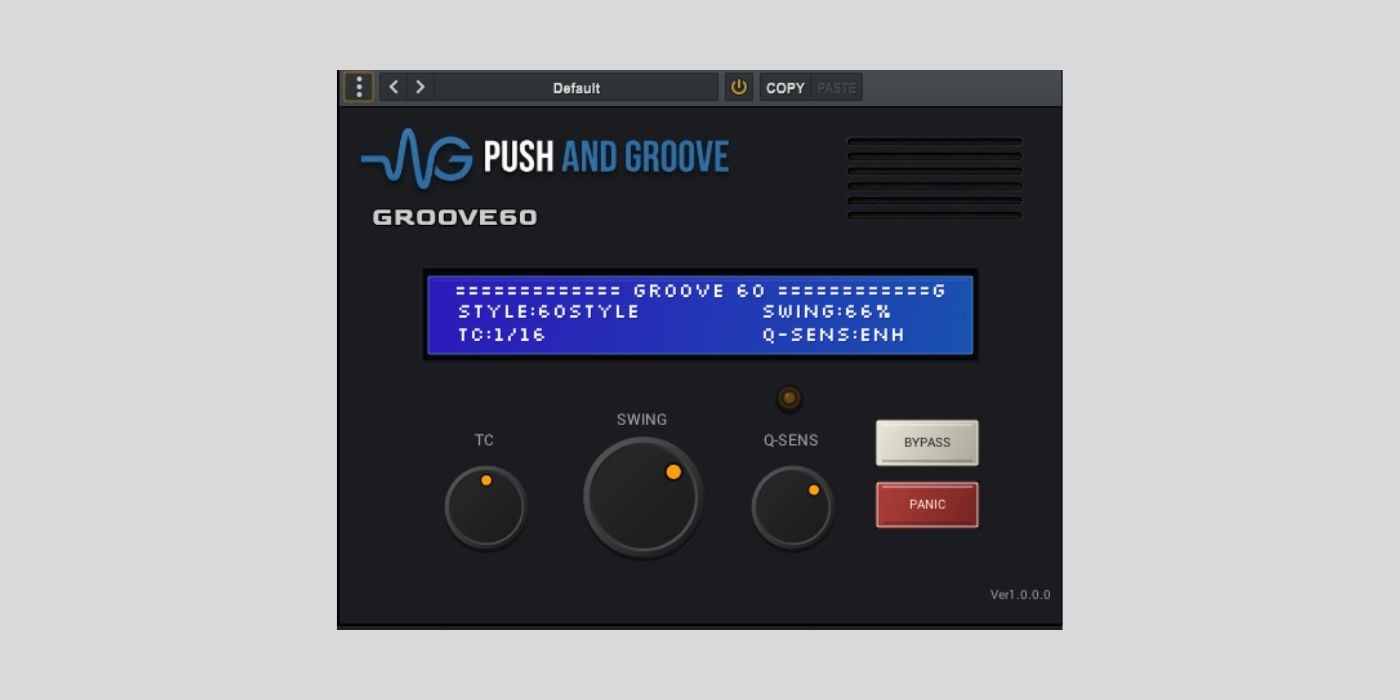

Push and Groove has released GROOVE60, a MIDI timing processor for macOS and Windows.
Developer Takahiro Oishi describes GROOVE60 as a MIDI timing simulator inspired by classic drum machine and hardware sequencer timing concepts.
So, if you want some of that old-school sequencer groove in your DAW, it’s a fun tool to try. It processes incoming MIDI notes and sends timing-adjusted MIDI to another instrument track.
The important part is that GROOVE60 does not rewrite your MIDI clips. It works at playback, so your original notes stay where they are in the DAW.
In other words, if you bypass the plugin, the original performance comes back instantly.
That makes it useful if you want to experiment with the groove without making any direct edits in your sequencer or piano roll. You can place it on drums, hats, percussion, bass lines, or any MIDI part that feels too rigid.
The internal timing model is built around a 96 PPQN grid, with Timing Correct, swing, and queue detection all passing through that timing reference. Timing Correct can snap playback to OFF, 1/8, 1/8T, 1/16, 1/16T, 1/32, or 1/32T values.
Swing is active when Timing Correct is set to 1/8 or 1/16. The product page suggests 50% for straight timing, 66% for a triplet-style feel, and 75% for a heavier swing.
The third part of the engine is FIFO Queue feel. When multiple MIDI notes land at the same or nearly the same time, GROOVE60 preserves their order and lets later events sit slightly behind the first. This can add a bit of depth to stacked events without randomizing the whole performance.
By the way, it’s important to point out that GROOVE60 is not a classic humanizer. It does not add random timing drift, velocity variation, jitter, or unpredictable note movement. The groove comes from deterministic timing decisions, which should make the results easier to repeat.
The main controls are TC, Swing, Q-SENS, Bypass, and Panic. Q-SENS controls how strongly the plugin reacts to stacked or near-stacked MIDI events, with Classic, Enhanced, and Hot settings for different amounts of queue feel.
The product page also gives a few suggested starting points. For a classic drum machine feel, try TC at 1/16, Swing around 60-66%, and Q-SENS set to Classic. For a straighter groove with queue feel, keep Swing at 50% and use Q-SENS Enhanced.
GROOVE60 can be used while playing live, but the developer notes that Timing Correct and lookahead-style processing can make real-time monitoring feel delayed. It is especially suited to MIDI clip playback inside a DAW.
GROOVE60 is available in VST3 format for macOS and Windows.
Download: Push and Groove GROOVE60 (free)
Deal of the day 🔥: Get 75% OFF Melodyne 5 Essential (only $24)!
More:
Last Updated on July 1, 2026 by Tomislav Zlatic.

