


Two Completely Different Philosophies
“Some tools guide you.
Others let you build your own system.”
When comparing DAWs, few matchups are more interesting than:
Both are powerful.
Both can make professional records.
But they approach music production from completely different angles.
Quick Summary
👉 Pro Tools is the industry-standard DAW found in professional recording studios worldwide, while Reaper is an affordable, lightweight, and highly customizable DAW favored by independent creators and power users.
For decades, Pro Tools has dominated professional recording studios.
If you walk into a major studio, post-production facility, or commercial recording environment…
You’ll probably see Pro Tools.
Should I Learn Pro Tools or Ableton Live? 💻
Why?
Because it excels at:
- recording audio
- editing performances
- mixing large sessions
- professional studio workflows
Pro Tools became the language of professional studios.
Reaper took a completely different path.
Instead of focusing on industry tradition…
It focused on flexibility.
Reaper Is Known For
- affordability
- efficiency
- customization
- lightweight performance
It has become extremely popular with:
- independent producers
- engineers
- composers
- advanced users
Reaper gives you freedom — sometimes almost too much freedom.
Pro Tools Pricing
Pro Tools Intro
- completely free
- limited tracks and features
Paid Versions
- subscription model
- monthly or yearly payments
Additional Requirement — iLok
Pro Tools requires:
- an iLok account
- cloud authorization or USB dongle
This is part of the professional ecosystem.
Pro Tools Intro vs Artist for Beginners 🎚️
Pro Tools feels like professional infrastructure.
Reaper Pricing
Reaper is famous for its affordability.
The Reaper Philosophy
Buy it once.
Use it.
Simple.
Reaper feels more like independent software culture.
Pro Tools Workflow
Structured. Traditional. Studio-focused.
Best for:
- recording bands
- vocal production
- editing live performances
- large studio sessions
How to Get Started with Pro Tools
Reaper Workflow
Flexible. Technical. User-configurable.
Best for:
- advanced customization
- unusual workflows
- efficiency-focused users
- technical producers
Pro Tools says: “Here’s the system.”
Reaper says: “Build your own.”
This is where Reaper becomes unique.
You can customize:
- shortcuts
- layouts
- scripts
- workflows
- macros
Some users build entire production systems around it.
Why People Love This
- speed
- control
- optimization
Why Some People Don’t
Too many options can feel overwhelming.
Reaper rewards technical curiosity.
⭐️ Download my Free Music Production Guides or take my free Ableton Live Course ⭐️
Pro Tools
Still considered one of the best for:
- comping
- editing
- studio recording
- large audio sessions
The 6 Steps to Editing Vocals & Music
Reaper
Also extremely capable.
Especially considering:
- low CPU usage
- fast performance
- efficient workflow
Pro Tools
MIDI has improved significantly over the years.
But historically, it was more audio-focused.
Reaper
Very flexible with MIDI.
Though its workflow can feel less polished visually compared to:
- Ableton Live
- Logic Pro
- FL Studio
Choose Pro Tools if you:
- want studio-standard skills
- record bands or vocals
- plan to work professionally in studios
- prefer structured workflows
Choose Reaper if you:
- want affordability
- love customization
- enjoy technical flexibility
- want maximum value
Many producers eventually use multiple DAWs.
Example:
- Ableton for creation
- Pro Tools for recording/mixing
- Reaper for editing or specialized workflows
DAWs are not religions.
They’re tools.
Q: Is Reaper professional?
A: Absolutely — many professionals use it daily.
Q: Why is Pro Tools still the industry standard?
A: Studio history, workflow consistency, and editing power.
Q: Is Reaper hard to learn?
A: It can be, especially because of its flexibility.
Q: Should beginners start with Pro Tools or Reaper?
A: Depends whether you value studio-standard workflow or affordability/flexibility.
Pro Tools teaches you the traditional studio world.
Reaper lets you design your own.
One gives you structure.
The other gives you freedom.
Neither is objectively “better.”
The real question is:
How do you like to create?
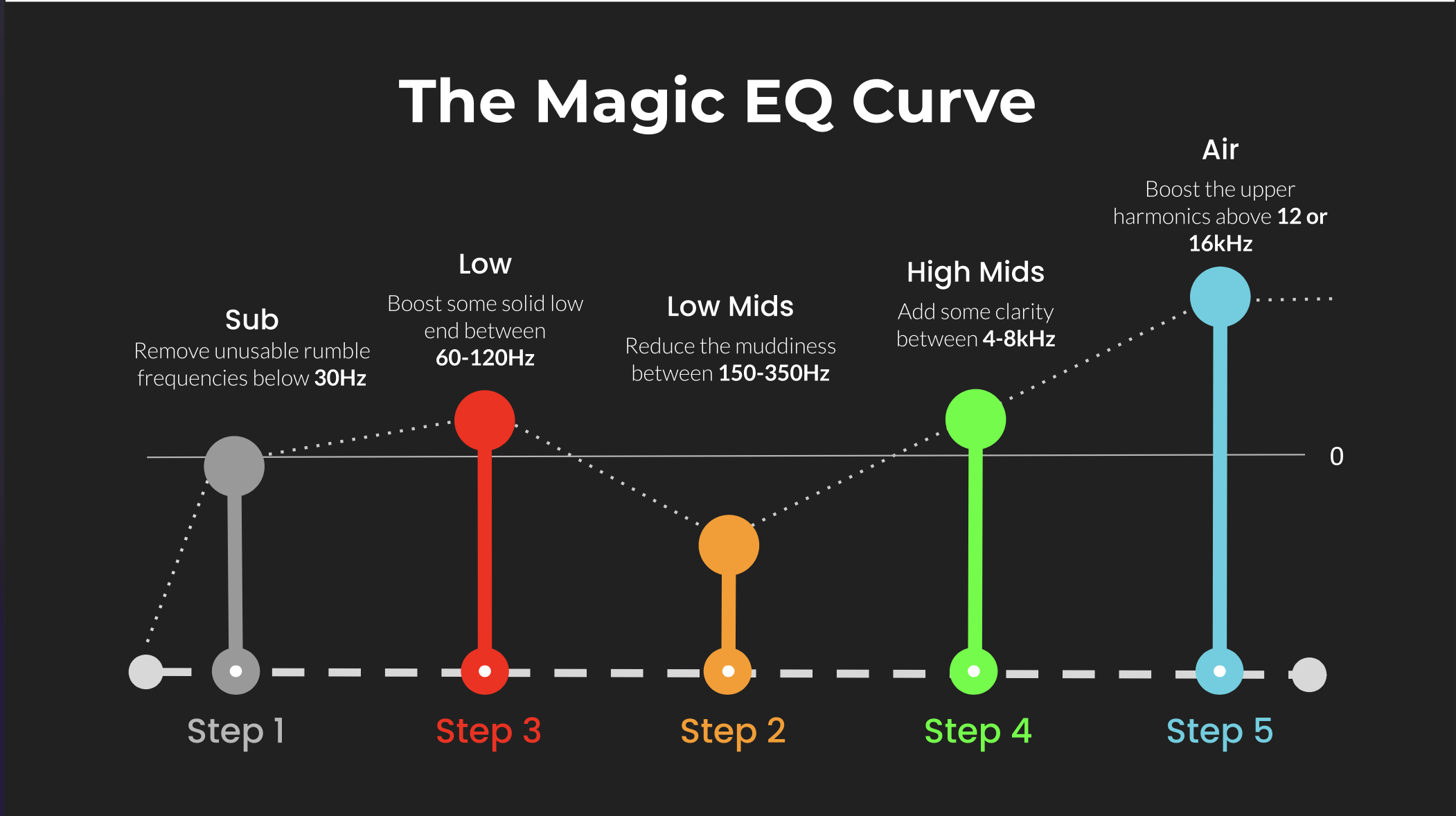 ⭐️ Download my Free Magic EQ settings Guide ⭐️

⭐️ Download my Free Magic Reverb settings Guide ⭐️
#protools #daw #homestudio #recordingschool #recording #musicproduction
Also read:
How to Start Your Own Online Business Teaching Music

Hey, I’m Futch – Music Production Coach and Ableton Certified Trainer

Learn how to make your first song and beat in Ableton Live with my
FREE 90-minute Ableton Live course
I’ve been teaching audio engineering and music production for 35 years.⭐️
Check out my new online music production program: Music Production Ninja…


