
Close Menu

    Subscribe to Updates

    Get the latest creative news from FooBar about art, design and business.

    What's Hot

    Get Check, a spectral mono-compatibility analyzer by KERN, for FREE!

    março 16, 2026

    Sonniss releases the GDC 2026 game design bundle for FREE (7+ GB)

    março 16, 2026

    Get the UVI Darklight IIx recreation of ‘79 Fairlight CMI IIx Synth for only $19

    março 16, 2026
    Facebook X (Twitter) Instagram
    Facebook X (Twitter) Instagram Vimeo
    Producer Gang | Home of Producers
    • Home
    • Articles
    • Downloads
      • VST’s
    • Tutoriais
    • Plugins

      Get Check, a spectral mono-compatibility analyzer by KERN, for FREE!

      março 16, 2026

      Sonniss releases the GDC 2026 game design bundle for FREE (7+ GB)

      março 16, 2026

      Get the UVI Darklight IIx recreation of ‘79 Fairlight CMI IIx Synth for only $19

      março 16, 2026

      Sonicora Audio’s LiquidTrail creative delay plugin for macOS is FREE for a limited time

      março 16, 2026

      RC-20 Retro Color is 60% OFF for a limited time!

      março 16, 2026
    • News
      1. Plugins
      2. VST’s
      3. Hip-Hop
      4. Billboard
      5. View All

      Get Check, a spectral mono-compatibility analyzer by KERN, for FREE!

      março 16, 2026

      Sonniss releases the GDC 2026 game design bundle for FREE (7+ GB)

      março 16, 2026

      Get the UVI Darklight IIx recreation of ‘79 Fairlight CMI IIx Synth for only $19

      março 16, 2026

      Sonicora Audio’s LiquidTrail creative delay plugin for macOS is FREE for a limited time

      março 16, 2026

      Glitchmachines – Polygon v2.1.0 for Windows

      abril 23, 2025

      Toontrack – EZbass 1.3.0 Update for Windows

      abril 23, 2025

      deltarray – GigLad PC Arranger 4.0.2 for Windows

      abril 23, 2025

      Toontrack – Funk Fusion EBX (SOUNDBANK)

      abril 23, 2025

      Drake Snippet Leaks Before J. Cole’s ‘The Fall-Off’ Drops

      fevereiro 6, 2026

      J. Cole Releases His “Last” Album ‘The Fall Off’

      fevereiro 6, 2026

      GloRilla’s Sister Says She’s “Obligated” To Give Family $2,500 Each

      fevereiro 6, 2026

      Bad Bunny Reveals What To Expect For Super Bowl LX Halftime Show

      fevereiro 6, 2026

      Beyonce Cowboy Carter Tour July 4th in Washington, D.C.: Best Moments

      julho 5, 2025

      Morgan Wallen Notches 18th Country Airplay No. 1

      julho 5, 2025

      Best Moments in Cardiff, Wales

      julho 4, 2025

      Bad Bunny ‘NUEVAYol’ Pro-Immigrant Video Arrives on Fourth of July

      julho 4, 2025

      Go Inside the Studio with Saba and No ID – Universal Audio

      março 11, 2026

      Heavy Strings – Universal Audio

      março 10, 2026

      Best UAD Plug-Ins for 2026 – Universal Audio

      março 10, 2026

      Popular Artists Touring in 2026 –

      março 6, 2026
    • Learn How to Sell Beats
    Producer Gang | Home of Producers
    • Home
    • Plugins
    • Hip-Hop
    • News
    • Learn How to Sell Beats
    Home»Articles»10 Universal Rules for Recording Anything with a Microphone
    Articles

    10 Universal Rules for Recording Anything with a Microphone

    Producer GangBy Producer Gangnovembro 23, 2025Nenhum comentário4 Mins Read
    Facebook Twitter Pinterest LinkedIn Tumblr WhatsApp VKontakte Email
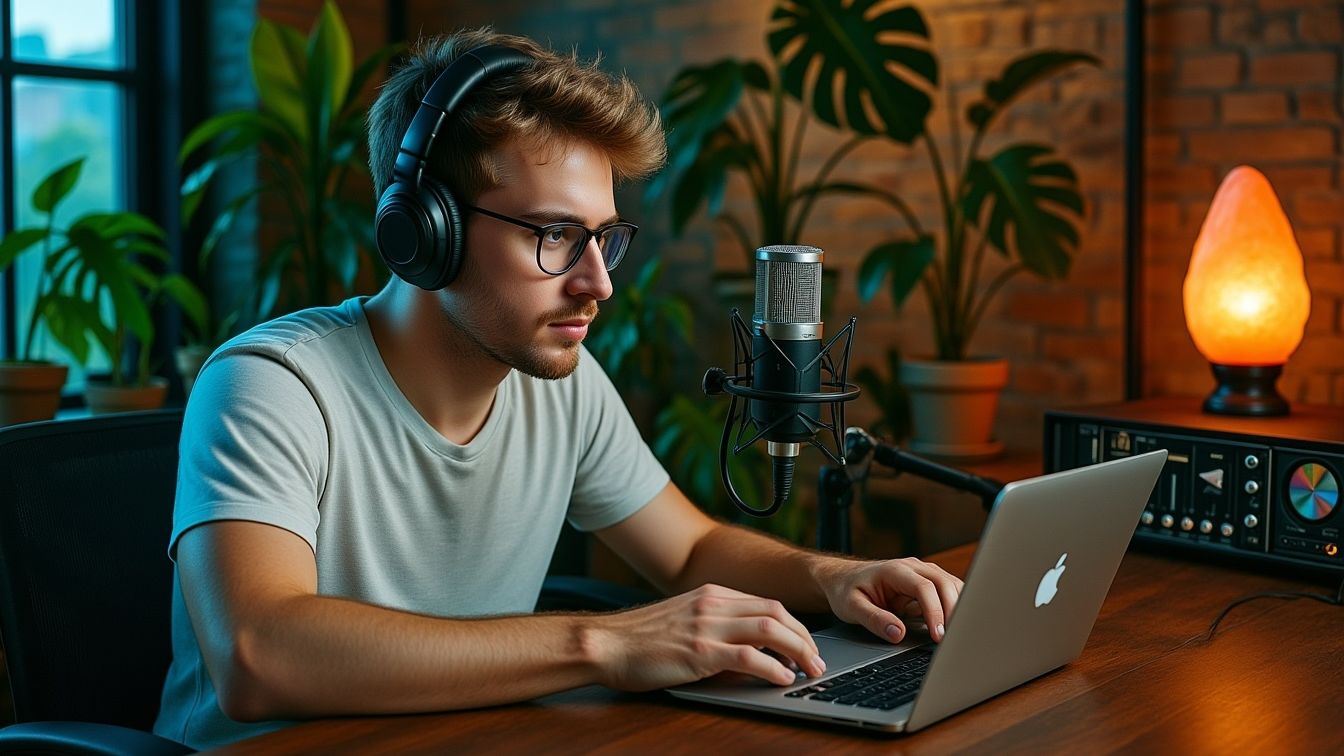
    10 Universal Rules for Recording Anything with a Microphone
    Share
    Facebook Twitter LinkedIn Pinterest Email


    Introduction — The Art of Moving a Mic

    Every great recording starts long before plugins, EQ curves, or mixing tricks.
    It starts with where you put the microphone.

    Move it an inch and the tone changes.
    Twist it slightly and the brightness shifts.
    Pull back and suddenly the recording breathes.

    These ten rules are universal — they work on vocals, drums, guitars, amps, percussion, pianos, and anything that makes sound.
    They keep things simple, repeatable, and musical.


    Quick Summary

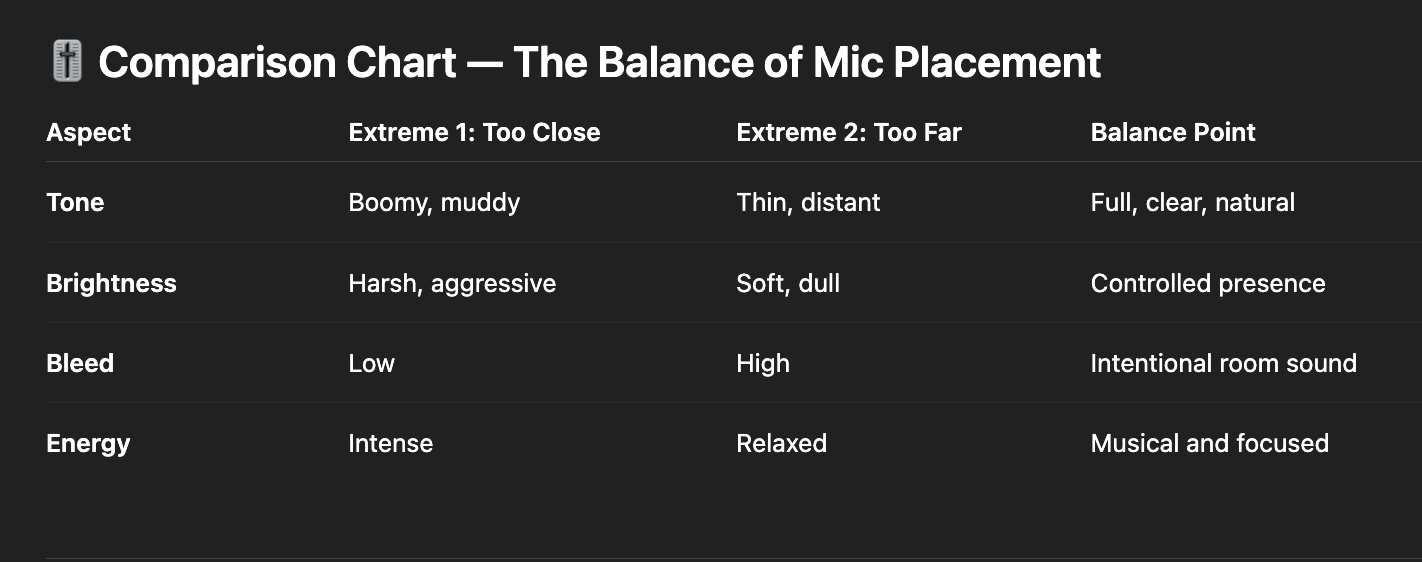
    👉 Mic placement shapes tone far more than EQ. Small moves, angles, and distance control low end, brightness, clarity, bleed, and overall energy. These ten rules help you capture the sound you want before you ever touch a plugin.


    ⭐️ Start by downloading all of my FREE Music Production Guides ⭐️ It took me years to learn this stuff!


    1. Closer = More Low-Mids

    The closer the mic is, the more warmth, body, and low-mid punch you get.
    Pull back to remove mud or boominess.

    2. Angle Controls Brightness

    Point the mic directly at the source for more highs and presence.
    Angle it off-axis to soften harshness.

    3. Center = Attack. Edge = Warmth.

    Especially true on drums, amps, and speakers:

    • Center = brighter, more attack

    • Edge = rounder, fuller, less harsh

    4. Small Moves Matter

    One inch can change everything.
    If the tone feels off, move the mic before you change settings.

    5. Use Your Ear as the First Mic

    Put your ear where you think the mic should go (safely).
    If it sounds right there, that’s your starting point.

    6. Avoid Pointing at Bleed

    Use mic direction and “nulls” to reject noise:
    aim the dead side of the mic at hi-hats, cymbals, amps, or room sound you don’t want.

    7. Start Neutral

    Begin with a mid-distance, slight angle.
    This gives you a balanced tone you can adjust from.

    8. Use Distance for Natural Tone

    Pull back a foot or more for openness, space, and realism.
    Great for acoustic instruments, vocals, and room mics.

    9. Use Proximity for Weight

    Move in close when you want thickness, punch, or intensity, like rap vocals or kick drums.

    10. Fix Tone With Placement Before EQ

    Always move the mic first.
    Placement shapes tone more musically than plugins ever can.

    Learn to Record: Recording Vocals & Instruments for Beginners
     

    ⭐️ Download my Free Guide The Magic Compressor Settings that work on EVERYTHING!


    Q: Why does distance change the tone so much?
    A: Closer placement boosts low-mids (proximity effect), while distance adds room tone and clarity.

    Q: What does “off-axis” mean?
    A: The mic isn’t pointed directly at the source — this softens brightness and reduces harsh frequencies.

    Q: How do I reduce bleed in a small room?
    A: Aim the back or sides of the mic at loud distractions like hi-hats or speakers.

    Q: Should I EQ while recording?
    A: Only if you must. Mic placement is always the first and best tone shaper.

    What Is Latency? My Voice Sounds Delayed When I’m Recording


    Microphone placement is the fastest way to improve your recordings — no new plugins, no expensive gear, no technical complexity.
    Just listening. Adjusting. Moving with intention.

    It’s the practice behind every great engineer:
    capture the right tone at the source, and everything else becomes easier.


    ⭐️ Download my Free Magic Delay settings Guide ⭐️


    ⭐️ Download my Free Magic Reverb settings Guide ⭐️


    #protools #daw #homestudio #recordingschool #recording #musicproduction 

    Also read: 

    How to Start Your Own Online Business Teaching Music

      

    Hey, I’m Futch – Music Production Coach and Ableton Certified Trainer

     

    Learn how to make your first song and beat in Ableton Live with my

    FREE 90-minute Ableton Live course


    I’ve been teaching audio engineering and music production for 35 years.⭐️ 

    Check out my new online music production program: Music Production Ninja…


    Source link

    Share. Facebook Twitter Pinterest LinkedIn Tumblr WhatsApp Email
    Previous ArticleAudio Plugin Deals offers Black Friday Bundle worth $221 for FREE
    Next Article Get FREE plugins from MeldaProduction, United Plugins, and W.A. Production

    Related Posts

    Full Song Production Services Online: The Artist’s Guide to Major-Label Quality

    março 15, 2026

    The Waldorf Microwave and XT

    março 14, 2026

    Session Musician Rates in 2026: The Complete Guide to Budgeting for Your Music

    março 11, 2026

    Subscription vs Own vs Subscribe-to-Own

    março 10, 2026
    Demo
    Our Picks
    • Facebook
    • Twitter
    • Pinterest
    • Instagram
    • YouTube
    • Vimeo
    Don't Miss
    Plugins

    Get Check, a spectral mono-compatibility analyzer by KERN, for FREE!

    By Producer Gangmarço 16, 20260

    Kern is now offering their plugin Check, a spectral mono-compatibility analyzer for free. It works…

    Sonniss releases the GDC 2026 game design bundle for FREE (7+ GB)

    março 16, 2026

    Get the UVI Darklight IIx recreation of ‘79 Fairlight CMI IIx Synth for only $19

    março 16, 2026

    Sonicora Audio’s LiquidTrail creative delay plugin for macOS is FREE for a limited time

    março 16, 2026

    Subscribe to Updates

    Get the latest creative news from SmartMag about art & design.

    Producer Gang | Home of Producers
    Facebook X (Twitter) Instagram Pinterest
    • Home
    • Plugins
    • Hip-Hop
    • News
    • Learn How to Sell Beats
    © 2026 Producer Gang. Designed by Audio Escola.

    Type above and press Enter to search. Press Esc to cancel.
