
Close Menu

    Subscribe to Updates

    Get the latest creative news from FooBar about art, design and business.

    What's Hot

    Chaos Tones releases Deviant Drums FREE II, a FREE acoustic drum kit for Kontakt Player

    abril 28, 2026

    Get HoRNet Plugins Graffio multi-band distortion FREE for a limited time

    abril 28, 2026

    The Man with 1000 Faces

    abril 28, 2026
    Facebook X (Twitter) Instagram
    Facebook X (Twitter) Instagram Vimeo
    Producer Gang | Home of Producers
    • Home
    • Articles
    • Downloads
      • VST’s
    • Tutoriais
    • Plugins

      Chaos Tones releases Deviant Drums FREE II, a FREE acoustic drum kit for Kontakt Player

      abril 28, 2026

      Get HoRNet Plugins Graffio multi-band distortion FREE for a limited time

      abril 28, 2026

      Saelin Audio releases Shine, a FREE adaptive clarity plugin for vocals and acoustic guitar

      abril 27, 2026

      Flame Sound releases Free Human Voices, a collection of non-verbal vocal sounds

      abril 27, 2026

      Techivation releases Tilt EQ, a FREE linear phase tilt equalizer with a Drive saturation control

      abril 27, 2026
    • News
      1. Plugins
      2. VST’s
      3. Hip-Hop
      4. Billboard
      5. View All

      Chaos Tones releases Deviant Drums FREE II, a FREE acoustic drum kit for Kontakt Player

      abril 28, 2026

      Get HoRNet Plugins Graffio multi-band distortion FREE for a limited time

      abril 28, 2026

      Saelin Audio releases Shine, a FREE adaptive clarity plugin for vocals and acoustic guitar

      abril 27, 2026

      Flame Sound releases Free Human Voices, a collection of non-verbal vocal sounds

      abril 27, 2026

      Glitchmachines – Polygon v2.1.0 for Windows

      abril 23, 2025

      Toontrack – EZbass 1.3.0 Update for Windows

      abril 23, 2025

      deltarray – GigLad PC Arranger 4.0.2 for Windows

      abril 23, 2025

      Toontrack – Funk Fusion EBX (SOUNDBANK)

      abril 23, 2025

      Drake Snippet Leaks Before J. Cole’s ‘The Fall-Off’ Drops

      fevereiro 6, 2026

      J. Cole Releases His “Last” Album ‘The Fall Off’

      fevereiro 6, 2026

      GloRilla’s Sister Says She’s “Obligated” To Give Family $2,500 Each

      fevereiro 6, 2026

      Bad Bunny Reveals What To Expect For Super Bowl LX Halftime Show

      fevereiro 6, 2026

      Beyonce Cowboy Carter Tour July 4th in Washington, D.C.: Best Moments

      julho 5, 2025

      Morgan Wallen Notches 18th Country Airplay No. 1

      julho 5, 2025

      Best Moments in Cardiff, Wales

      julho 4, 2025

      Bad Bunny ‘NUEVAYol’ Pro-Immigrant Video Arrives on Fourth of July

      julho 4, 2025

      Best Plug-Ins for Your Volt USB Audio Interface – Universal Audio

      abril 14, 2026

      Getting Started with UAD Explore FREE – Universal Audio

      abril 14, 2026

      Making Music with UAD Explore FREE Plug-Ins – Universal Audio

      abril 14, 2026

      Introducing UAD Labs – Universal Audio

      abril 2, 2026
    • Learn How to Sell Beats
    Producer Gang | Home of Producers
    • Home
    • Plugins
    • Hip-Hop
    • News
    • Learn How to Sell Beats
    Home»Articles»How Loud Should My Speakers Be When I’m Mixing?
    Articles

    How Loud Should My Speakers Be When I’m Mixing?

    Producer GangBy Producer Gangjulho 4, 2025Nenhum comentário3 Mins Read
    Facebook Twitter Pinterest LinkedIn Tumblr WhatsApp VKontakte Email
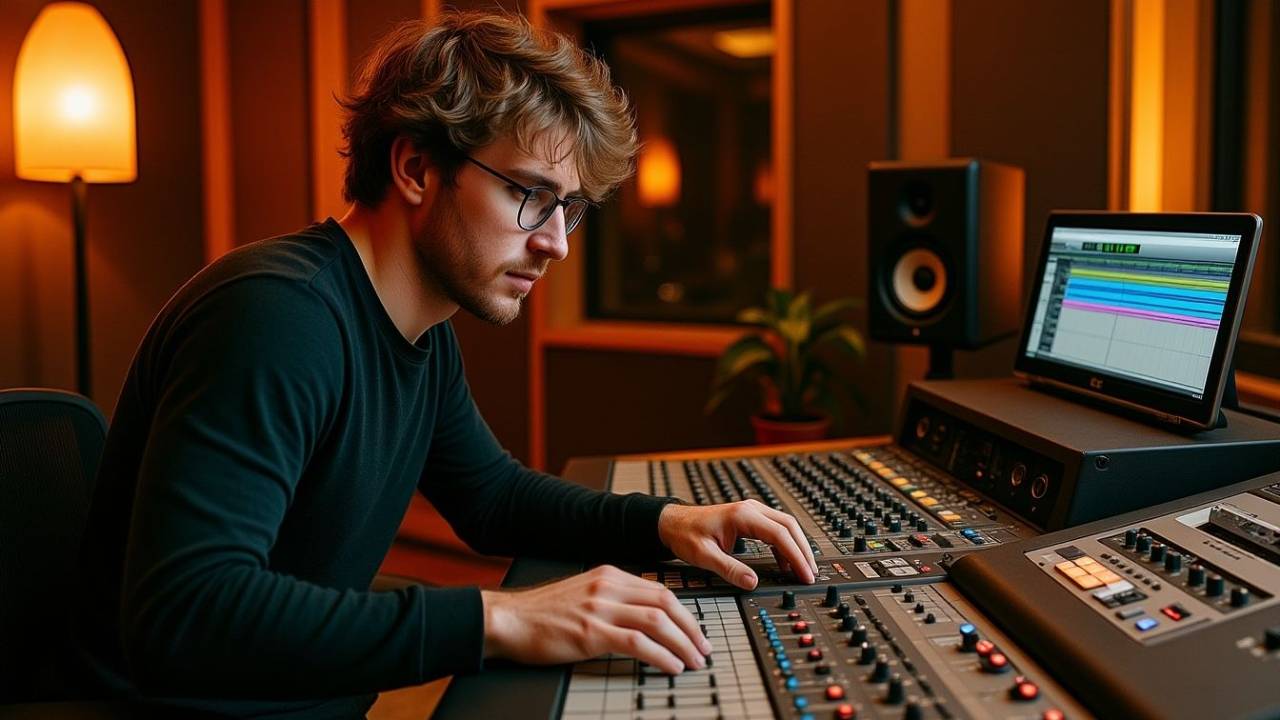
    How Loud Should My Speakers Be When I'm Mixing?
    Share
    Facebook Twitter LinkedIn Pinterest Email


    The ideal speaker volume for mixing music is 80–85 dB SPL (Sound Pressure Level). This range aligns with the human ear’s flattest frequency response according to the Fletcher-Munson curve. For best results, mix mostly at moderate levels, check in mono and stereo, listen quietly for detail, and only use high volumes briefly to avoid ear fatigue.


    🔊 What Is dB SPL?

    Sound Pressure Level (SPL) is a measurement of how loud sound is in a physical space, measured in decibels (dB). Unlike digital level meters in your DAW, dB SPL measures actual air pressure — how loud the sound feels to your ears.

    • Measured in decibels (dB) using an SPL meter or app

    • Not the same as track fader levels

    • Helps avoid ear fatigue and poor mix decisions

    📱 You can download an SPL meter app on your phone or get a dedicated meter on Amazon for about $30.

    What Is a Decibel? dBFS, dBV, dBu and dBSPL Explained in Simple Terms


    🧠 Why 80–85 dB Is the Sweet Spot

    This range is based on the Fletcher-Munson curve, which shows how our ears perceive frequencies at different volumes.

    • Below 80 dB: bass and highs sound too soft

    • Above 85 dB: fatiguing and potentially damaging over time

    • 80–85 dB = most balanced perception of frequencies

    • Keeps your EQ and level decisions more accurate

    🎧 At lower volumes, you might overboost bass or treble because your ears hear them less clearly.

    Sound Theory 101: Energy, Frequency and Vibration


    ⭐️ Start by downloading all of my FREE Music Production Guides ⭐️ It took me years to learn this stuff!


    🧪 Mixing Tips by Volume Level

    🎯 80–85 dB SPL (Reference Volume)

    • Use for most of your mix work

    • Natural balance across frequencies

    • Helps make accurate EQ and panning decisions

    🔉 Quiet Listening (~55–65 dB SPL)

    🔊 Loud Listening (90+ dB SPL)

    • Use sparingly (only a few minutes at a time)

    • Good for checking energy and impact

    • Can help reveal distortion or clipping


    🎧 Don’t Forget to Check These Too

    • ✅ Mono: Press the ‘mono’ button on your interface or use a plugin like panipulator

    • ✅ Stereo: Confirms space and imaging

    • ✅ Headphones: Useful for detail, stereo field, and fatigue check


    🎯 Final Tip: Use a Meter

    Whether it’s a phone app or a dedicated SPL meter, knowing your mix volume isn’t about guessing — it’s about consistency. Measuring dB SPL helps keep your ears fresh and your decisions sharp.


    ⭐️ Download my Free Magic Delay settings Guide ⭐️


    ⭐️ Download my Free Magic Reverb settings Guide ⭐️


    #protools #daw #homestudio #recordingschool #recording #musicproduction 

    Also read: 

    How to Start Your Own Online Business Teaching Music

      

    Hey, I’m Futch – Music Production Coach and Ableton Certified Trainer

     

    Learn how to make your first song and beat in Ableton Live with my

    FREE 90-minute Ableton Live course


    I’ve been teaching audio engineering and music production for 35 years.⭐️ 

    Check out my new online music production program: Music Production Ninja…


    Source link

    Share. Facebook Twitter Pinterest LinkedIn Tumblr WhatsApp Email
    Previous ArticleSave over 90% on the Sonnox Restore Plugin Bundle at Plugin Boutique
    Next Article Save 50% on BA-1 software synthesizer by Baby Audio

    Related Posts

    The Man with 1000 Faces

    abril 28, 2026

    The Best Free DAWs Ranked

    abril 26, 2026

    FL Studio Editions Compared

    abril 23, 2026

    Why Do My Vocals Sound Thin? 🎤

    abril 21, 2026
    Demo
    Our Picks
    • Facebook
    • Twitter
    • Pinterest
    • Instagram
    • YouTube
    • Vimeo
    Don't Miss
    Plugins

    Chaos Tones releases Deviant Drums FREE II, a FREE acoustic drum kit for Kontakt Player

    By Producer Gangabril 28, 20260

    Chaos Tones has released Deviant Drums FREE II, a free acoustic drum instrument for Kontakt…

    Get HoRNet Plugins Graffio multi-band distortion FREE for a limited time

    abril 28, 2026

    The Man with 1000 Faces

    abril 28, 2026

    Saelin Audio releases Shine, a FREE adaptive clarity plugin for vocals and acoustic guitar

    abril 27, 2026

    Subscribe to Updates

    Get the latest creative news from SmartMag about art & design.

    Producer Gang | Home of Producers
    Facebook X (Twitter) Instagram Pinterest
    • Home
    • Plugins
    • Hip-Hop
    • News
    • Learn How to Sell Beats
    © 2026 Producer Gang. Designed by Audio Escola.

    Type above and press Enter to search. Press Esc to cancel.
