

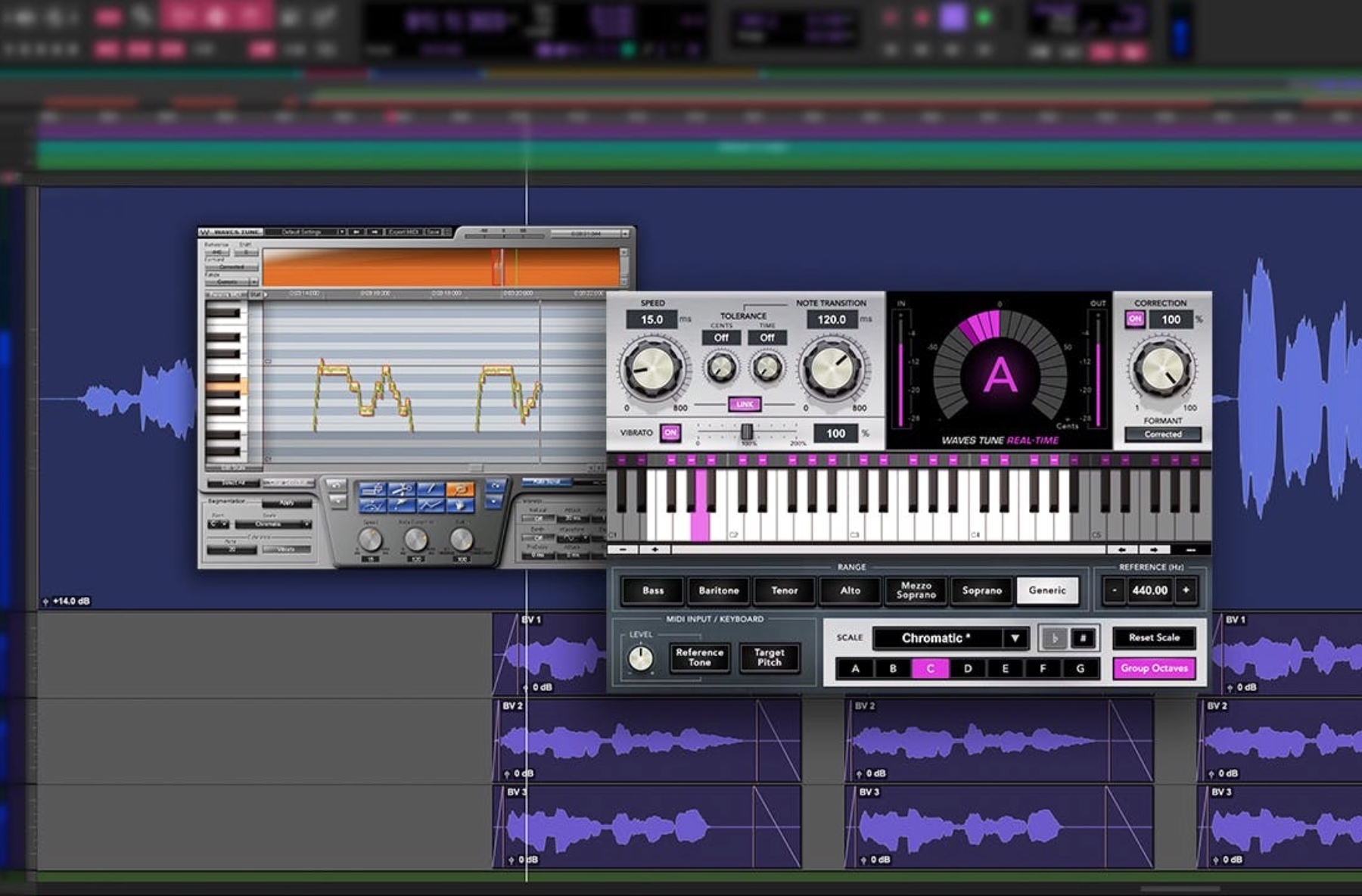

Even the best singers can drift slightly off pitch during a recording. That’s where vocal tuning and pitch correction come in. These tools help polish performances, ensuring every note fits perfectly within the mix while keeping the emotion and tone intact.
In modern music production, tuning is not just for fixing mistakes. It’s also a creative tool that helps producers shape the sound of a record. From subtle adjustments that keep vocals natural to more stylized effects heard in pop and hip-hop, understanding how to use pitch correction effectively is a key part of becoming a professional producer or engineer.
In this guide, we’ll explore the essential techniques for vocal tuning and pitch correction, showing you how to get clean, expressive results using popular tools like Melodyne and Auto-Tune. You’ll learn how to enhance your recordings without losing the human quality that makes great vocals so powerful.
Understanding Pitch Correction
Pitch correction is the process of adjusting a singer’s pitch so that every note fits perfectly within the intended key of a song. While it can fix off-key moments, its real purpose is to help vocals blend smoothly with the music and sound more polished.
There are two main approaches to pitch correction: automatic tuning and manual tuning.
- Automatic tuning uses software to instantly detect and correct pitch in real time. Tools like Auto-Tune and Waves Tune Real-Time are often used in live performances and fast-paced studio sessions. They’re ideal when you want consistent, on-the-fly correction or a stylized sound.
- Manual tuning gives you more control. Software such as Melodyne or Logic Pro’s Flex Pitch lets you zoom in and adjust individual notes, pitch drift, and vibrato. This method takes more time but allows for a more natural result that retains the singer’s expression and tone.
Both methods can be used together depending on your workflow and the type of music you’re producing. A soft, acoustic song might call for delicate manual adjustments, while a pop or electronic track might benefit from a more processed, modern sound.
Understanding these options is the first step in mastering vocal tuning. Once you know what each tool can do, you can decide how to apply them to your projects for the cleanest, most natural sound possible.
Tools for Vocal Tuning

Modern music production offers a range of powerful tools for vocal tuning and pitch correction, each designed to handle different workflows and levels of precision. Choosing the right one depends on your goals, genre, and preferred approach to editing vocals.
Melodyne
Widely considered the industry standard for manual tuning, Melodyne allows you to edit pitch, timing, and even formants with incredible accuracy. It displays each vocal note visually as a “blob,” making it easy to correct or fine-tune notes without affecting tone or expression. Melodyne is ideal for achieving a natural vocal sound where subtlety matters.
Auto-Tune
Auto-Tune is one of the most well-known pitch correction tools, used both for transparent tuning and as a creative effect. With adjustable speed and retune settings, it can make pitch correction nearly invisible or produce the iconic “Auto-Tune sound” heard in modern pop and hip-hop. It’s great for real-time correction and fast results.
Waves Tune
Waves Tune offers detailed pitch correction similar to Melodyne but with a more streamlined interface. It integrates easily with most DAWs and provides both manual and automatic tuning modes. It’s an excellent choice for producers who want precise control without the complexity of advanced editing tools.
Logic Flex Pitch and Ableton Tuning Tools
If you use Logic Pro or Ableton Live, you already have access to built-in tuning features. Logic’s Flex Pitch and Ableton’s native tools are perfect for beginners who want to start learning pitch correction without additional plugins. They offer enough flexibility for simple edits and can produce impressive results when used carefully.
Each of these tools can help you shape vocals that sound polished and professional. The key is to experiment, listen closely, and choose the plugin that best complements your production style.
Key Techniques for Natural Vocal Tuning

When tuning vocals, the goal isn’t just to make every note perfect; it’s to make them sound naturally expressive and emotionally believable. Over-correcting can make vocals sound robotic or lifeless, so the trick is finding the right balance. Here are some core techniques for achieving clean, natural-sounding results:
1. Work Subtly, Not Perfectly
Perfection isn’t always musical. A slight pitch drift can make a vocal feel human and alive. When adjusting notes, move them just enough to fit the key, but don’t eliminate every imperfection. The best-tuned vocals still sound like a person, not a machine.
2. Use Slow Retune Speeds
Fast retune speeds can create that signature “Auto-Tune effect,” but if you want a transparent result, use slower settings. This gives the correction time to glide smoothly between notes instead of snapping instantly to pitch.
3. Focus on Pitch Drift and Vibrato
In Melodyne and similar tools, you can adjust pitch drift (the gradual change of pitch across a note) and vibrato (natural pitch variation). Instead of flattening these out, aim to refine them so they sound controlled but expressive.
4. Tune in Context, Not Solo
Always listen to your tuning within the full mix, not just the solo vocal. A note that sounds slightly sharp or flat on its own may sit perfectly once instruments are added. The goal is a cohesive, balanced sound across the track.
5. Watch for Timing Issues
Pitch correction can sometimes shift the timing of a note. Make sure to realign vocals if they feel late or early after editing—timing and pitch go hand in hand in creating a believable performance.
These techniques help you get the most out of vocal tuning software while maintaining the authenticity of the original take. The result should feel seamless—like the singer simply delivered a flawless performance.
Creative Uses of Pitch Correction

While pitch correction is often used to make vocals sound natural, it’s also a powerful creative tool. Many modern artists and producers intentionally use tuning effects to shape their signature sound or push vocals into new, experimental territory.
1. The Classic Auto-Tune Effect
Popularized by artists like T-Pain, Travis Scott, and Cher, the fast retune-speed “Auto-Tune” sound has become a staple of pop, hip-hop, and R&B production. Setting a plugin to instant retune creates that robotic, futuristic tone, perfect for stylized hooks or choruses.
2. Harmonizing and Layering
Some tuning plugins allow you to duplicate and shift a vocal’s pitch to create natural-sounding harmonies or thick, layered textures. Tools like Antares Harmony Engine and Waves OVox can generate multiple harmonized voices that blend seamlessly with the lead.
3. Formant Shifting for Character
Formants shape the tonal quality of a voice. By adjusting them, you can subtly change how “deep,” “bright,” or “nasal” a vocal sound is, without affecting pitch. This technique works well for creative sound design or matching different vocal takes.
4. Experimental Vocal Design
Producers in electronic and alternative genres often push pitch correction to extremes. Stretching, pitching, and re-sampling vocals can transform them into synth-like textures or rhythmic elements that redefine how the human voice is used in a track.
When used intentionally, pitch correction becomes more than just a corrective tool; it becomes an instrument of its own. Whether you’re aiming for subtle polish or bold experimentation, understanding its creative potential opens up a world of sonic possibilities.
Common Mistakes to Avoid

Even experienced producers can go too far with vocal tuning. The line between polished and artificial can be thin, especially when learning new tools. Avoiding these common pitfalls will help you produce clean, natural-sounding vocals that still feel authentic.
1. Over-Correcting Every Note
It’s tempting to make every pitch perfectly on key, but overdoing it removes the emotion that makes a vocal believable. Leave slight imperfections that add character and personality to the performance.
2. Ignoring the Timing
Pitch adjustments can subtly shift timing, especially when moving notes around manually. Always double-check that vocals still sit rhythmically within the track after tuning. Timing and pitch correction should work together, not against each other.
3. Using One Setting for the Entire Song
Different sections of a song might need different levels of tuning. A chorus with strong belting may need minimal correction, while softer verses might benefit from a little more support. Adjust plugin settings to match the performance.
4. Overusing Formant Shifting
While formant controls can add warmth or change tone, extreme settings can make vocals sound unnatural or metallic. Use them sparingly; just enough to enhance, not transform, the singer’s voice.
5. Forgetting the Bigger Mix
Pitch-corrected vocals can sound great in isolation, but clash with other instruments once added back into the mix. Always make final tuning decisions while listening in context, especially alongside harmonies and background vocals.
By steering clear of these mistakes, you’ll maintain the emotional depth and realism of your vocals, qualities that separate professional mixes from overly processed ones.
Bringing It All Together

Vocal tuning and pitch correction are more than technical skills, they’re part of the creative art of modern music production. When used with care, these tools can elevate a performance without losing the raw emotion that connects with listeners. Whether you’re going for transparent polish or stylized effects, the goal is always the same: to make the vocal feel right in the mix.
Learning to use tools like Melodyne, Auto-Tune, and Waves Tune effectively takes time, practice, and a good ear. At pointblank our programs in Music Production & Audio Engineering and Music Production & Sound Engineering give students hands-on experience using industry-standard software in professional studio environments. You’ll not only learn how to correct pitch, but how to bring out the best in every voice you record.
Start mastering the art of vocal production today.
Inspired?
Thanks to the dedication of our industry expert instructors, pointblank has earned a prestigious Gold rating in the Teaching Excellence Framework (TEF), placing us among the very best institutions. Whether you’re passionate about DJing, music production, sound engineering, vocal performance, software engineering, radio, or songwriting, pointblank offers degrees or short courses in London, LA, Ibiza, and Online. No matter your location or aspirations, we are here to help make your dreams a reality.
Register to Access Free Courses, Plugins, Projects, Samples & More
Create a pointblank account with the orange button below and visit our Free Stuff page to get your hands on a range of free courses, exclusive music-making tools and tutorials provided by the team

