

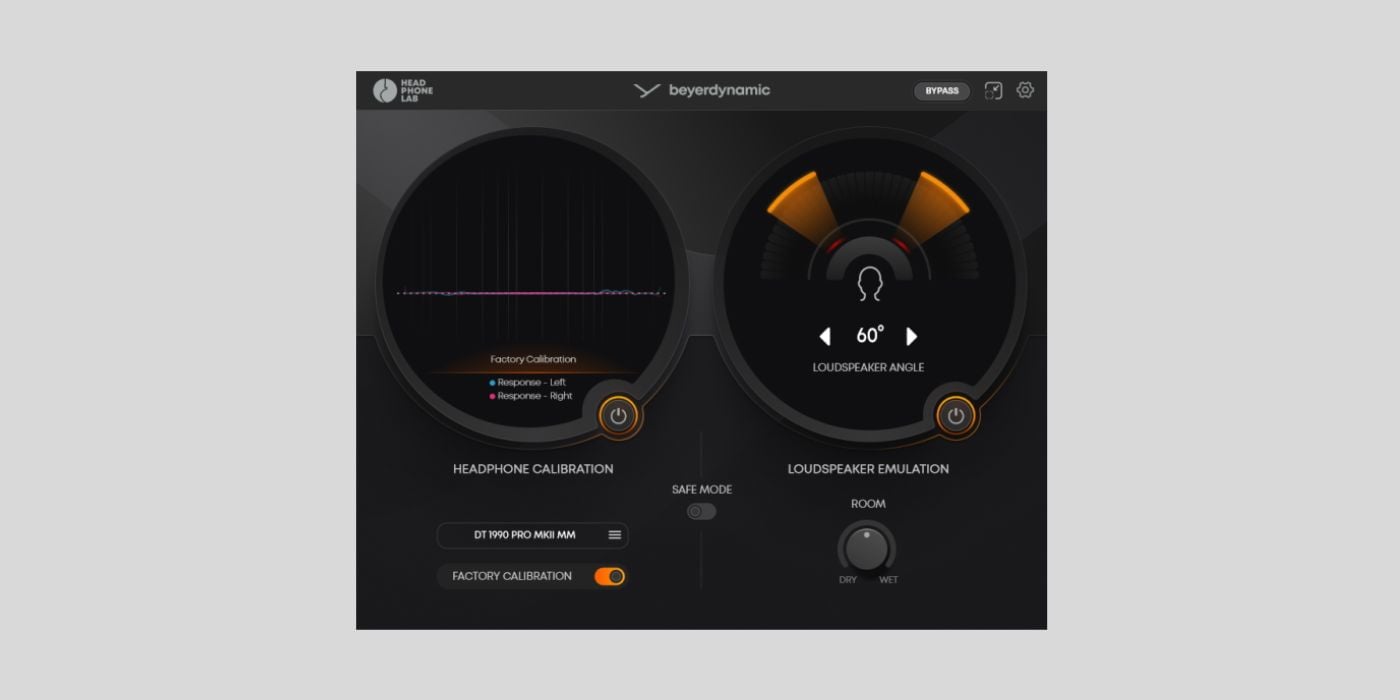

Developer Beyerdynamic presented us with Headphone Lab, a free plugin that brings the studio to your DT headphones.
We all know the pitfalls of mixing in headphones and untreated spaces, but, as bedroom producers, most of us are used to making the best of imperfect situations.
Besides the fatigue and the fact that even the most comfortable headphones can make you feel like your head is in a vice if you wear them long enough, you have the exaggerated stereo-image issues.
Alternatively, if you’re mixing in a space that isn’t acoustically-treated, you’re dealing with echoes, booming bass, and all sorts of problems that lead to bad decisions.
Headphone Lab aims to provide a more balanced solution for any location.
But, before I get too far down the page, I want to touch on headphone compatibility. As you’ll see from the header, Headphone Lab is aimed at owners of Beyerdynamic’s DT series products.
Headphone Lab is currently compatible with all DT-series studio headphones and in-ear headphones.
The plugin is available in AU and VST3 for macOS and Windows.
The non-technical reason for the exaggerated stereo image you get from headphones is that we don’t hear sound naturally, as we would in a room. It’s not shaped by reflections, and each ear hears isolated left/right channels without hearing elements of the opposite channel, as you would from loudspeakers. It feels like the mix exists only in your head.
Ideally, we’d all have a professionally treated studio, but that’s a costly endeavour, even if you have the space.
Headphone Lab tackles these problems with precision spatial imaging. Using Head-Related Transfer Functions, the plugin can accurately simulate how the human head and outer ears filter sound, and how the brain perceives it in any given space.
This technology compensates for time-of-arrival differences and allows for realistic loudspeaker characteristics, such as each ear hearing elements from both channels.
Headphone Lab optimises settings for your exact DT headphones to deliver an accurate, consistent pro-studio sound profile.
You can also manually adjust various parameters, including the loudspeaker angle.
Anything that helps us achieve a better mix across all platforms while working in less-than-ideal environments is welcome.
I know plugins that recreate iconic studio spaces haven’t always gone down well, but I’m interested to hear what DT headphone users think of Headphone Lab.
More:
Last Updated on January 22, 2026 by Tomislav Zlatic.

