

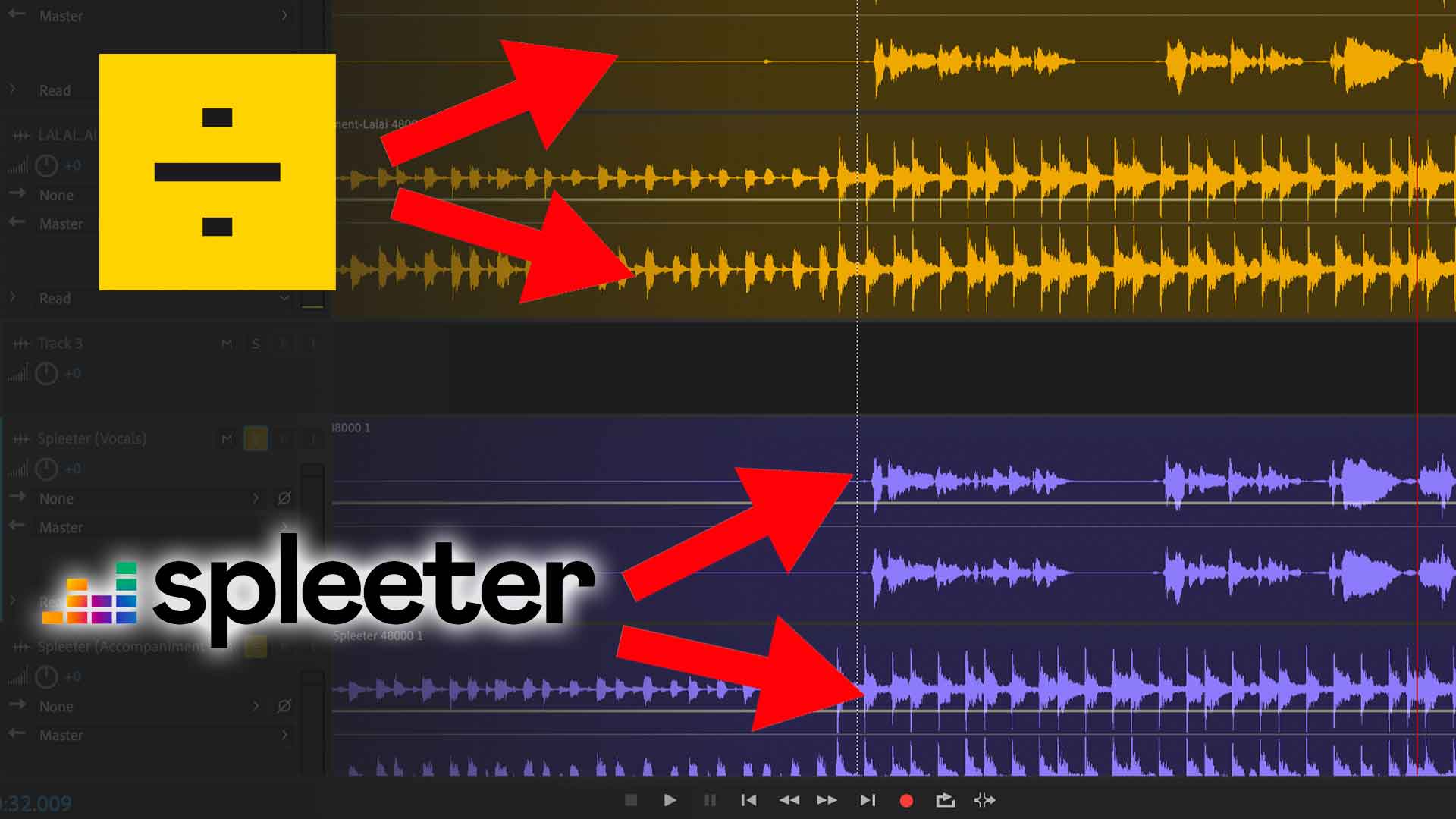

Ever wanted to remove vocals from a song? Maybe you need a karaoke track or you want to do some sampling.
Luckily, with the tools and technology available these days, it’s quite easy to split music tracks into audio stems.
In this post, I’ll break down 3 ways to remove vocals from your music. Let’s get started.
Method 1 – Phase Cancellation
Using phase cancellation is the oldest trick in the music producer’s playbook.
The way this works is by taking a stereo track and then inverting either the left or right channel. Because vocals are usually mixed in the middle, while other instruments in a mix are panned left and right (to bring spatial awareness in a track), you can easily phase out the vocals of a track by putting the tracks together.
The result is a ‘washy’, ‘silvery’ kind of output. Take a listen to the video above.
This method is hit-or-miss, depending on how the track is mixed. Also, you don’t actually ‘remove’ the vocals. You’re actually ‘phasing’ it out.
Step 1 – Extract audio channels from a stereo track
Using an audio editing software like Audacity (free) or Adobe Audition, first, separate the left and right channels of a stereo track.
In Adobe Audition, I did this by highlighting the left channel and selecting ‘Copy To New’, creating a new audio file.
After that, proceed to make another new file by doing the same for the right audio channel as well.
Step 2 – Invert an audio channel
Edit one of the audio channels and invert it. Make sure to only invert one channel, not both of the channels.

Step 3 – Put both channels together
I created a new multitrack session and placed both the audio channels together. The left channel is inverted and the right channel is simply a copy.

What happens at this point is that the vocals (if it is panned to the middle in the mix) will be phased out.
Note: Some DAWs and audio editor allows you to directly invert the polarity of your audio track. So there’s no need to manually invert as we did in Step 2.

Method 2 – Separate vocals with Spleeter
Spleeter is an audio separation engine by Deezer, written in Python and Tensorflow.
The thought process behind using machine learning to split music tracks into stems came about like this: A music track is usually made up of a ‘mix’ of few individual instrument tracks – think vocals, drums, bass, guitar, etc. So technically what a music source separation engine does is to separate these elements – into audio stems.

The image above shows how it works. And guess what – Spleeter is a free tool!
Sounds great, but what’s the issue?
Well, to use Spleeter, you need some knowledge using the command prompt. You can access Spleeter’s source files via Github and run it straight from command line or in your own development environment as a Python library.
However, in my test, I managed to use Spleeter in Google Colab. (without having to install anything on my computer.)
Step 1 – Access the Spleeter notebook on Google Colab
First, access Spleeter’s Google Colab notebook. It’ll look like this below:

Step 2 – Replace the audio file source & command.
In my test, I uploaded the music track (in mp3) on my website and pasted the URL to replace the audio example.

Make sure to change the file name in the other cells, according to the audio file you’re processing too.
Step 3 – Execute the Code!
Once you’re set, just hit ‘Run All’ under the ‘Runtime’ menu. It’ll take a few minutes for Spleeter to install and then split the audio file you’ve defined into stems.

Spleeter will split your audio file into two stems – vocals.wav and accompaniment.wav
Once done, you’ll be able to download the files, under files.

Is Spleeter any good?
The results with Spleeter was decent. It was able to successfully separate stems from the music track I uploaded.
Again, listen to the results and comparison in the video above.
However, the process of doing it took too much hassle (at least for me). Not having knowledge in programming means I had to Google around and try to figure out ways to modify the code.
I later read that although Spleeter’s audio separation engine does the job, Deezer hasn’t completely solved source separation – and the tool actually has downsides where for instance, it simply mutes frequencies that the engine is unable to separate.
Method 3 – Use an Audio Splitting Service – LALAI.AI
Don’t want the hassle of meddling with phase cancellation or tough-to-setup tools?
Thankfully, you can use the help of audio splitting services like LALAL.AI, a next-generation music separation service.

Having to spend hours trying to figure out a tool like Spleeter, using LALAI.AI was a breeze. All I had to do was to choose how aggressive I prefer the algorithm to behave and drop a music track into the website.
In just below a minute, it output the stems which I can then just download off the site. Neat!

Where Spleeter falls short where they have stalled their development, a service like LALAI.AI continues to enhance their audio splitting algorithm every day – giving you the benefit of having audio stems with fewer audio artifacts and unnatural sounds.
A common thought is why you would want to use a paid service like LALAI.AI when there are free tools such as Spleeter? To me, I value my time and with LALAI.AI only costing $10 for up to 10 track (or 90 minutes) – it’s worth the hassle.
Final Thoughts
It’s amazing how far we’ve come with music and audio technology. What used to be impossible a few years back, has become a reality with machine learning and artificial intelligence.
A note of caution. Regardless of whether you’re looking to remove vocals or split audio tracks for the purpose of remixes, up-mixing, sample, active listening, practice or performance – know that if you’re planning to split copyrighted songs, make sure to get proper authorization.
Let me know your favourite way to remove vocals or splitting audio tracks in the comment section below!

