

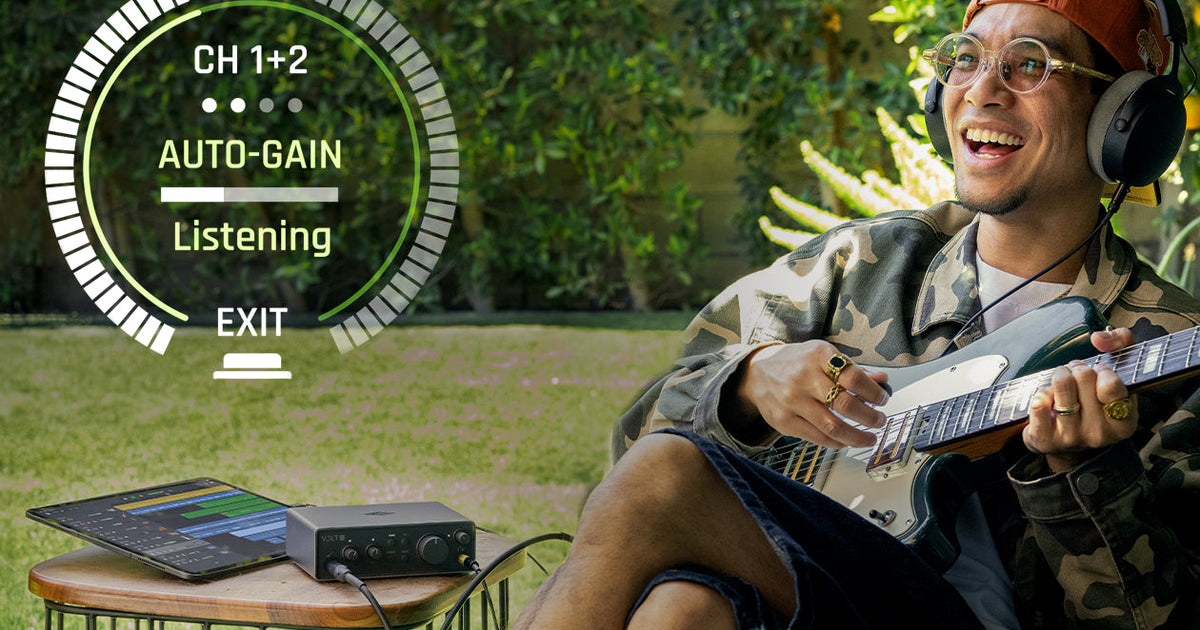

How Auto-Gain, Clip Protection, and a Smart Display ensure you’ll never miss a take again.
The mic is ready. This is going to be the take. You hit record. Boom, crushed it. But on playback, something’s wrong. Your perfect take is fuzzy and distorted. The performance was great, but your recording level wasn’t.
In this article we’ll show you how to set the right recording level, and how our second generation of Volt USB audio interfaces take the guesswork out of this age-old problem.
Volt’s Auto-Gain sets your recording levels in seconds. And Clip Protection catches unexpected peaks, so you can focus on the performance instead of the meters.
Why Setting Levels is a Bummer
Setting an appropriate recording level means getting things just right. By keeping your interface meters in the green and yellow, which translates to peaks around -18 dBFS to -10 dBFS in your DAW, you’ll get a signal that’s loud enough to not be lost in the background noise floor, but quiet enough that signal peaks never hit the ceiling and distort. Get it right, nobody notices. Get it wrong, and your killer take is compromised.
For beginners, that “just right” window can seem impossible to find, especially with dynamic performances that feature both quiet and loud moments. And because most of this happens mid-performance with headphones on and adrenaline up, it’s easy to miss until you’re already listening back to a take you can’t use.
What Is Clipping?
Every audio interface has a maximum level that it can capture before the signal simply runs out of headroom. Pushing your input past that ceiling doesn’t make the waveform louder, it just gets flattened and turned into a harsh, brittle mess.
Once that happens, it’s baked into the recording. No amount of mixing or plug-ins can put the missing waveform back. You can turn it down, but you can’t un-flatten it completely.
The usual culprit is input gain set too hot for a loud vocal or a hard-strummed guitar part. Get your gain staging right at the source, and it’s not a problem you have to fix later.

Volt Max’s beautiful full-color Smart Display shows your inputs, levels, and Auto-Gain settings in detail.
Getting the Right Level Without the Guesswork
On Volt and Volt Max models that feature Auto-Gain, you can set recording levels in seconds. With this mode engaged, simply have your performer play or sing at their loudest, and Volt listens to the signal and sets your input level for you. You can also adjust the listening duration and peak target. So every time you set a level with Auto-Gain, the peaks will hit exactly where you want them.
A Safety Net for Your Loudest Moments
While Auto-Gain gives you an optimal starting level, human performances are dynamic. You’re capturing the emotion of a performance, and sometimes emotion translates into an inspired, yet unexpected volume jump.
Volt’s Clip Protection prevents clipping when recording those unpredictable moments. Working alongside Auto-Gain, Clip Protection helps you catch ruinous peaks that would otherwise cost you a compelling take. As soon as an incoming peak is detected, Volt will back off input gain to avoid further clipping and distortion. Between these two features, getting the perfect recording level is no longer a guessing game.


When Volt’s Clip Protection is on, the interface automatically catches unexpected peaks, so you can focus on the performance instead of the meters.
Seeing Everything at a Glance
Every Volt Gen 2 and Volt Max model (apart from Volt 1) replaces typical LED indicators with a circular Smart Display. This is a full-color screen that you can view at-a-glance to see input levels, metering, channel selection, dB gain values, and current mode. So instead of squinting at a couple of LEDs, you know exactly where your recording level sits, without leaving your instrument or mic to check the meter on your laptop screen.
Taking the Guesswork out of Recording Levels
Getting a clean recording level has always been the least glamorous part of making music. And it’s perhaps the easiest way to lose a great take. Volt takes the guesswork out of it. With Auto-Gain to set your level before you play, Clip Protection to catch the peaks you didn’t see coming, and a Smart Display that keeps it all in view without having to look at a screen, you’ll focus on the performance while Volt handles the rest.
Explore the full lineup of Volt USB Audio Interfaces ›
— Darrin Fox
Related Articles
Frequently Asked Questions
How do I avoid clipping when recording?
Keep your input gain low enough that your loudest moments never hit the ceiling, aim for a maximum peak level of -10 dBFS. On Volt 2 Gen 2 and up, Auto-Gain and Clip Protection handle this for you automatically.
Auto-Gain vs. manual gain. What’s the difference?
Manual gain means setting your input level yourself, by ear and by watching your interface’s level indicator — the way Volt 1 Gen 2 works. Auto-Gain listens to your signal and sets that level for you, which is really useful if you are playing an instrument and self-recording at the same time.
Does Volt 1 Gen 2 have Auto-Gain?
No — Volt 1 Gen 2 uses manual gain knobs with LED indicators. Every other model in the Volt Gen 2 and Volt Max range includes Auto-Gain and Clip Protection.
What is gain staging?
Gain staging is setting your input level correctly at the very start of the signal chain — before EQ, compression, or anything else — so every step downstream is working with a clean, usable signal.
Ideally you want to avoid multiple stages of huge amplification and attenuation in series. A well gain-staged signal is set at an optimal level for the next receiving stage of the signal chain, avoiding clipping, overload, or large amounts of attenuation after gain, which can increase noise floor as you repeat the process downstream.

