
Close Menu

    Subscribe to Updates

    Get the latest creative news from FooBar about art, design and business.

    What's Hot

    How to Record Great Sounding Vocals in a Home Studio

    setembro 4, 2026

    dBdone releases Wasser, a FREE liquid multiband delay plugin

    setembro 4, 2026

    Yurt Rock releases Pick Pocket audio-to-MIDI drum plugin for $49

    setembro 4, 2026
    Facebook X (Twitter) Instagram
    Facebook X (Twitter) Instagram Vimeo
    Producer Gang | Home of Producers
    • Home
    • Articles
    • Downloads
      • VST’s
    • Tutoriais
    • Plugins

      dBdone releases Wasser, a FREE liquid multiband delay plugin

      setembro 4, 2026

      Yurt Rock releases Pick Pocket audio-to-MIDI drum plugin for $49

      setembro 4, 2026

      Lewitt releases Space Replicator Free, a virtual monitoring plugin for macOS and Windows

      setembro 3, 2026

      JAS-I Khorlo is a new FREE physical modeling/resonator synth for macOS, Windows, and Linux

      setembro 3, 2026

      ukdf releases GrainCharlie, a FREE granular synth for macOS and Windows

      setembro 3, 2026
    • News
      1. Plugins
      2. VST’s
      3. Hip-Hop
      4. Billboard
      5. View All

      dBdone releases Wasser, a FREE liquid multiband delay plugin

      setembro 4, 2026

      Yurt Rock releases Pick Pocket audio-to-MIDI drum plugin for $49

      setembro 4, 2026

      Lewitt releases Space Replicator Free, a virtual monitoring plugin for macOS and Windows

      setembro 3, 2026

      JAS-I Khorlo is a new FREE physical modeling/resonator synth for macOS, Windows, and Linux

      setembro 3, 2026

      Glitchmachines – Polygon v2.1.0 for Windows

      abril 23, 2025

      Toontrack – EZbass 1.3.0 Update for Windows

      abril 23, 2025

      deltarray – GigLad PC Arranger 4.0.2 for Windows

      abril 23, 2025

      Toontrack – Funk Fusion EBX (SOUNDBANK)

      abril 23, 2025

      Drake Snippet Leaks Before J. Cole’s ‘The Fall-Off’ Drops

      fevereiro 6, 2026

      J. Cole Releases His “Last” Album ‘The Fall Off’

      fevereiro 6, 2026

      GloRilla’s Sister Says She’s “Obligated” To Give Family $2,500 Each

      fevereiro 6, 2026

      Bad Bunny Reveals What To Expect For Super Bowl LX Halftime Show

      fevereiro 6, 2026

      Beyonce Cowboy Carter Tour July 4th in Washington, D.C.: Best Moments

      julho 5, 2025

      Morgan Wallen Notches 18th Country Airplay No. 1

      julho 5, 2025

      Best Moments in Cardiff, Wales

      julho 4, 2025

      Bad Bunny ‘NUEVAYol’ Pro-Immigrant Video Arrives on Fourth of July

      julho 4, 2025

      Origins of EMT Reverb – Universal Audio

      agosto 27, 2026

      Classic UAD Reverbs Explained – Universal Audio

      agosto 27, 2026

      Will Yip on Redefining Punk Rock with Turnstile, Title Fight – Universal Audio

      agosto 27, 2026

      How iHeart’s Ruby Studio Uses Apollo to Podcast at Scale – Universal Audio

      julho 29, 2026
    • Learn How to Sell Beats
    Producer Gang | Home of Producers
    • Home
    • Plugins
    • Hip-Hop
    • News
    • Learn How to Sell Beats
    Home»Articles»How to Record Great Sounding Vocals in a Home Studio
    Articles

    How to Record Great Sounding Vocals in a Home Studio

    Producer GangBy Producer Gangsetembro 4, 2026Nenhum comentário5 Mins Read
    Facebook Twitter Pinterest LinkedIn Tumblr WhatsApp VKontakte Email
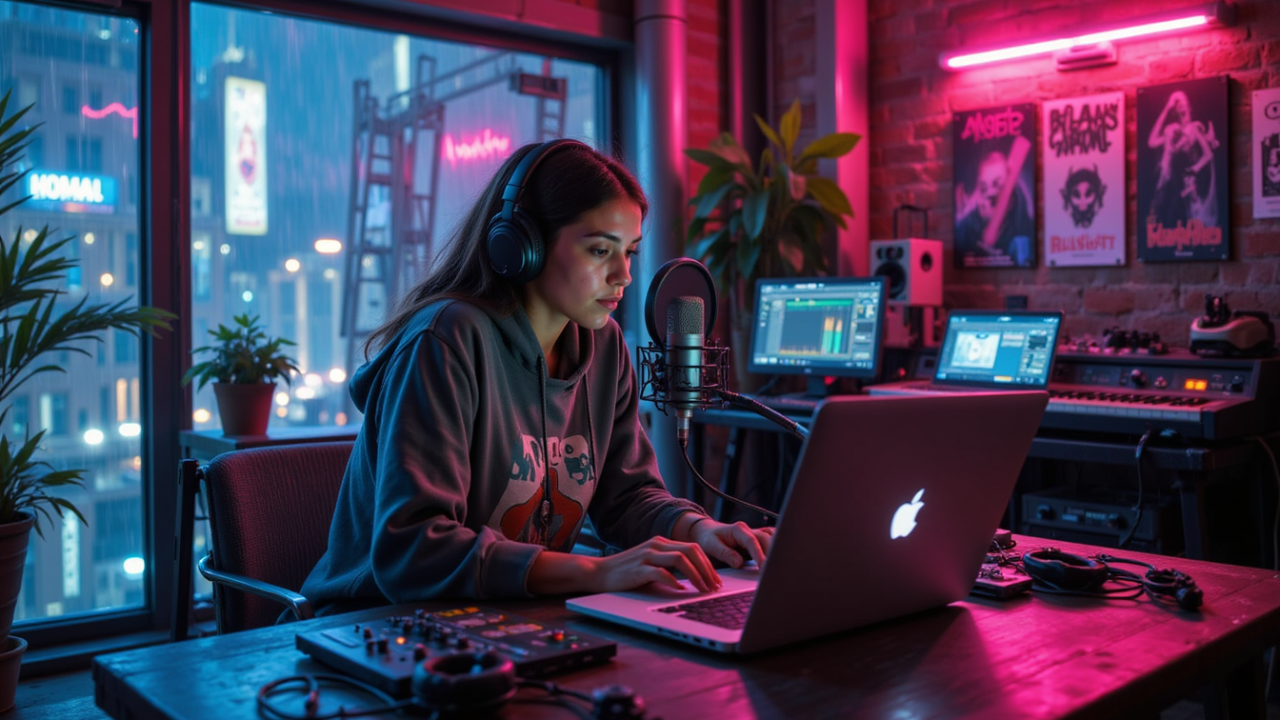
    How to Record Great Sounding Vocals in a Home Studio
    Share
    Facebook Twitter LinkedIn Pinterest Email


    Start Before You Press Record

    Great vocal recordings don’t begin with the microphone.

    They begin with:

    A great song.

    And…

    A great singer.

    Get those two things right…

    And everything else gets easier.

    A $5,000 microphone can’t fix a weak performance.

    But a great performance through a simple setup can sound incredible.


    Quick Summary

    For great home studio vocals:

    👉 Start with the song and singer.

    👉 Find the quietest space possible.

    👉 Control room reflections.

    👉 Choose the right microphone.

    👉 Use a clean microphone preamp.

    👉 Use a pop filter.

    👉 Find the right distance from the microphone.

    👉 Create a headphone mix that helps the singer perform.

    The goal isn’t the most expensive recording chain.

    It’s the setup that makes the singer sound comfortable, confident and believable.

    Read: The 7 Steps To Recording Your Voice At Home


    Before thinking about microphones…

    Listen to the song.

    Is the melody right?

    Are the lyrics finished?

    Is the key comfortable?

    Does the singer know the part?

    Production can’t rescue a song that isn’t ready.

    The better the song…

    The easier it is to capture something worth listening to.


    The singer is the sound source.

    Everything else comes afterwards.

    A great singer controls:

    Pitch.

    Dynamics.

    Tone.

    Timing.

    Emotion.

    Distance from the microphone.

    Before replacing gear…

    Try another performance.

    Often the biggest improvement isn’t a new microphone.

    It’s another take.


    Microphones don’t only hear the singer.

    They hear:

    Traffic.

    Computer fans.

    Air conditioners.

    People upstairs.

    Dogs.

    The refrigerator.

    The entire house.

    Before recording…

    Listen.

    Find the quietest place available.

    Close doors.

    Turn off noisy equipment.

    Move away from windows.

    Isolation is simply keeping unwanted sounds out of the recording.


    Isolation keeps outside noise out.

    Acoustic treatment controls what happens inside the room.

    A vocal hits the microphone directly.

    But it also hits:

    Walls.

    Ceiling.

    Floor.

    Desk.

    Windows.

    Then those reflections bounce back into the microphone.

    Too many reflections can make a home recording sound:

    Boxy.

    Distant.

    Cheap.

    Soft furniture helps.

    Curtains help.

    Carpet helps.

    Purpose-built absorption helps even more.

    You don’t need to make the room completely dead.

    You just want to control the reflections around the singer.

    The Home Studio Setup Guide: How To Get The Best Sound Out Of Your Room


    Condenser microphones are common for vocals because they can capture:

    Detail.

    Brightness.

    Breath.

    Nuance.

    Dynamic microphones can sound:

    Darker.

    More focused.

    More controlled.

    And they may pick up less of a bad room.

    Neither type is automatically better.

    Listen to the singer.

    Then choose the microphone that makes their voice easier to believe.

    Microphones 101: Which Mic Should I Buy for My Home Studio?


    ⭐️ Download my Free Music Production Guides or take my free Ableton Live Course ⭐️


    A microphone signal is very quiet.

    The microphone preamp inside your audio interface makes it louder.

    Modern beginner interfaces can already sound very good.

    You mainly want:

    Enough clean gain.

    Low noise.

    No clipping.

    Set the gain so the loudest parts of the performance stay safely below digital clipping.

    Don’t try to record as loud as possible.

    Record cleanly.

    Learn to Record: Recording Vocals & Instruments for Beginners


    Say:

    Peter picked a pepper.

    Those P sounds create bursts of air.

    Aim them directly into a microphone…

    And you may hear a giant low-frequency:

    POP.

    A pop filter sits between the singer and microphone.

    It helps stop that air from hitting the microphone capsule directly.

    Simple tool.

    Huge difference.


    Distance changes the vocal sound.

    Very Close

    More:

    But also more:

    • Plosives
    • Mouth noise
    • Proximity effect

    Further Away

    More:

    • Room
    • Natural space
    • Consistency

    But potentially less:

    A good starting point is roughly:

    6–12 inches from the microphone.

    Then listen.

    Don’t measure for perfection.

    Move until it sounds right.


    This one gets overlooked.

    The singer is performing to what they hear in their headphones.

    If the headphone mix feels terrible…

    The performance may feel terrible.

    Give them enough:

    Vocal.

    Rhythm.

    Harmony.

    And especially…

    Bass.

    The low end can help the singer feel the key and reference their pitch.

    If the singer can’t clearly hear the musical foundation…

    They may start searching for the notes.

    The headphone mix should make singing feel easy.


    More isn’t always better.

    Too much reverb…

    Too much click…

    Too much guitar…

    Too much vocal…

    And the singer starts fighting the mix.

    Ask:

    What do you need to hear?

    Some singers want lots of themselves.

    Others want less.

    Some need the kick.

    Some need the bass.

    Some need piano.

    Build the mix around the performer.

    Not around what you prefer.


    There are two sides to vocal recording.

    Technical

    • Quiet room
    • Acoustic treatment
    • Good microphone
    • Clean preamp
    • Pop filter
    • Correct distance
    • Healthy recording level

    Emotional

    • Great song
    • Great singer
    • Comfortable environment
    • Inspiring headphone mix
    • Great performance

    You need both.

    But if you have to choose…

    Choose the performance.


    It’s easy to obsess over gear.

    Which microphone?

    Which preamp?

    Which interface?

    Which plugin?

    Those things matter.

    But they come after the most important part.

    The song.

    The singer.

    The performance.

    Build a quiet space.

    Control the reflections.

    Choose a microphone that fits the voice.

    Give the singer a headphone mix that makes them want to sing.

    Then get out of the way.

    Because the best vocal recording doesn’t sound like great equipment.

    It sounds like someone means every word.


    Source link

    Share. Facebook Twitter Pinterest LinkedIn Tumblr WhatsApp Email
    Previous ArticledBdone releases Wasser, a FREE liquid multiband delay plugin

    Related Posts

    Comfort vs. Chaos in Your Creative Space

    setembro 1, 2026

    Is Music Production Too Technical For Singer-Songwriters?

    agosto 29, 2026

    The Invisible Language of Modern Music

    agosto 27, 2026

    Why Distortion Is the Secret Ingredient of Every Mix

    agosto 25, 2026
    Demo
    Our Picks
    • Facebook
    • Twitter
    • Pinterest
    • Instagram
    • YouTube
    • Vimeo
    Don't Miss
    Articles

    How to Record Great Sounding Vocals in a Home Studio

    By Producer Gangsetembro 4, 20260

    Start Before You Press Record Great vocal recordings don’t begin with the microphone. They begin…

    dBdone releases Wasser, a FREE liquid multiband delay plugin

    setembro 4, 2026

    Yurt Rock releases Pick Pocket audio-to-MIDI drum plugin for $49

    setembro 4, 2026

    Lewitt releases Space Replicator Free, a virtual monitoring plugin for macOS and Windows

    setembro 3, 2026

    Subscribe to Updates

    Get the latest creative news from SmartMag about art & design.

    Producer Gang | Home of Producers
    Facebook X (Twitter) Instagram Pinterest
    • Home
    • Plugins
    • Hip-Hop
    • News
    • Learn How to Sell Beats
    © 2026 Producer Gang. Designed by Audio Escola.

    Type above and press Enter to search. Press Esc to cancel.
