


Writing a good bassline sounds simple until you actually have to do it.
I know this problem well. You start with chords, drums, maybe a synth hook or vocal chop, and then the bass becomes the thing you add at the end because the track needs low end. That is how you end up with basic root notes, eighth notes, and the occasional octave jump when things get too boring.
Reason’s Bassline Generator is built to prevent that from happening.
It is a Player device, which means it sits above an instrument in the Reason Rack and generates MIDI notes for it. You can use it inside Reason, or in another DAW through the Reason Rack Plugin.
The important part is that it does not just throw random notes at a synth. It gives you a fast way to build a groove, then lets you edit the result until it fits your track.
We’ll take a closer look at the Bassline Generator below and give one BPB reader a free year of Reason+, which includes Reason 14 and the wider Reason ecosystem (scroll to the end for the giveaway info).
Start with a bass sound
Load a bass instrument first, then add Bassline Generator above it in the Rack. Monotone Bass Synthesizer is an easy starting point, but any mono synth or 808 patch will work.
Bassline Generator can run with Reason’s sequencer, or it can wait for MIDI input. SEQ runs with the song, KEY starts when you play a note, and SEQ+KEY runs with the song but only sends notes while you hold MIDI input.
For a first pass, set it to SEQ, press Run, and play it against a drum loop (because let’s face it, testing a bassline without drums is like judging a kick sample through laptop speakers).
Use the diamond to find the groove
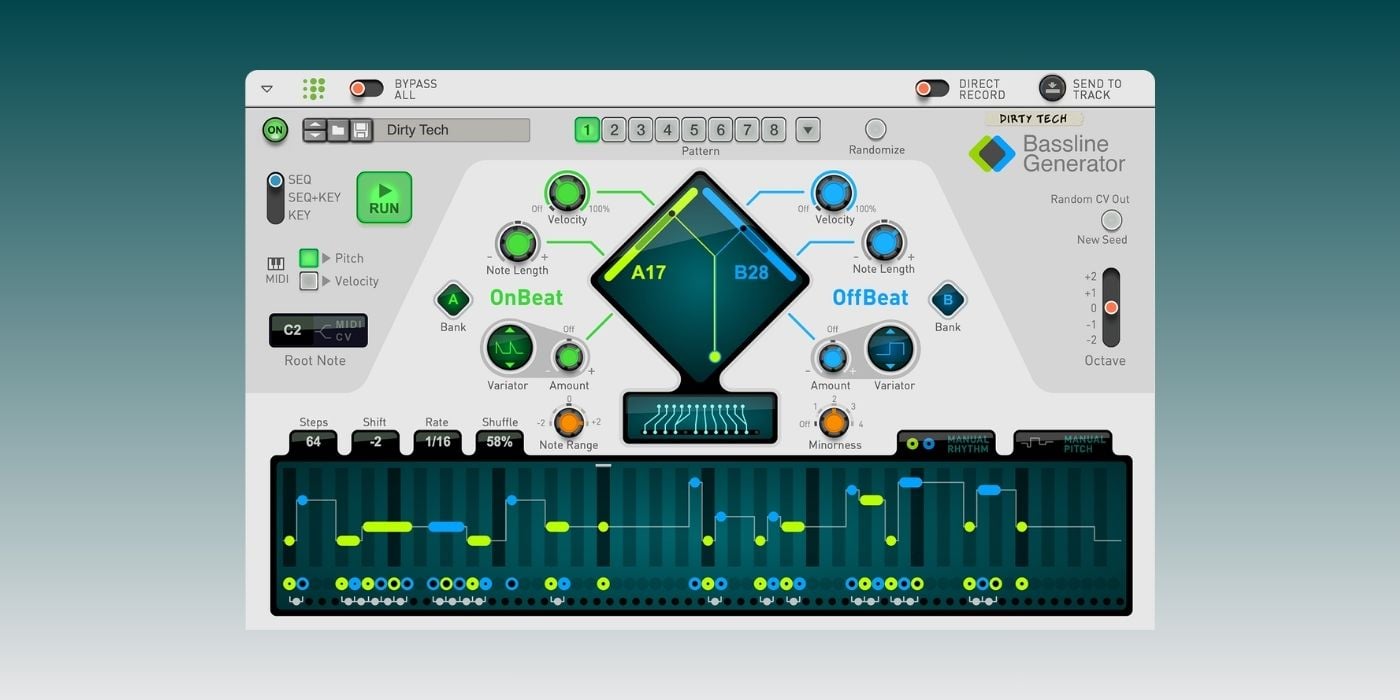
The center of Bassline Generator is the diamond-shaped pattern display.
The green side controls OnBeat patterns, which sit on the main pulse. The blue side controls OffBeat patterns, which fill the spaces between the main beats. That relationship is where most bass grooves start to move.
Drag around the diamond, and you are choosing different combinations of those two pattern types. Low values give you sparser lines, while higher values get busier. Move around until the groove feels close, then use the green and blue sliders if you want to adjust each side separately.
I would not treat Randomize as the main workflow, but it is incredibly useful when you are stuck. Hit Randomize, listen for a few seconds, then either keep the result or steal the part that works.
Match the pattern to the song
Once you have a groove, make it fit the track.
The Rate control decides how fast the pattern moves. For house, techno, and similar styles, 1/16 is a natural starting point.
For slower 808 lines, especially trap-style beats running at a high project tempo, try 1/8 instead. It immediately gives you a more laid-back feel.
Steps sets the pattern length from 16 to 64 steps. A 16-step line is good for something repetitive and hypnotic. A 64-step line gives slower bass parts more time before they loop.
Root Note and Octave handle the basic pitch range. Fix that before doing anything more detailed.
The Note Range and Minorness controls are also worth learning. Note Range narrows or widens the pitch movement around the root note. If an 808 line jumps around too much, lower it.
Minorness pushes certain major intervals toward minor ones, which helps when you want a darker line.
Add variation, then edit
Bassline Generator has eight pattern slots, and this is where I love stacking ideas to create more complex basslines. Build a strong main pattern in slot 1, copy it to slot 2, then make slot 2 slightly busier.
The Variator controls are made for this. There is one for the OnBeat side and one for the OffBeat side, and they can push part of the sequence toward simpler or more complex source patterns.
The practical move for me is to keep pattern 1 as the main groove, use pattern 2 as a fill, then automate the switch at the end of every fourth or eighth bar.
The Shift control is another good variation tool. It moves the whole bassline left or right by up to 32 steps. Small shifts can change the pocket without changing the notes.
At some point, though, you’ll need to stop generating (although it’s incredibly fun) and start editing. The note display lets you change pitches, turn steps on or off, adjust velocity, and tie notes together.
Ties are especially important for synth bass and 808 parts. Tie two notes of the same pitch, and you get a longer note. Tie notes of different pitches, then use a mono patch with legato or portamento, and you can get those sliding bass movements that sound amazing.
Bassline Generator also protects your manual edits. If you edit the rhythm, Manual Rhythm lights up. If you edit pitch, Manual Pitch lights up. Once those are active, the generator controls stop changing that part of the sequence.
That means you can keep the pitch contour you like while trying new rhythms, or lock the rhythm and test different pitch patterns.
Use the Rack around it
Because this is Reason, the Rack is part of the workflow.
If your bassline follows chords and you want to keep every note in key, add Scales & Chords after Bassline Generator and turn off the chord function. The bassline stays monophonic, but the notes get pulled into the scale you choose.
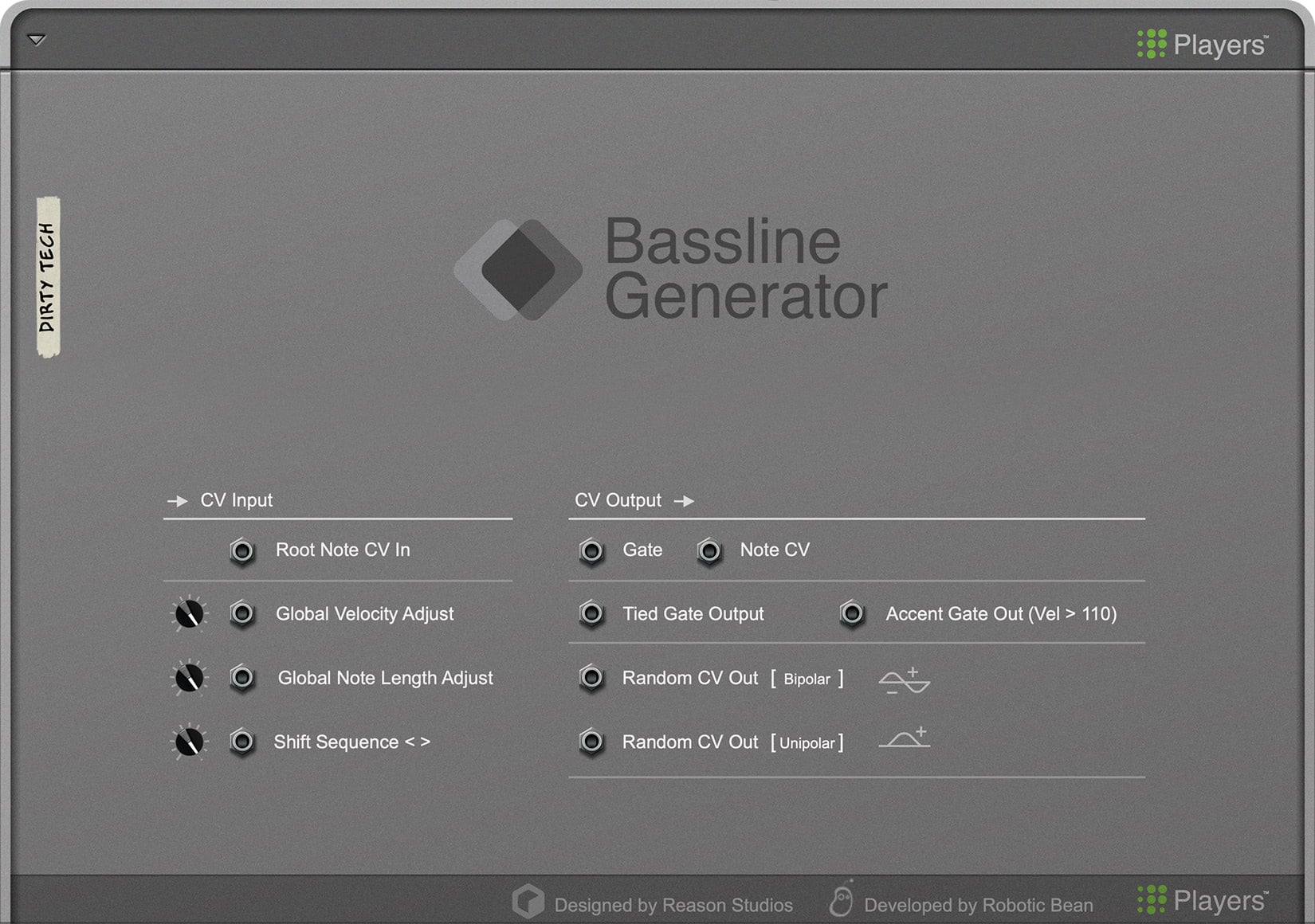
You can also use Root Note CV In to transpose Bassline Generator from another Player, such as Chord Sequencer. That makes the bassline feel connected to the rest of the track without drawing every change manually.
A quick rhythmic trick I love using is to add Note Echo after Bassline Generator. It can instantly make a simple bassline sound nicer and more groovy.
Bassline Generator also has CV outputs, including Gate, Note, Tied Gate, Accent Gate, and random CV outs. You do not need to go that deep on day one, but it is there when you want the bassline to start controlling more than pitch.
That is the point of Bassline Generator for me. It gives you a fast way into a bassline, but it still leaves room for your own judgment.
Bassline Generator is included in Reason+ and also available separately for Reason users. It comes with over 200 patches, including Player patches and Combinators with ready-to-go bass sounds. The device is compatible with Reason 10.1 and later, while the included Combinator patches require Reason 12.
More info: Reason Bassline Generator
The Giveaway
Reason Studios is also giving one BPB reader a free year of Reason+, which includes Reason 14 and the wider Reason ecosystem.
To enter the giveaway, answer the following question in the comments below: What is your favorite Reason Device?
We will pick one random comment and announce the winner on this page on June 30th.
Last Updated on June 29, 2026 by Tomislav Zlatic.

