

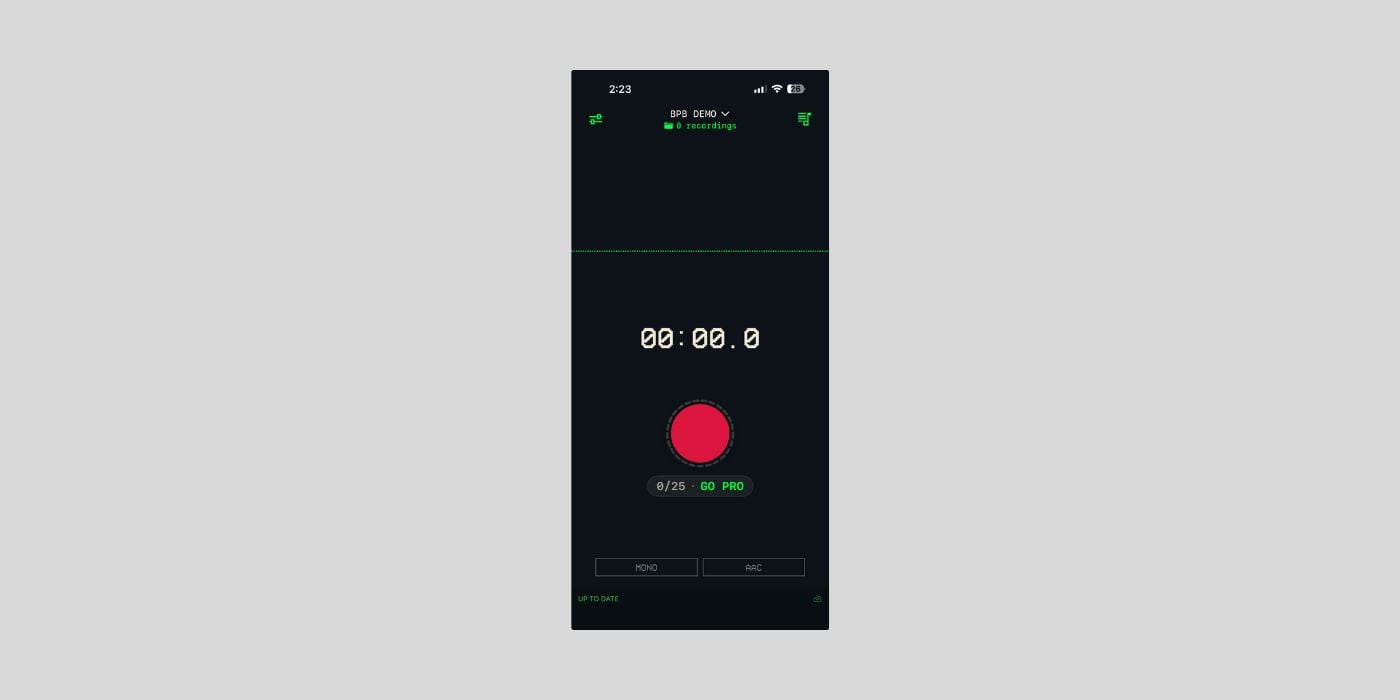

Indie iOS developer WasabiNoise has released Drop, a recording app that turns your iPhone into a field recorder for your DAW.
I love the idea here. You basically tap record on your phone, the audio syncs through iCloud, and a Mac menu bar companion makes the file ready to drag straight into Ableton Live, Logic, or whatever DAW you use.
I record a lot on my iPhone, so this one could definitely save me some time. My workflow so far has been AirDropping clips to my MacBook. It’s not terribly inconvenient on its own, but it gets fiddly when I’m moving a bunch of files at once.
I also don’t love keeping takes sitting in the Voice Memos app. With this app, I can move the recordings to my MacBook more quickly and archive them alongside my other samples.
The recording side is basic in a good way. You pick mono or stereo, set the audio quality, and hit the red button. The file shows up on the Mac menu bar almost instantly, and you drag it from there into your DAW.
There’s no export menu and no account to create. Audio stays in your own iCloud, and the developer says he can’t see your recordings either, because that’s how iCloud privacy works.
Drop was built after WasabiNoise got laid off from his day job back in January. He’s been doing iOS development for 15 years, and the app came out of his own frustration with not being able to drag Voice Memos straight into Ableton Live. The design is by his wife, RGBCN, and the pair are releasing apps together under the Wasabi.cat banner.
Planned features listed by the developer include playlists, CarPlay support for listening back to recordings, better level tracking, and chord recognition.
A note on pricing. The free tier gives you 25 recordings at a time, and once you drag them to your DAW and clear them out, you get another 25. The developer says this works forever. Drop Pro unlocks unlimited recordings with a one-time purchase and no subscription.
So it’s free with some limitations rather than fully free, but if you use your phone for capturing ideas a lot, it can be a real timesaver.
Drop requires an iPhone and a Mac signed into the same iCloud account.
Download: Drop (FREE, Pro via one-time IAP)
Deal of the day 🔥: Get the Softube Transient Shaper for only $19 (80% OFF)!
More:
Last Updated on April 30, 2026 by Tomislav Zlatic.

