

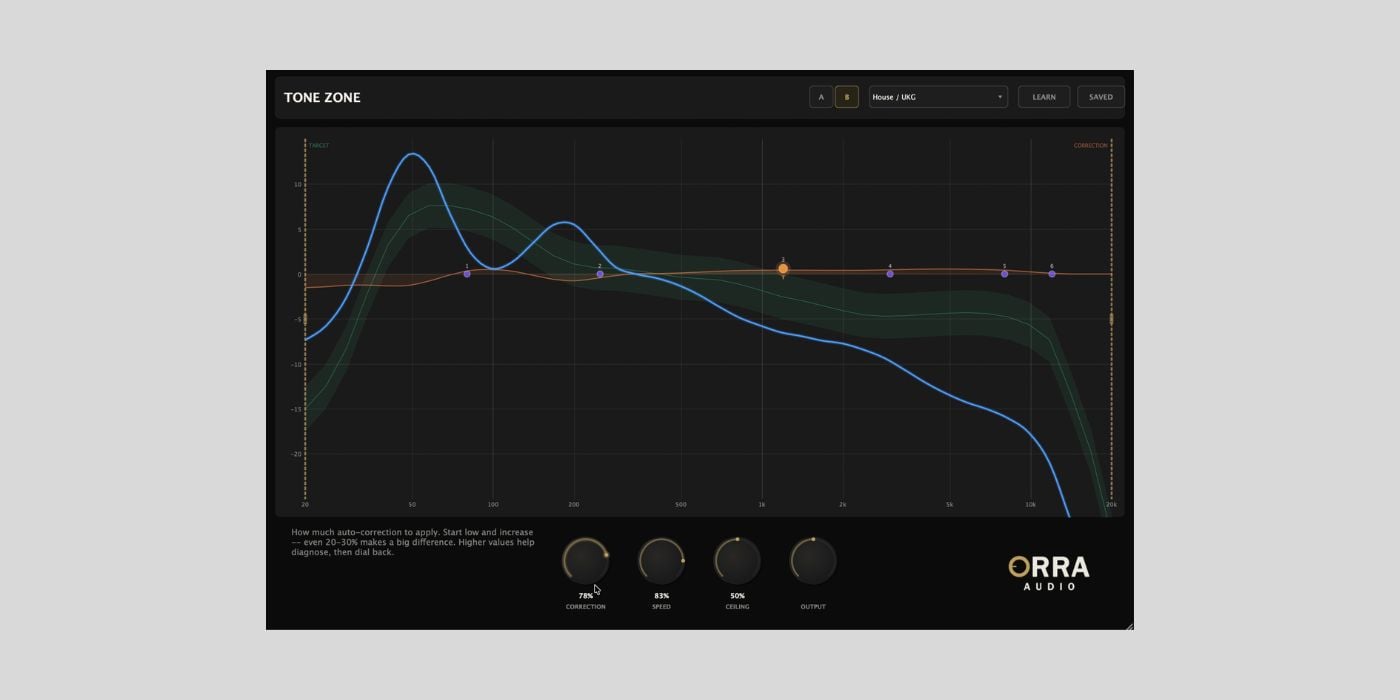

Orra Audio has released Tone Zone, a free (pay-what-you-can) tonal curve corrector plugin for macOS and Windows.
If you’ve used iZotope’s Tonal Balance Control, this freebie from Orra Audio will look familiar. And it’s one of the best freebies for use on the master bus that I’ve seen so far this year.
Tone Zone shows your mix’s tonal curve against a target and helps you nudge it into shape. The difference is that it does more than just metering. You also get an auto-corrective EQ, a 6-band parametric EQ, and per-band saturation, all in the same window. It’s insanely powerful for a freebie.
The plugin runs a smooth 40-band spectral analysis that shows the big tonal picture. Your mix’s curve is overlaid on one of 24 genre-calibrated target zones covering everything from Modern Pop and Hip-Hop/Trap to Drum & Bass and Classical.
If the factory presets don’t fit your music (Future Chiptune Metal Folk Trap?), you can drop in any reference track (WAV, AIFF, MP3, or FLAC), and Tone Zone will learn its tonal fingerprint. Saved reference curves are stored as .otzcurve files, so you can build a personal library over time and share them with collaborators.
When you turn up the Correction knob, an FFT-based EQ starts nudging your spectrum toward the target in real time.
And it’s pretty smart. The engine applies cuts at full strength but boosts at only 50%, which prevents it from aggressively adding energy to frequencies that simply aren’t in your arrangement.
The spectral density gate detects whether you’re in a full chorus or a sparse intro and adjusts correction intensity accordingly, so it won’t overreact during breakdowns. There’s also section transition detection that temporarily ducks the correction when the arrangement changes to avoid audible EQ shifts between verse and chorus.
The developers recommend starting with Correction, Speed, and Ceiling all at 100% to see exactly what the engine thinks your mix needs. The orange correction curve basically becomes a diagnostic second opinion.
Then use the 6-band parametric EQ to address the major deviations by hand, and finally dial the auto-correction back to 20-40% for gentle ongoing maintenance. As you take over the heavy lifting with manual EQ moves, the orange curve should flatten out.
The parametric EQ sits on top of the auto-correction and lets you drag nodes directly on the spectrum display (scroll wheel adjusts Q).
I also like that you can right-click any band to switch it from standard EQ to one of three saturation modes. The Tube mode adds even harmonics, the VCA is punchier with odd harmonics, and British adds weight and rounds off the highs.
The saturation runs in parallel, so the drive knob adds harmonic content without changing the overall level.
Another neat touch is the handles on the left and right edges of the spectrum, which let you restrict auto-correction to a specific frequency range. If you’ve already dialed in your bass, drag the left handle to around 200 Hz, and the engine leaves it alone.
Tone Zone is available in VST3, AU, and AAX formats for macOS (Apple Silicon and Intel) and in VST3 and AAX formats for Windows.
Download: Orra Tone Zone (FREE)
Deal of the day 🔥: Get 90% OFF Ripple Phaser by Minimal Audio!
More:
Last Updated on April 13, 2026 by Tomislav Zlatic.

