
Close Menu

    Subscribe to Updates

    Get the latest creative news from FooBar about art, design and business.

    What's Hot

    Dreeemwave Bassliner: Instant no-AI baselines and exclusive discount

    junho 19, 2026

    Calloga releases Unshuffle FREE open-source sample library organizer

    junho 18, 2026

    CodWaves launches WaveBalance auto gain staging plugin

    junho 18, 2026
    Facebook X (Twitter) Instagram
    Facebook X (Twitter) Instagram Vimeo
    Producer Gang | Home of Producers
    • Home
    • Articles
    • Downloads
      • VST’s
    • Tutoriais
    • Plugins

      Dreeemwave Bassliner: Instant no-AI baselines and exclusive discount

      junho 19, 2026

      Calloga releases Unshuffle FREE open-source sample library organizer

      junho 18, 2026

      CodWaves launches WaveBalance auto gain staging plugin

      junho 18, 2026

      Stagecraft Software releases FlowFilter FREE filter plugin

      junho 18, 2026

      Clack.DIGITAL releases FREE Amp Squeezer overdrive plugin

      junho 18, 2026
    • News
      1. Plugins
      2. VST’s
      3. Hip-Hop
      4. Billboard
      5. View All

      Dreeemwave Bassliner: Instant no-AI baselines and exclusive discount

      junho 19, 2026

      Calloga releases Unshuffle FREE open-source sample library organizer

      junho 18, 2026

      CodWaves launches WaveBalance auto gain staging plugin

      junho 18, 2026

      Stagecraft Software releases FlowFilter FREE filter plugin

      junho 18, 2026

      Glitchmachines – Polygon v2.1.0 for Windows

      abril 23, 2025

      Toontrack – EZbass 1.3.0 Update for Windows

      abril 23, 2025

      deltarray – GigLad PC Arranger 4.0.2 for Windows

      abril 23, 2025

      Toontrack – Funk Fusion EBX (SOUNDBANK)

      abril 23, 2025

      Drake Snippet Leaks Before J. Cole’s ‘The Fall-Off’ Drops

      fevereiro 6, 2026

      J. Cole Releases His “Last” Album ‘The Fall Off’

      fevereiro 6, 2026

      GloRilla’s Sister Says She’s “Obligated” To Give Family $2,500 Each

      fevereiro 6, 2026

      Bad Bunny Reveals What To Expect For Super Bowl LX Halftime Show

      fevereiro 6, 2026

      Beyonce Cowboy Carter Tour July 4th in Washington, D.C.: Best Moments

      julho 5, 2025

      Morgan Wallen Notches 18th Country Airplay No. 1

      julho 5, 2025

      Best Moments in Cardiff, Wales

      julho 4, 2025

      Bad Bunny ‘NUEVAYol’ Pro-Immigrant Video Arrives on Fourth of July

      julho 4, 2025

      How to Use Reverb on Vocals – Universal Audio

      junho 2, 2026

      Carlos de la Garza on Mixing Paramore and Death Cab for Cutie – Universal Audio

      maio 19, 2026

      Native vs. DSP Plug-Ins – Universal Audio

      maio 13, 2026

      Best Guitar Amp Sims for 2026 – Universal Audio

      maio 13, 2026
    • Learn How to Sell Beats
    Producer Gang | Home of Producers
    • Home
    • Plugins
    • Hip-Hop
    • News
    • Learn How to Sell Beats
    Home»News»How to Build a Vocal Chain – Universal Audio
    News

    How to Build a Vocal Chain – Universal Audio

    Producer GangBy Producer Gangmaio 13, 2025Nenhum comentário4 Mins Read
    Facebook Twitter Pinterest LinkedIn Tumblr WhatsApp VKontakte Email
    How to Build a Vocal Chain – Universal Audio
    Share
    Facebook Twitter LinkedIn Pinterest Email


    Get pro tips for flawless vocal mixes.

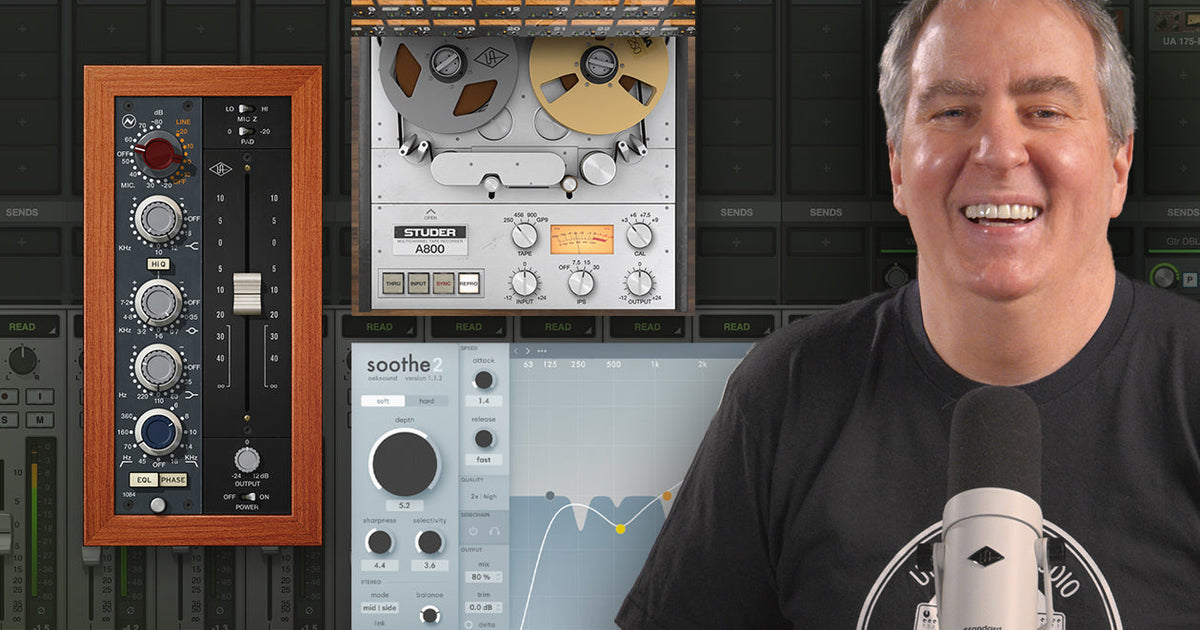
    In this UAD Spotlight tutorial, we show you which plug-ins to use when building a vocal chain, and give you tips for transferring files, bouncing takes, and future-proofing your sessions. 

    First, we walk you through a signal chain featuring favorites like the Studer A800, Oxford Dynamic EQ, and the Neve 1084. Then, you’ll learn how to build vocal chains for different styles using classic Pultec EQs, 175B & 176 Compressors, and API Vision Channel Strips. Whether you’re tracking a pop banger or a stripped-back ballad, these UAD plug-in tips will elevate your vocal productions instantly.

    Step 1: Use Pitch Correction First

    When building a vocal chain, tuning should always be your first move. If you use tools like Auto-Tune or Melodyne in your DAW, be sure to place them on the first insert slot to capture the raw, unprocessed vocal.


    Step 2: Apply Gentle Resonance Suppression 

    After tuning, using a suppressor can help tame unpleasant frequencies without dulling your vocal. Remember to keep it subtle. Over-suppressed vocals can lose their natural dynamics and expression. 

    “Using a subtle pre-processing resonance control can set the stage for the rest of your plug-in chain,” says Drew. “While the effect is light, everything you apply after it will sound better.”


    Step 3: Add Tape Saturation or EQ

    Next, try using a tape plug-in like the Studer A800 Tape Recorder. This will add subtle warmth and analog texture to your performance, and help it blend naturally into the mix.

    “I want the Studer to react to the suppression processing before it,” Drew explains. “So I always place it afterwards.”

    Sometimes tape alone doesn’t cut it, when you’re looking to add some extra tone. That’s where the Oxford Dynamic EQ shines. In this session, Drew uses it to tame harsh upper mids and top-end frequencies. This approach allows the processor to adapt to the vocalists dynamics rather than just cutting static ranges.


    “If you have a thin, harsh-sounding vocal, the goal is to apply enough EQ without sucking the life out of it.”

    Drew Mazurek


    Step 4: Use a Channel Strip for Added Tone

    No vocal chain is complete without some thoughtful tone shaping. Drew’s go-to is the Neve 1084 Preamp & EQ plug-in. Here’s how is he likes to use it:

    Engage the high-pass filter: Cuts rumble

    Boost at 220 Hz: Adds warmth and thickness

    Cut at 700 Hz: Reduces honk

    Boost at 10 kHz: Adds air

    Bonus Tip: Use Drew’s gain staging “trick” to drive saturation. Two clicks up on the gain, paired with a -10 dB pad on the output gives you beautiful Neve color without overloading.


    Step 5: Finish it off with Classic Analog Sound

    The end of your vocal chain is where your recording can really come to life. Drew layers a few iconic processors for both character and control:

    Fairchild 670 with headroom screw maxed: Adds harmonic color and vintage glue

    Empirical Labs EL8 Distressor: Locks the vocal in place, keeping it front and center

    Precision De-Esser: Controls sibilance, always placed at the end

    Each plug-in contributes to a more consistent, musical performance that retains the vocal’s emotion and detail.

    “The job of a vocal chain is to get your voice to sit perfectly in the mix,” says Drew. “Understanding how to build a vocal chain isn’t about copying settings — it’s about knowing what each plug-in contributes, and how they interact.”


    Ready to explore even more? Shop the full collection of UAD plug-ins for vocals and start crafting your signature sound today.

    — UA Staff


    Source link

    Share. Facebook Twitter Pinterest LinkedIn Tumblr WhatsApp Email
    Previous ArticleTory Lanez Was Stabbed 14 Times in Prison & Now Recovering: Statement
    Next Article McDSP SA-2 Dialog Processor plugin on sale for $79 USD

    Related Posts

    How to Use Reverb on Vocals – Universal Audio

    junho 2, 2026

    Carlos de la Garza on Mixing Paramore and Death Cab for Cutie – Universal Audio

    maio 19, 2026

    Native vs. DSP Plug-Ins – Universal Audio

    maio 13, 2026

    Best Guitar Amp Sims for 2026 – Universal Audio

    maio 13, 2026
    Demo
    Our Picks
    • Facebook
    • Twitter
    • Pinterest
    • Instagram
    • YouTube
    • Vimeo
    Don't Miss
    Plugins

    Dreeemwave Bassliner: Instant no-AI baselines and exclusive discount

    By Producer Gangjunho 19, 20260

    We first covered Bassliner during its open beta stage in late 2024. It’s been a…

    Calloga releases Unshuffle FREE open-source sample library organizer

    junho 18, 2026

    CodWaves launches WaveBalance auto gain staging plugin

    junho 18, 2026

    Stagecraft Software releases FlowFilter FREE filter plugin

    junho 18, 2026

    Subscribe to Updates

    Get the latest creative news from SmartMag about art & design.

    Producer Gang | Home of Producers
    Facebook X (Twitter) Instagram Pinterest
    • Home
    • Plugins
    • Hip-Hop
    • News
    • Learn How to Sell Beats
    © 2026 Producer Gang. Designed by Audio Escola.

    Type above and press Enter to search. Press Esc to cancel.
