



It’s a familiar music production trope for beatmakers, and we’ve all been there. But if you’ve been starting beats the same way for weeks, it’s time you tried out some new ideas.
Get out of a creative block fast using NI 360, a unique music production subscription that offers hundreds of sampled instruments, powerful synths, creative effects, loops, and samples. In this blog, we’ll explore five new beat making ideas using tools from NI 360 that will inspire you to create better beats and enjoy the beat making process more.
Jump to these sections:
Follow along with this tutorial by starting a free trial of the NI 360 Plus subscription, packed with everything you need to make professional-sounding beats.
How can an NI 360 subscription give me new approaches for beat making?
Every producer hits a creative block at some point, and often the fastest way out is by introducing new sounds into your beat making process.
With the NI 360 music production subscription, you get instant access to a wide palette of instruments, effects, and tools that can spark new ideas and refresh your workflow. Let’s explore five workflow tips to push your music production into unexpected directions.
1. Use the sequencer in Play Series instruments to spark new ideas
The Play Series instruments are known for being easy to use, making them a great starting point for anyone wanting to explore idea creation and sound design.
For example, if you’re writing techno and electronica, one quick way to get out of a songwriting rut is to use the sounds and sequences included in the Nacht series. Nacht includes over 150 presets of high-energy synths and textures perfect for anything from hard-hitting acid to experimental EBM.

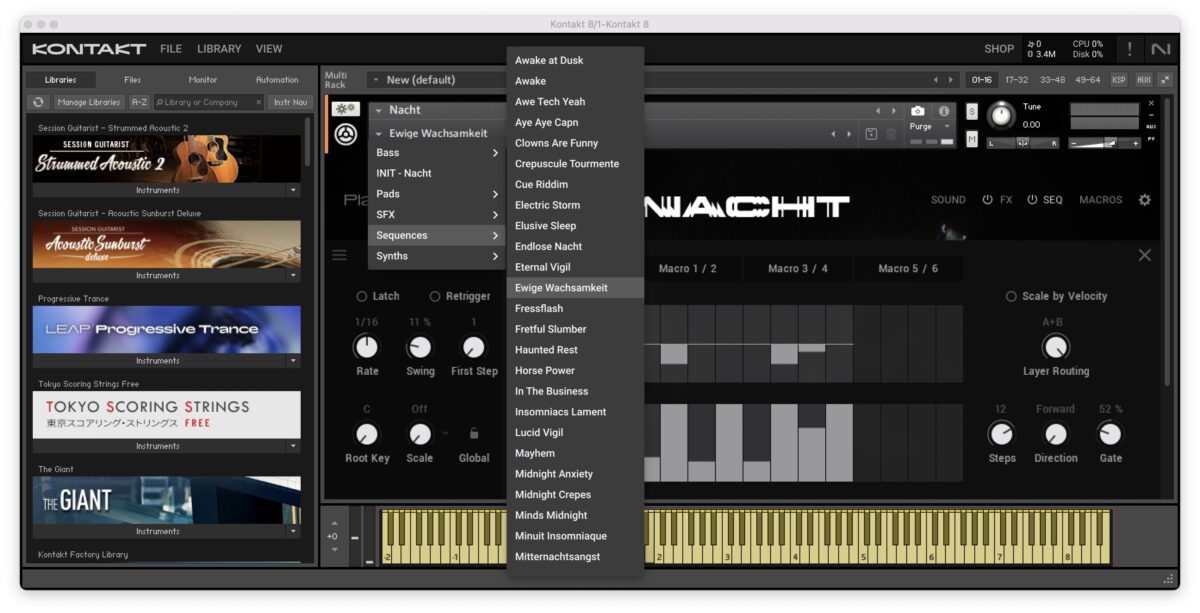
Start off by opening Kontakt Player or Kontakt 8 in your DAW, and loading Nacht. Create a one-bar MIDI clip, and draw a MIDI note on C3, or another note of your choice.
Choose a preset, or choose Ewige Wachsamkeit to follow along. The notes of the sequence will play according to the key you choose.
Press the SEQ button to enter the sequencer panel, and choose a sequence you like. You can either use the sequence as it is or the pitch and velocity of the notes in the sequence. The sequence will give you a place to start building a track.
Add an audio track to your DAW, and add a kick drum in the key of your track. Use a kick from your sample library, or use one from a Native Instruments Expansions pack.
Here’s what the sequence sounds like:
2. Create atmosphere with Play Series instruments
Let’s add a layer of depth to what we’ve just made.
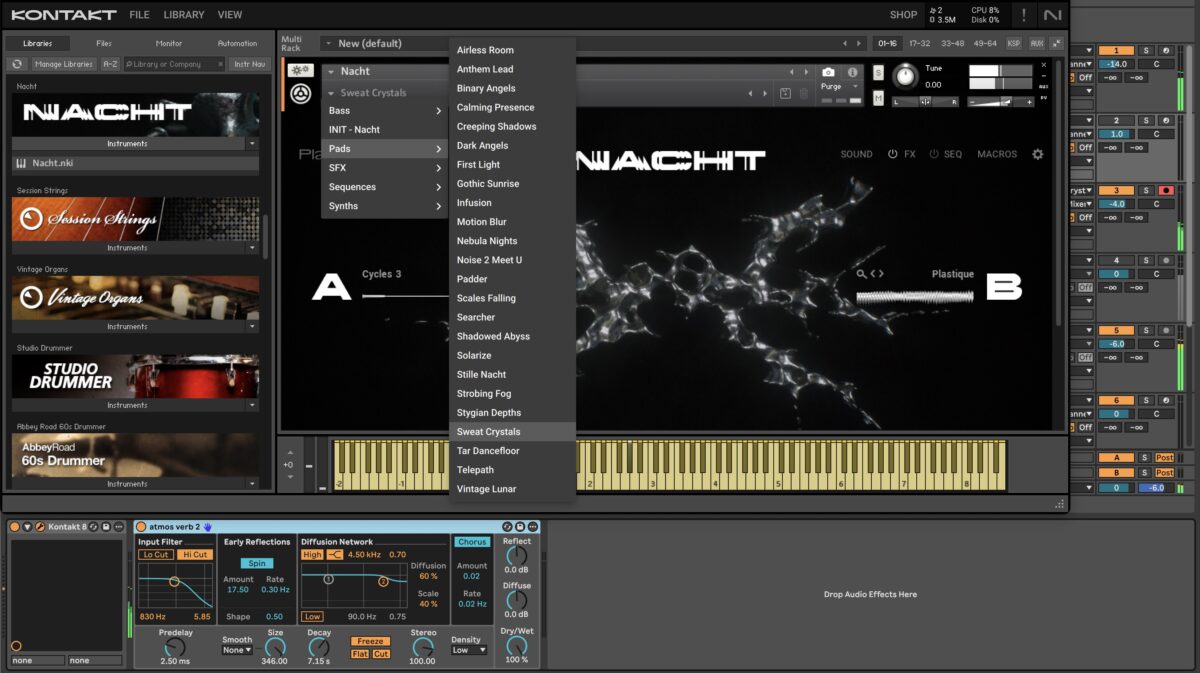
Add a new MIDI track with another instance of Kontakt Player or Kontakt 8, and load Nacht onto it. On the Pads tab, choose a Pad sound, or use Sweat Crystals to follow along.
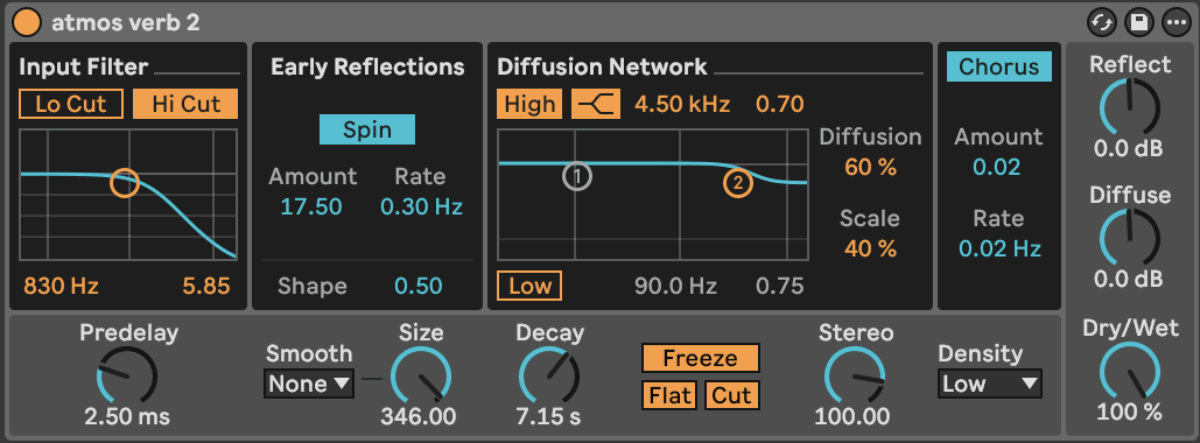
Add a MIDI note in the key of your track to create an atmosphere sound. Add a reverb from your DAW that has a freeze function, and set the Predelay to 2.5 ms, and the Decay to 7.15 s. Press the Freeze function to freeze the pad into an atmosphere sound.
Here’s what our atmosphere sounds like so far:
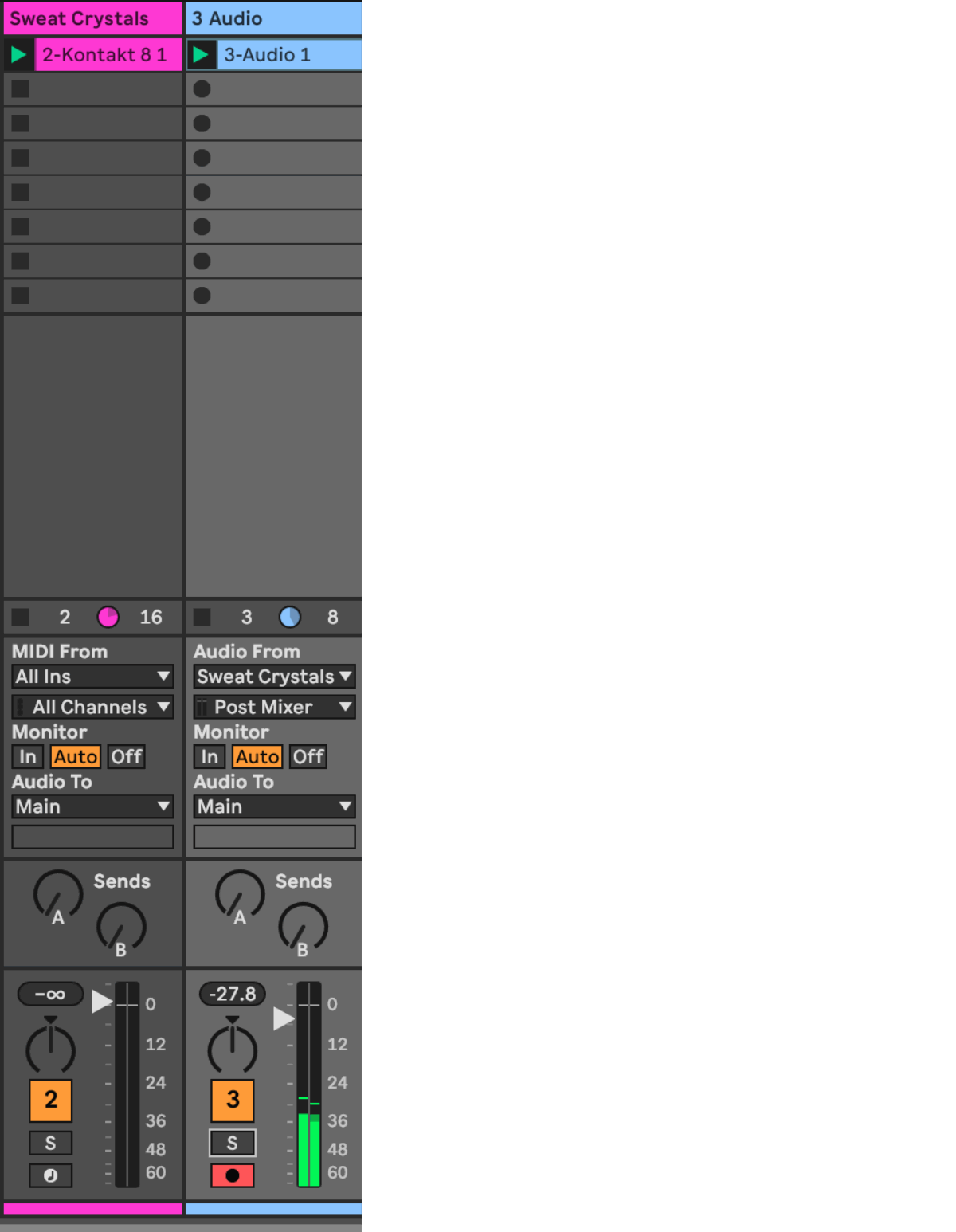
Add an audio track and set the Audio From to your Nacht track with Pad Crystals. Set the monitor to In. Record the atmosphere sound, and add Raum, a reverb plugin.
The atmosphere you created will work nicely with a sequence from the Nacht, or another Play Series instrument. Once you add some drums, you’ll have a good starting point for a track:
Continue adding new MIDI tracks and instances of Play Series instruments to add to what you’ve started.
3. Use Massive X Expansions as track starters
You can also use synths like Massive X to get you going.
Start by creating a MIDI track and choosing a Massive X Expansion. In this example, we’ll use Wake, which is included in the Plus and Pro tiers of the NI 360 subscription.
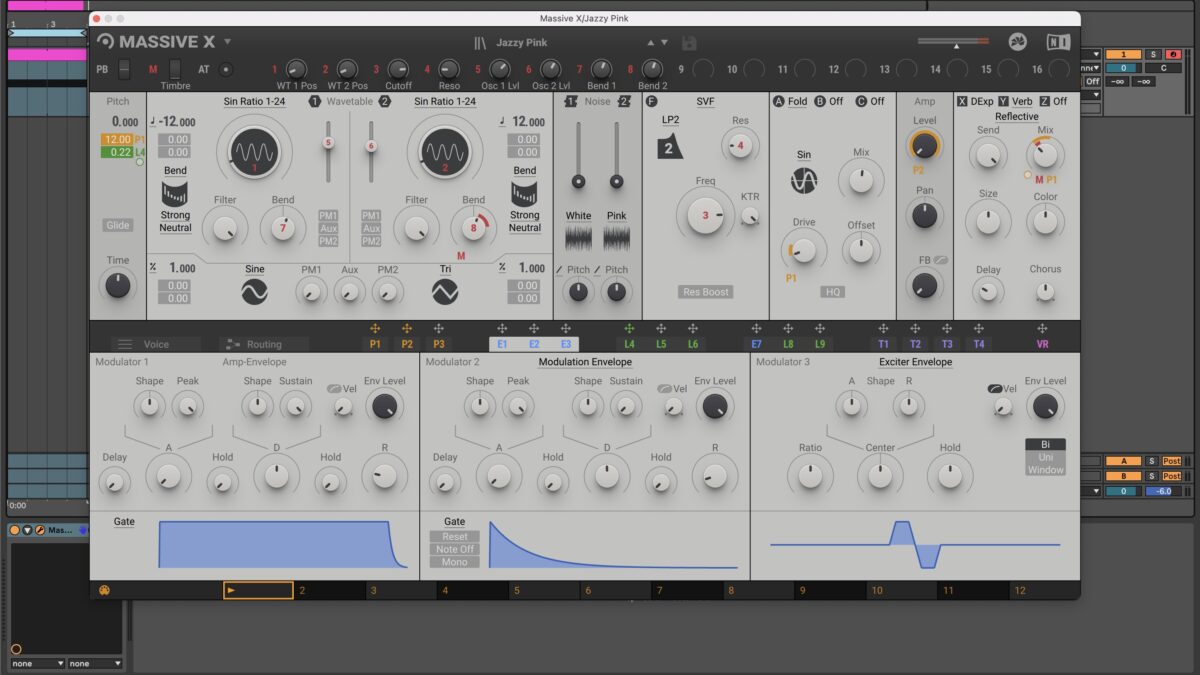
In the Sound Type section, select Synth Misc and choose a preset. All of the presets are sequences of some kind, so they will give you a melodic idea to start with. I’ve chosen the Jazzy Pink preset. Create a two bar MIDI clip and draw a MIDI note that extends for two bars.


To process your sound further, add Raum to the synth for more ambience. Turn Raum down in the mix to about 27%, or to taste. If you’ve chosen a dryer sound to work with (one that doesn’t have as much reverb or delay in it), you can add more effects, like Replika, a delay effect plugin, for more processing.
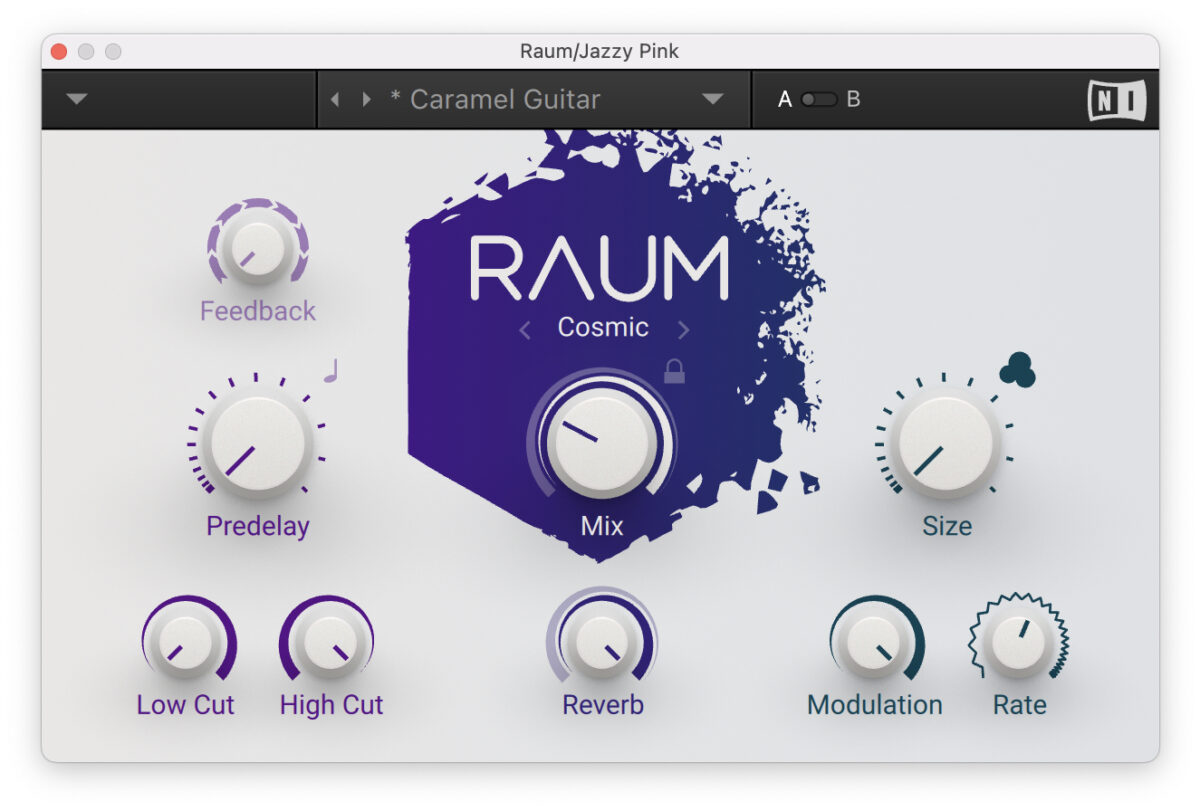
You can hear the effect of Raum here:
4. Start with Battery drums
Another great way to start is by creating your drums first. This ensures your track gets built from the foundation up.
Add Battery to a MIDI track, and load the 909 Multiple Kit. Create a blank MIDI clip that’s one bar in length. Add the kick drum by creating MIDI notes on C1 on beats 1, 1.2, 1.3, and 1.4.
Next, add claps on MIDI notes D#1 on the offbeats, beats 1.2 and 1.4. Lastly, add a closed hi-hat on beats 1.1.2, 1.2.2, 1.3.2, and 1.4.2 on F#1.

To add variation to the closed hi-hat pattern, set the velocity of each hi-hat to a different level. Copy the three closed hi-hats throughout the remainder of the bar.
Separate your drums into individual channels by assigning each drum sample in Battery to its own channel. Right-click on the kick, navigate to Output/Direct Out, and assign it to Stereo 1/2. Right-click on the clap and assign it to Stereo 3/4. Lastly, right-click on the closed hi-hat and assign it to Stereo 5/6.
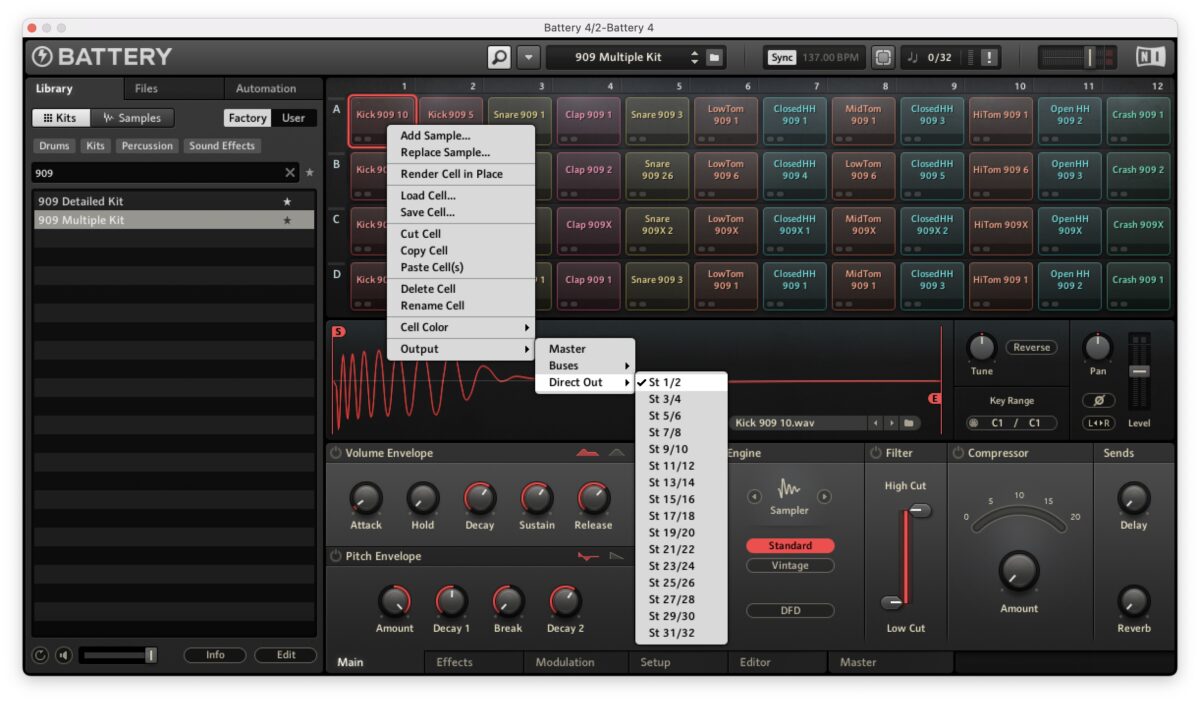
In your DAW, create two new audio tracks. The first track will be the input for the clap. On the first audio track, in the Audio From, select Battery and choose Stereo 3/4 from the drop-down menu. Then set the monitor to In. The second audio track will be the input for the closed hi-hats.
On the second track, repeat the same steps, and select Stereo 5/6 from the drop-down menu.

Our beat sounds like this so far:
Lastly, add movement to your hi-hat by adding Replika with a dotted eighth note delay. Add Transient Master to shape the hi-hat. Try turning down the transient and turning up the sustain.
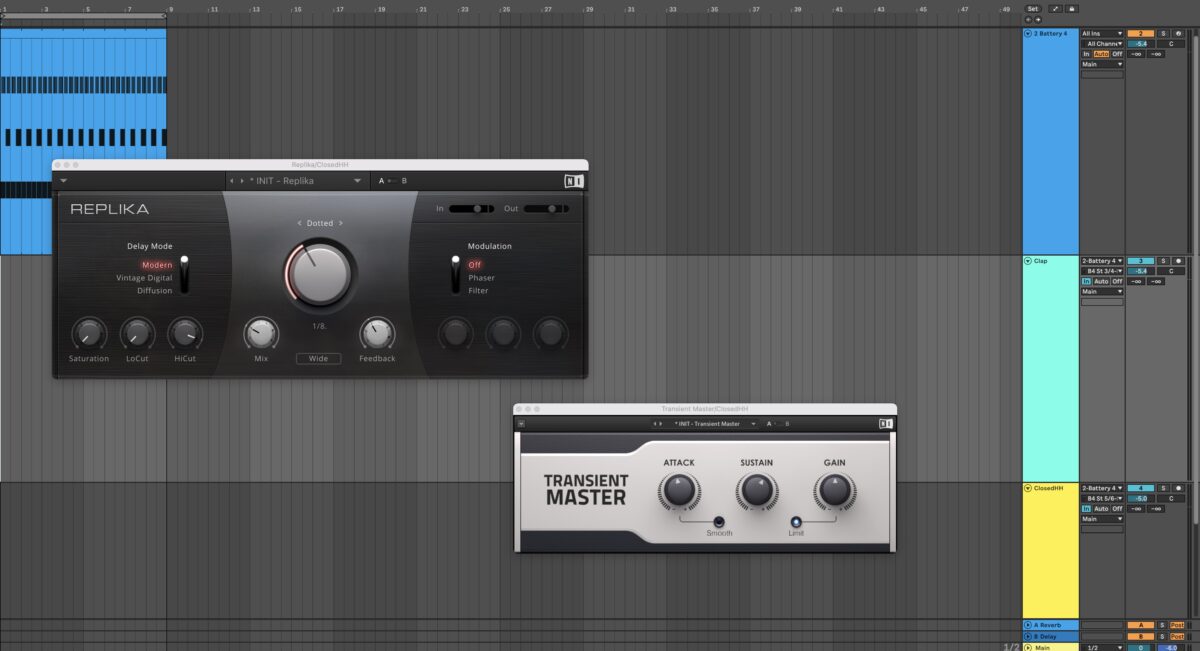
With our audio effects processing, we’re left with this:
5. Use Session Guitarist to create song ideas
A surefire way to start a beat is by creating a great guitar lick.
Start by adding Kontakt 8, and load up Session Guitarist Electric Mint (included in NI 360 Plus).
If you have a 360 Essentials or Plus subscription, you can choose a different Session Guitarist instrument to use. All of the NI 360 subscriptions include Session Guitarist – Strummed Acoustic. For a list of other Session Guitarist Instruments included in NI 360 Essentials/Pro/Plus, please refer to this list.Create a four bar MIDI clip and draw a MIDI note that extends throughout the bar. Select one of the Electric Mint patterns. To follow along, choose Doctor Funk.
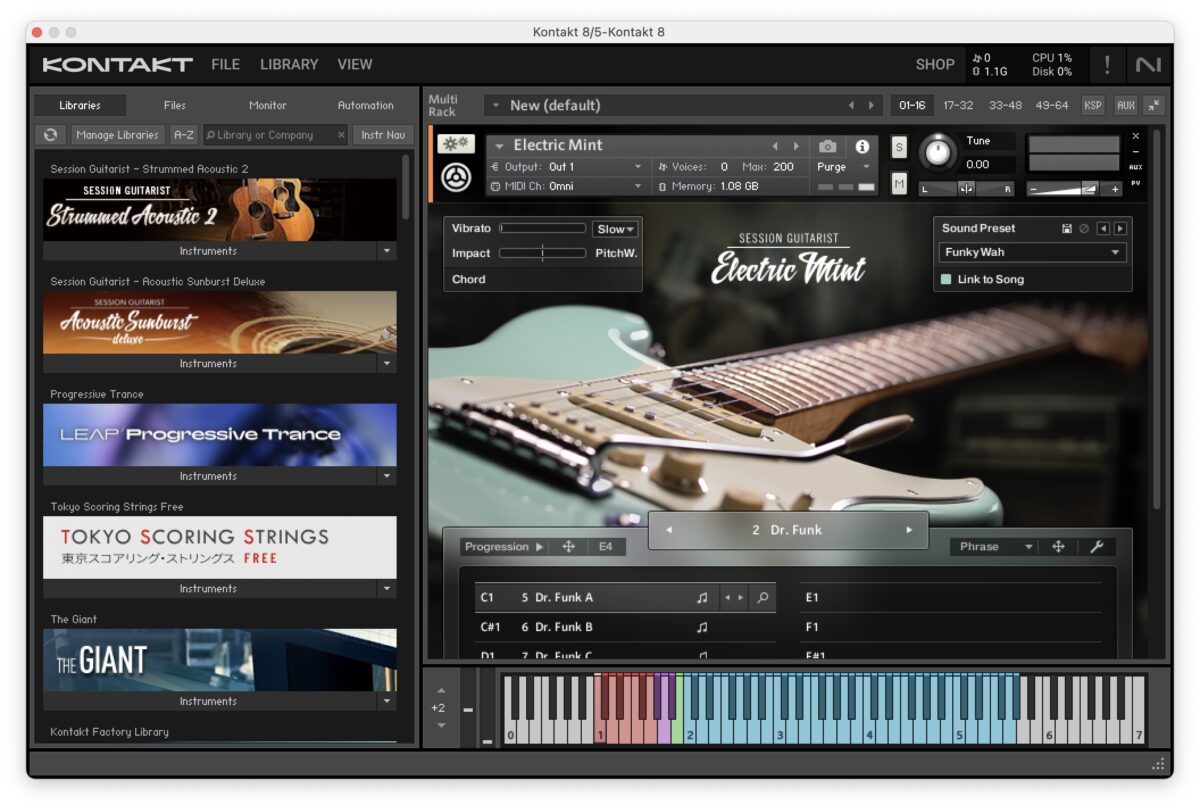
Give the guitar some more edge by adding Supercharger GT with the Mixbus Club setting. Add a drum beat that has a similar groove to the guitar pattern, and you’ll have a great start to a beat in minutes.

On its own, the guitar sounds like this:
Here it is with drums added:
Stop beat block today
Now that you’re equipped with a few new beat-making ideas, it’s time to break through the creative block and start writing some fresh new tracks.
All of the tools and techniques in this blog can be created using the NI 360 Subscription. Find the right tier for you, either Pro, Plus, or Essentials, and try out a free trial. Get started with your new ideas today!
The post 5 ways to break out of the beat making rut first appeared on Native Instruments Blog.
Source link
