

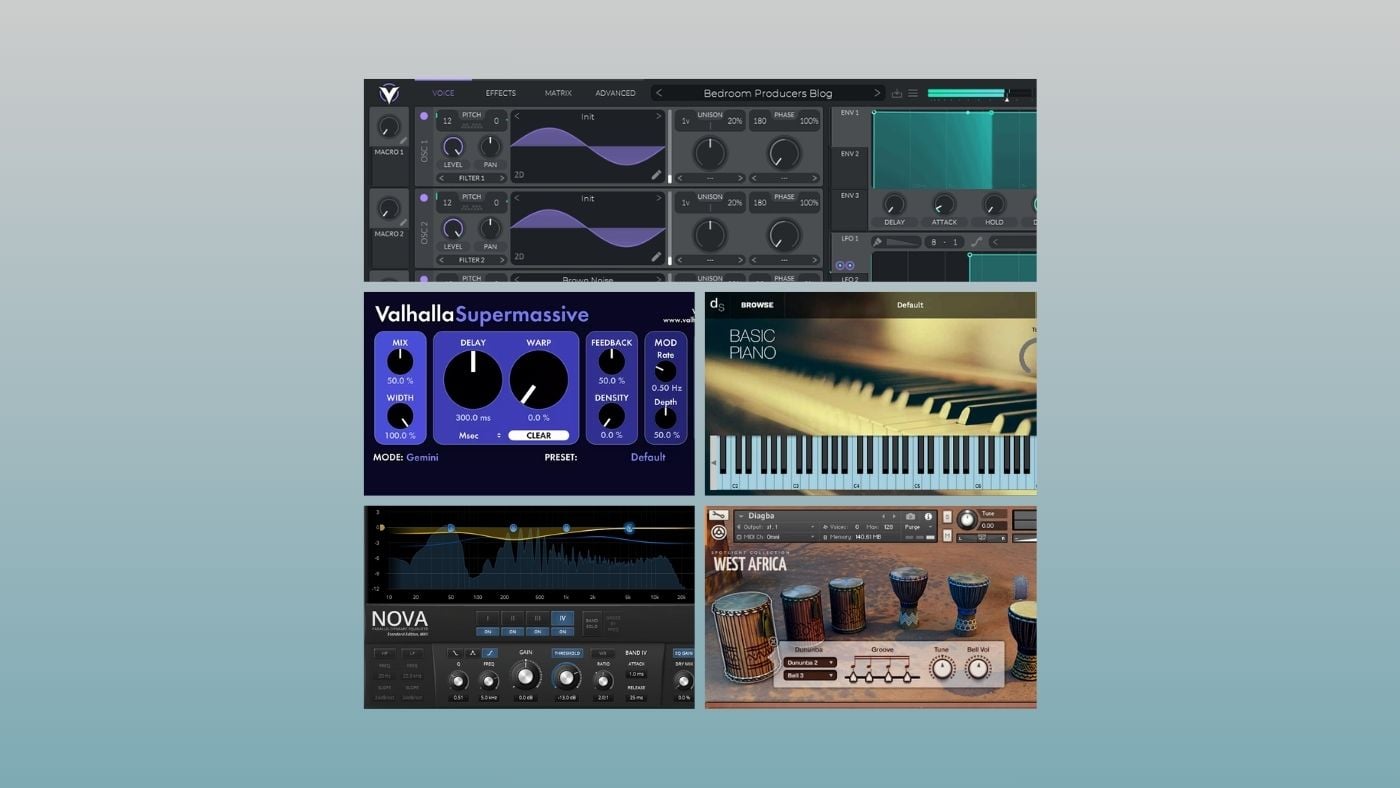

I’ll say the thing most plugin lists won’t. If you’re new to music production, you don’t need 50 free plugins. You need about five.
The rest is already sitting inside your DAW, and learning stock plugins first will do more for your music than having a folder chock-full of free plugins ever will.
I’ve been covering new free plugin releases for years (we cover them on BPB pretty much every day), but I’ve noticed a pattern in the emails I receive from readers.
Many of them have downloaded dozens of plugins, but can’t find the one they actually want when they sit down to make music. And they haven’t spent enough time learning the plugins they already own.
Here’s the important part. Stock compressors, EQs, delays, choruses, and distortion plugins in modern DAWs are good enough for a beginner.
The only places where the freeware world really gives you something your DAW doesn’t are instruments and one or two standout creative effects. So that’s where I’d put my attention if I were starting today.
These are the five I’d actually install today as a beginner, and nothing else.
Vital
The one synth worth learning deeply
Vital is Matt Tytel’s wavetable synth, and the free version is insanely good.
You get three oscillators, a sample/granular oscillator, a modulation matrix you can use by dragging, an effects rack, and a UI that visualizes pretty much everything as you move things around. It sits comfortably in the same conversation as Serum, which is the most telling thing about it.
For a beginner, the temptation is to install five different free synths “for variety”. But here’s what I think. One synth you actually understand is more useful than five you don’t, and Vital is the one I’d pick.
If you don’t care about sound design and just want to make music, the good news is that there are hundreds of free Vital presets out there.
And if you want to learn synthesis, spend a few days examining how it works and designing your own patches.
Free preset packs that you can use as a starting point are everywhere, and learning to make a pad, a bass, and a lead from scratch in Vital teaches you more synthesis in a weekend than downloading 10 more synths for variety.
Decent Sampler
A free sampler with an amazing community ecosystem

Decent Sampler is Dave Hilowitz’s free sampler, and the reason it makes the cut over the dozens of other free instruments out there is the libraries.
There are hundreds of free Decent Sampler packs floating around, including over 100 Pianobook libraries ported by the community, ranging from felted pianos to weird cinematic textures and field recordings.
For a beginner, this is an absurd amount of acoustic and experimental material to work with, all without paying a cent for Kontakt or anything else.
One thing to keep in mind, though. Don’t download every library you see (you’ll end up back in plugin folder hell, just with samples this time).
Pick three or four that match the kind of music you actually want to make and use those until you know them. Start with the ones from Venus Theory if you’re into cinematic stuff, for example.
I cover new Decent Sampler libraries on BPB pretty much every week, and I’d rather see you find one you love than collect them like Pokémon.
Kontakt Player

The free version of the industry-standard sampler
Kontakt Player is the free version of Native Instruments’ Kontakt, and even if you never buy a paid library, it’s worth installing for one simple reason. It has some of the best free sample libraries out there.
If you ever want to grab a free Kontakt library from a developer like Sonixinema, Project Sam, or one of the indie devs that give away a “lite” version of a paid product, you need this.
Kontakt Player will only run libraries that are specifically licensed to run inside it (which is fewer than full Kontakt, fair warning), but there are still hundreds of free ones out there, and the quality at the top end is well above what you’d typically expect from freeware.
I’d treat Kontakt Player like Decent Sampler. Install it, grab a couple of free libraries that fit your style, and only think about expanding later if you’ve outgrown what you already have.
Valhalla Supermassive
The amazing reverb effect that makes your sounds huge
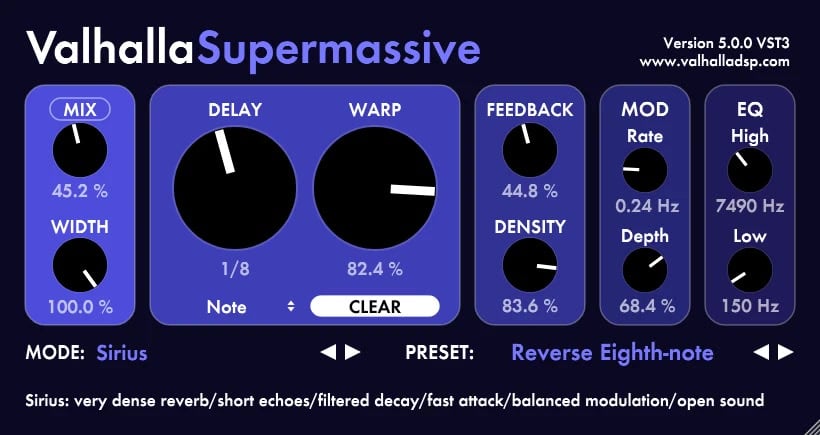
If I could only keep one creative effect on my entire system, Valhalla Supermassive would be it.
It’s a free reverb and delay hybrid by Sean Costello at Valhalla DSP, and over the last few years, it’s grown to more than 20 modes, the most recent being Sirius, added in late 2025.
What makes it so special is that it works amazingly well as a creative effect. Throw it on a boring synth pad, load up a model like Cirrus or Andromeda, and you’ll suddenly have something that sounds like a bit from a cinematic soundtrack.
For a beginner, this is probably the only type of effect plugin that you won’t find in your DAW.
One thing I’d do from day one is put it on an aux/send rather than directly on tracks, and automate the wet level rather than constantly bypassing it.
TDR Nova
The only EQ you’ll ever need
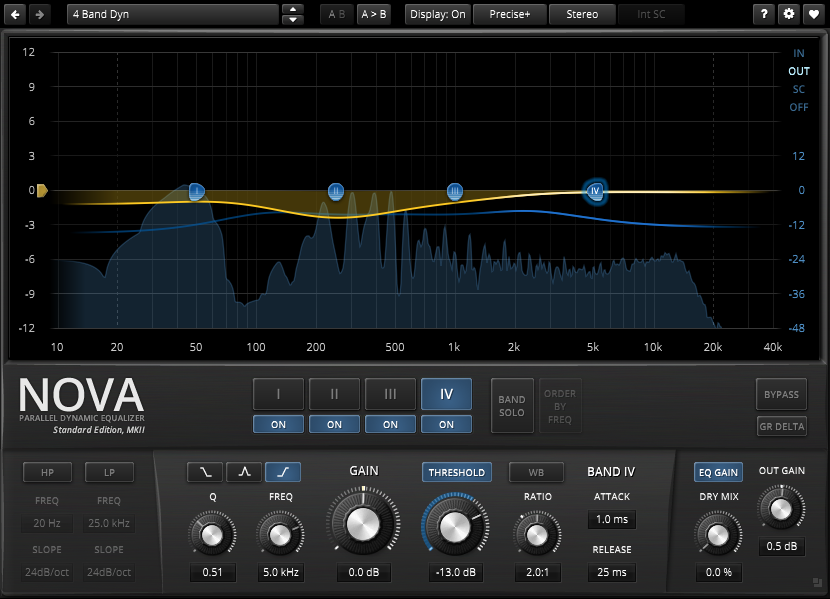
TDR Nova is Tokyo Dawn Records’ free dynamic EQ, and it’s been the top pick on our best free EQ list for years. I also used it as an example of why you don’t need to buy EQ plugins.
You get four bands, a parametric EQ that can also act dynamically (so it only attenuates a frequency when it gets loud), a built-in analyzer, and a clean GUI that still looks amazing ten years after it came out.
Now here’s the thing. As a beginner, you don’t really need a third-party EQ. Your DAW’s stock EQ is fine, and you should use it to learn the basics first.
The reason Nova still makes my list is that dynamic EQ is a useful concept to learn early, and Nova lets you move from regular EQ to dynamic EQ to de-esser to multiband compressor without changing plugins.
It’s overkill for most situations, but the advanced features are there if you need them. Once you learn this EQ, you’ve got a Swiss Army knife for any mix.
What about everything else?
Here’s where most beginner plugin lists keep going and add another 30 “essentials”. I’d skip almost all of them in the beginning.
You don’t need a free compressor. The compressor in your DAW is excellent. Logic, Ableton, Cubase, FL Studio, Reaper, Studio One, doesn’t matter. The stock compressor will cover everything you need to learn for the next year or two. Compression is a concept, not a brand. Learn from what you already have.
You don’t need a free saturator. Learn your stock compressor, use the distortion or saturation plugin that ships with your DAW (Logic’s Phat FX, Ableton’s Saturator, FL’s Soundgoodizer, you get the idea) for added color. Free saturators are fun, but most of them solve problems you don’t have yet.
You don’t need a free delay. Stock delays are fine. They have ping-pong, tempo sync, filtering, the works. Spending hours comparing free tape delays will not make your tracks better at this stage.
You don’t need a free limiter. Most DAWs ship a perfectly capable one. LoudMax is worth grabbing if your DAW’s limiter is weak (Reaper users, you know what I’m talking about), but otherwise skip it.
You don’t need a free chorus, flanger, or phaser. Stock modulation is fine.
The pattern is the same across the board. The places freeware actually beats your DAW are virtual instruments and a couple of specific creative effects.
Everything else is optional, and the time you’d spend evaluating five free plugins doing the same job is time you don’t spend learning the one you’ve got.
The best plugin folder is a small one
Learn these five, lean on your DAW for everything else, and come back to free plugin lists in six to twelve months when you actually know what’s missing.
By then, you’ll know how to use your stock compressor, you’ll know whether Vital’s effects rack is enough, or if you want a dedicated reverb, and the plugins you download will be ones you’ve been looking for rather than ones an algorithm decided you should have.
That’s a much better place to be at when adding more tools to your plugins folder. The best free plugin folder, especially when you’re starting out, is a small one.
Last Updated on May 5, 2026 by Tomislav Zlatic.

