

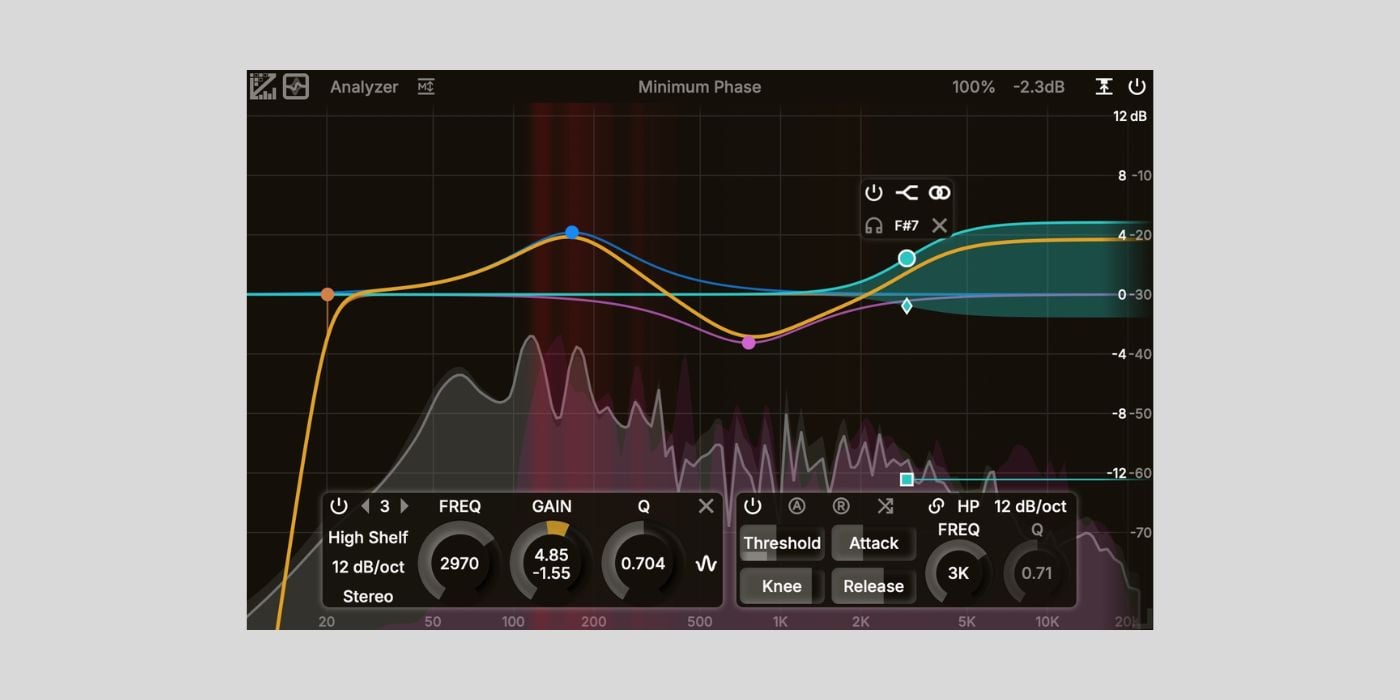

ZL Audio has released ZL Equalizer 2, a free dynamic EQ plugin for macOS, Windows, and Linux.
I’ve been following the development of this plugin for a while, and ZL Audio’s latest dynamic EQ update feels like a huge leap forward.
The original ZL Equalizer (which we covered back in 2024) was already a super-capable EQ, but the new version is far more refined.
The GUI is cleaner, smoother, and a lot more modern. Here’s a quick comparison between the original and version 2.
And if the visual style reminds you of FabFilter Pro-Q, nice eye! The developer openly states on GitHub that Pro-Q and other commercial EQs helped inspire the design, and you can definitely feel that influence in the latest version of ZL Equalizer.
If you wanted to add the power of FabFilter’s flagship EQ to your DAW but didn’t have the budget, this is absolutely the one to check out. Of course, it’s not the same as using Pro-Q, but it gets very close.
Also, you don’t need to sign up, log in, or hand over an email. You just download it from GitHub and start using it.
Feature-wise, ZL Equalizer 2 is very deep, so get ready to do some learning if you want to get the most out of it. You get up to 24 bands, six filter structures, eight filter types, five stereo modes, and seven slopes going all the way up to 96 dB/oct.
Everything is rendered in 64-bit float with precise de-cramped filters, so the sound quality is right up there with the big-name EQs.
One of the biggest upgrades is the interface experience. The analyzer looks great, with optional collision detection, multiple slope settings, and even FFT freezing. The filter handles feel responsive and smooth, and the whole thing moves with a polished animation style you typically expect from paid plugins.
Dynamic EQ is fully integrated per band, complete with threshold, attack, release, and knee. There’s even dynamic learning to auto-set the threshold for you, which I find super handy if you don’t want to babysit your settings every time the input changes.
You also get relative dynamics, which listens to the relative loudness of the selected frequency range instead of absolute level. It’s powerful stuff, especially for taming resonances or pulling back harsh peaks.
Other highlights include EQ matching (which is still a work in progress), several phase modes (including Mixed, Matched, and Zero Phase), side-chain filtering, static/auto gain compensation, and a fully customizable UI with export/import options.
Overall, this is one of the most feature-packed free EQs available right now, and the improved GUI makes it far more enjoyable to use than the original.
ZL Equalizer 2 is available for free in AU, VST3, and LV2 formats for macOS, Windows, and Linux. No registration required.
Download: ZL Equalizer 2
Deal of the day 🔥: Get 90% OFF UJAM UFX REVERB Version 2 (only $5)!
More:
Last Updated on November 14, 2025 by Tomislav Zlatic.

