


Vocoder effects have helped shape the sound of modern music for decades. From the classic robotic vocals used in early electronic music to the smooth, harmonised textures heard in contemporary pop and R&B, vocoders remain one of the most creative tools available to producers. While you can create dramatic and futuristic vocal tones, vocoders can also add subtle character, movement, and depth to a track when used with intention.
Today, the vocoder is more accessible than ever. Most digital audio workstations offer built in vocoder tools, and there are countless plugins designed to deliver everything from vintage warmth to clean, modern sheen. Whether you are working in electronic music, pop, hip hop, or experimental sound design, understanding how a vocoder works gives you another powerful way to shape your sound and stand out as a producer.
In this guide, we will break down what a vocoder does, how to set one up correctly, and creative ways to use it across different genres. You will also find troubleshooting advice and plugin recommendations so you can start applying professional techniques right away.
What a Vocoder Is and How It Works
A vocoder works by taking two signals and combining them to reshape the sound. The first signal is usually a vocal, known as the modulator. The second signal is a synthesiser sound or other tonal source, known as the carrier. The vocoder analyses the tone and phrasing of the vocal and uses the synth to recreate the shape of that voice. The result is a processed vocal sound that blends human speech with synthetic tone.
At a technical level, the vocoder breaks the vocal into frequency bands and tracks how each band moves. These movements control filters on the carrier signal. Instead of hearing the raw synth, you hear the synth shaped by the vocal performance. This is what creates the signature robot tone.
Even though vocoders are often associated with electronic music, they are capable of much more than robotic effects. Used carefully, a vocoder can thicken a vocal, create lush harmonies, add texture to a chord pad, or act as a rhythmic modulation tool. Learning how to control the carrier sound, modulator clarity, and band settings lets you decide whether the result feels futuristic, warm, subtle, or bold.
Now that you understand the basic concept, let’s look at how to set up a vocoder properly in your session so you can get the most out of it.
Setting Up a Vocoder Step by Step

A good vocoder sound begins with the right routing and signal choices. The two key ingredients are your carrier and your modulator, and both need to be set up correctly to avoid a thin or muddy effect.
- Choose Your Carrier Sound
The carrier provides the tone, so start with a sound that has enough harmonic content for the vocoder to shape. Popular choices include saw waves, rich pads, or layered synth chords. Avoid sounds that are too thin or filtered, as they will not give the vocoder enough material to work with.
- Prepare Your Vocal or Modulator Source
Your vocal input should be clear and well-recorded, with minimal reverb or delay. Sharp consonants and clear articulation help the vocoder track the movement of the voice. You can also use other modulator sources, such as percussion loops or even noise, but vocals remain the most common choice.
- Route Audio to the Vocoder
Load your vocoder plugin and route the vocal into the modulator input and your synth into the carrier input. Many DAWs include built-in vocoders with clear routing options, while third-party plugins often include their own routing tools. If you are unsure, check the plugin manual or look up a workflow guide for your DAW.
- Adjust Band Settings
Vocoder bands control how detailed the effect sounds. Fewer bands create a grainy, retro tone, while higher band counts produce more clarity and intelligibility. Start with a middle setting and adjust based on the style you want.
- Balance the Blend
A strong vocoder performance often includes a balance of dry vocal and processed signal. Blending in some natural vocal preserves intelligibility while maintaining the synthetic tone. Adjust the mix until the words are understandable and the tone feels full.
Creative Vocoder Techniques and Use Cases

Once your vocoder is set up, you can start shaping it in creative ways that go beyond the classic robotic vocal sound. Modern producers use vocoders for texture, harmony, movement, and atmospheric layers across a wide range of styles.
Add Harmonic Layers
You do not need to rely on one straightforward vocal take. Try stacking harmonies or doubling the vocal part before sending it into the vocoder. This creates a fuller and more musical sound that sits naturally in a mix, especially in pop and R&B production.
Use Vocoder Pads Behind Real Vocals
A subtle vocoded pad layered under a lead vocal can add richness without sounding obvious. Set up a sustained synth pad as the carrier and lightly blend the vocoded signal into the background. This approach is popular in cinematic and ambient music, where producers want depth and emotion without a robotic quality.
Create Rhythmic Vocoder Patterns
Instead of long sustained chords, try using short rhythmic synth stabs or sequenced patterns as the carrier. This creates a rhythmic, choppy vocoder effect that works well in electro, hip hop, and experimental dance music. Adjust the attack and release so the rhythm feels tight and controlled.
Experiment With Non-Vocal Sources
Vocoders do not have to be used only for voices. Run drum loops, synth melodies, or even field recordings through the vocoder as modulators. This technique produces unique textures and glitchy movement that can inspire entirely new ideas in your track. It is especially powerful for sound design in film, gaming, and experimental electronic genres.
Shape Atmospheres and Transitions
You can use a vocoder to build ambient sweeps and evolving textures. Feed noise or long sustained tones into the vocoder and automate filters and band controls. This is a great way to create transitions, risers, or atmospheric beds that give your music a modern, polished feel.
Popular Vocoder Plugins and Tools

There are many vocoder tools available today, ranging from classic hardware emulations to modern digital processors with advanced features. Choosing the right one depends on the sound you want and your workflow, but the options below are trusted by producers across electronic, pop, hip hop, and sound design fields.
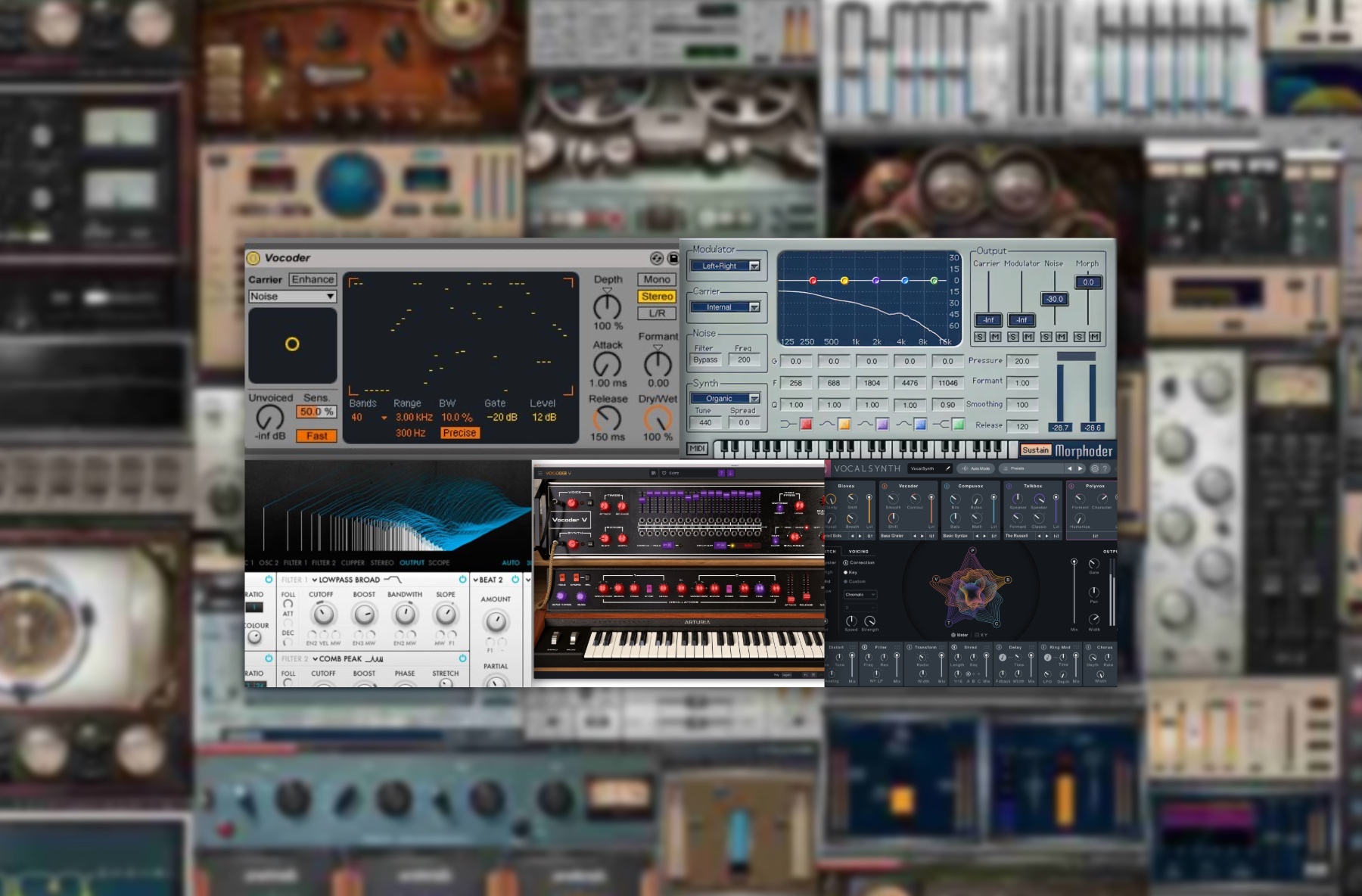
Razor is a powerful vocoder and additive synthesizer that can create crisp, futuristic tones. It is great for sharp, modern textures and detailed modulation. If you want a clean and digital sound that can cut through a dense mix, Razor is a strong choice.
VocalSynth is one of the most versatile options available, offering multiple voice processing modules including vocoder, talkbox, and polyvox effects. It has creative presets and intuitive controls, making it ideal for both beginners and advanced producers. If you want one plugin that can handle classic and experimental vocal processing, this is a good pick.
For Ableton users, the built-in Vocoder is a reliable and flexible tool that can deliver many industry-standard sounds without extra cost. It works well for tight robotic vocals, airy harmonic layers, and rhythmic modulation. Pair it with Ableton’s Operator or Wavetable for high-quality carrier signals.
Morphoder delivers a classic vocoder tone that feels smooth and polished. It is inspired by vintage hardware and offers a warm, rounded sound. If you want a simple interface with a traditional vocoder style, this plugin is easy to use and fits well in pop and electro mixes.
Arturia’s Vocoder V is a detailed recreation of a legendary analog vocoder with modern enhancements. It is excellent for rich chords, warm tones, and retro inspired production. If you love classic electronic and disco textures, Vocoder V delivers an authentic character that is hard to beat.
How pointblank Can Help You Master Vocoders and Vocal Processing

Learning to use a vocoder well requires more than knowing where to click. It involves understanding synthesis, vocal production, harmonies, effects routing, and creative arrangement. At pointblank, students get hands-on training in modern vocal processing as part of their music production and sound design curriculum.
You learn how to:
- Work with different modulator and carrier setups
- Shape vocal tones for clarity and musicality
- Build layered harmonies and textures
- Use vocoders in context with pitch correction and effects chains
- Apply techniques in a professional mixing environment
Classes are taught by producers and engineers who work in the industry, meaning you get real-world techniques used in commercial music, film, and media. Whether you study in London, Los Angeles or online, you gain access to studio equipment, guided feedback, and practical sessions that help you build confidence and skill.
If you want to develop advanced vocal sound design techniques and build a professional portfolio, explore our degree and certificate programs at pointblank. You can learn full-time on campus or study flexibly online, all while being guided by expert instructors who know what it takes to succeed in music today.
Inspired?
Thanks to the dedication of our industry expert instructors, pointblank has earned a prestigious Gold rating in the Teaching Excellence Framework (TEF), placing us among the very best institutions. Whether you’re passionate about DJing, music production, sound engineering, vocal performance, software engineering, radio, or songwriting, pointblank offers degrees or short courses in London, LA, Ibiza, and Online. No matter your location or aspirations, we are here to help make your dreams a reality.
Register to Access Free Courses, Plugins, Projects, Samples & More
Create a pointblank account and visit our Free Stuff page to get your hands on a range of free courses, exclusive music-making tools, and tutorials provided by the team.

