

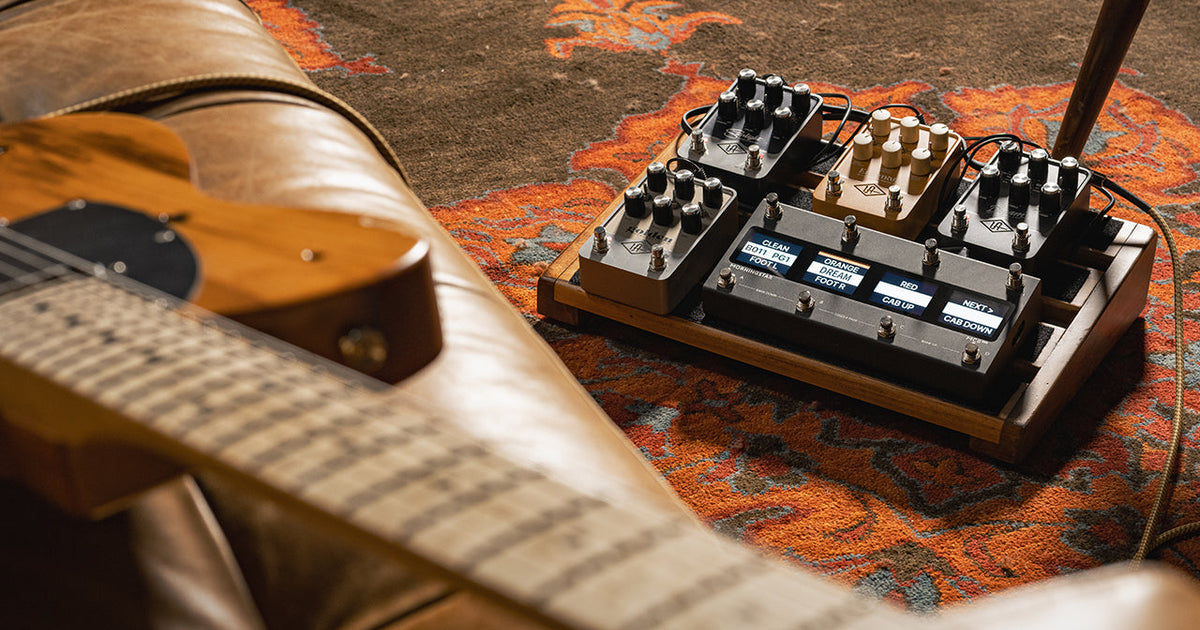

Learn how the free UAFX 2.0 update expands your tones.
With the latest UAFX 2.0 update, your pedals just got a whole lot better. Now you can use MIDI over USB to recall presets and shape tones in realtime — all through the USB-C port on your pedal. Whether you’re building a modern pedalboard or running a show full of lights and tracks, UAFX pedals now fit perfectly into your MIDI-powered world.
What is MIDI?
MIDI — short for Musical Instrument Digital Interface — was introduced in 1983 as a way for instruments and recording gear to communicate. For the first time, keyboards, drum machines, and computers could play together in perfect sync.
Beyond timing, MIDI could record and edit performance data — the notes you play, how hard you hit them, and every knob twist in between. This gave rise to MIDI sequencing, the foundation of modern music production.
Today, MIDI isn’t just for studios. Onstage, it’s what lets artists change patches, trigger loops, or switch pedals mid-song — all hands-free and perfectly timed.
Why Do Guitarists Use MIDI?
When MIDI first arrived, it was mainly a keyboard tool. But as guitar rigs grew more complex, players realized they could use the same language to control their gear.
With a single footswitch, a guitarist could change amp channels, recall pedal presets, or sync delays — all without the “pedalboard dance.” Early rack systems and programmable preamps quickly followed, giving players consistent tones and smoother transitions onstage.
Today, MIDI sits at the center of live productions, tying together pedals, amp modelers, playback systems, click tracks, and even lighting rigs — keeping everything tight so musicians can focus on playing, not stompbox choreography.
UAFX 2.0: MIDI over USB
How It Works
With UAFX 2.0, every dual-footswitch UAFX pedal can now receive MIDI directly through its USB-C port.
Each pedal acts as a USB device, connecting to a USB MIDI host such as a Morningstar MC8 Pro, Disaster Area Designs DMC.micro Gen4, Mortrix Midi Switcher, or computer. It is possible to use a USB hub to connect multiple UAFX pedals for simultaneous MIDI control. In many cases, four or more pedals can be controlled at once, depending on the USB MIDI host interface capabilities.
With USB MIDI host to 5-pin DIN converters like the CME H2MIDI Pro, it is possible to control up to eight UAFX pedals from 5-pin DIN MIDI controllers, such as the Jet Pedals Unity6, The GigRig G3S, RJM Mastermind PBC/6X, or even the Neural DSP Quad Cortex.
From amp emulators like Dream ’65 and Lion ’68 to effects like Starlight Echo Station, Astra Modulation Machine, and Galaxy ’74 Tape Echo & Reverb, UAFX pedals now speak full MIDI.
You can recall 128 presets (Program Change 0–127), automate any parameter using MIDI CC,* and sync time-based effects to your session tempo via MIDI beat clock.
What You Can Control
MIDI opens up a world of possibilities inside your UAFX pedals:
-
Recall any saved preset instantly. Load your favorite amp, delay, or modulation sound directly from a MIDI controller with 128 preset slots (Program Change 0–127)
-
Change multiple pedals at once. One button press can switch your Dream ’65 to a lead preset, your Starlight to a dotted-eighth delay, and your Golden Reverberator to a shimmering plate reverb
-
Turn effects on and off. Toggle vibrato on the Ruby ’63 or modulation on Astra mid-song
-
Control parameters. Adjust Enigmatic’s overdrive gain or Galaxy’s delay feedback in realtime with an expression pedal via MIDI CC (Control Change)*
-
Step through modes. Switch Astra between chorus, flanger, or tremolo, or move between Woodrow’s preamp boosts
-
Switch Amp Channels or Cabs. Use MIDI to select speaker cabinets or channel switching on amp pedals like ANTI 1992 and Knuckles ’92 Rev F
In short, if there’s a knob or switch on your UAFX pedal, there’s a MIDI CC for it.
For pedals without preset saving functionality (Max, Galaxy ‘74, and Del-Verb), you can now use MIDI CC snapshots from your controller to create recallable sounds for the studio, stage or rehearsal room.
*MIDI CC parameter control available as Open Beta on November 11th, 2025.

Controlling Multiple Pedals with MIDI
One of the biggest advantages of MIDI is that it lets you control multiple pedals at once. With a single button on your controller, you can change amp sounds, turn effects on or off, or recall full song setups across your entire rig.
Each pedal listens on its own MIDI channel. When you press a switch, your controller sends a series of commands — for example, “Preset 2” to your amp pedal, “Preset 4” to your delay, and “Preset 1” to your modulation pedal.
A typical modern rig might use a Jet Pedals Unity6, GigRig G3S, or Morningstar MC8 Pro. These controllers can send Program Change and parameter CC messages over MIDI. The Morningstar MC8 Pro can directly connect to UAFX pedals over USB Host connection, and through a USB hub for multi-pedal control.
The GigRig G3S and Jet Pedals Unity6 use 5-pin DIN MIDI and must connect to a USB MIDI host such as the CME H2MIDI Pro before passing MIDI over USB to UAFX pedals.
Sending a Program Change message will recall everything stored in your UAFX preset, from amp voicings on Dream ’65 to tempo-synced delays on Starlight. If you’re running a DAW or playback rig, your computer can send the same commands automatically, keeping everything in sync.
Because MIDI is a universal language, you can mix and match UAFX pedals and other MIDI-enabled gear on the same rig — all working together as one system.
What You Need
To start using MIDI over USB with your UAFX pedals, you’ll need a few simple pieces of gear:
-
MIDI Controller — such as The GigRig G3S, Jet Pedals Unity6, RJM Mastermind PBC, among others, connected to a USB MIDI host device like the CME H2MIDI Pro
-
Passive USB Hub — required when connecting multiple pedals (up to eight, depending on the USB Host device’s virtual MIDI port capability)
-
USB-A/C to USB-C Cables — one for each pedal, depending on the connection type of your USB MIDI host or USB hub
Once connected, your controller becomes the command center for your entire pedalboard — sending preset changes, expression data, and tempo information to every UAFX pedal at once.
Why It Matters
MIDI-over-USB makes your UAFX pedals ready for any setup — from a compact home studio to a fully automated stage rig. It’s the same award-winning UAFX tones and effects, right at home in your modern MIDI world.
UAFX 2.0 Compatible Pedals

Please update your pedal firmware via UA Connect to receive new footswitch modes (amp pedals), updated Bluetooth, wired control and USB MIDI control functionality.
Please also update your UAFX Control app from the app store to access new features.
Real-World Examples
Morningstar MC8 Pro → UAFX Pedal
Connect directly via USB-C to USB-C to control presets and parameters — no adapters needed.
Morningstar MC8 Pro → Multiple UAFX Pedals
Connect via USB-C to a USB hub, and control up to four UAFX pedals with presets and parameters right on your board.
Neural DSP Quad Cortex → CME H2MIDI Pro → UAFX Pedal
The Quad Cortex sends 5-pin DIN MIDI out to the CME, which converts it to USB-A, connected via a USB-A to USB-C cable to your UAFX pedal.
GigRig G3S → CME H2MIDI Pro → USB Hub → Multiple UAFX Pedals
Using a CME USB MIDI host and USB hub, you can run up to eight pedals in perfect sync — switching presets, turning effects on/off, or changing amp sounds across your board with a single command. The GigRig G3S sends 5-pin DIN MIDI out to the CME, which converts it to USB-A, connected up to eight pedals via a USB hub to the CME’s USB-A port.
Read More
UAFX 2.0 FAQ
Thanks for reading! Thoughts? Comments? Let us know at uablog@uaudio.com
— Austin Lyons and Tom Waterman

