

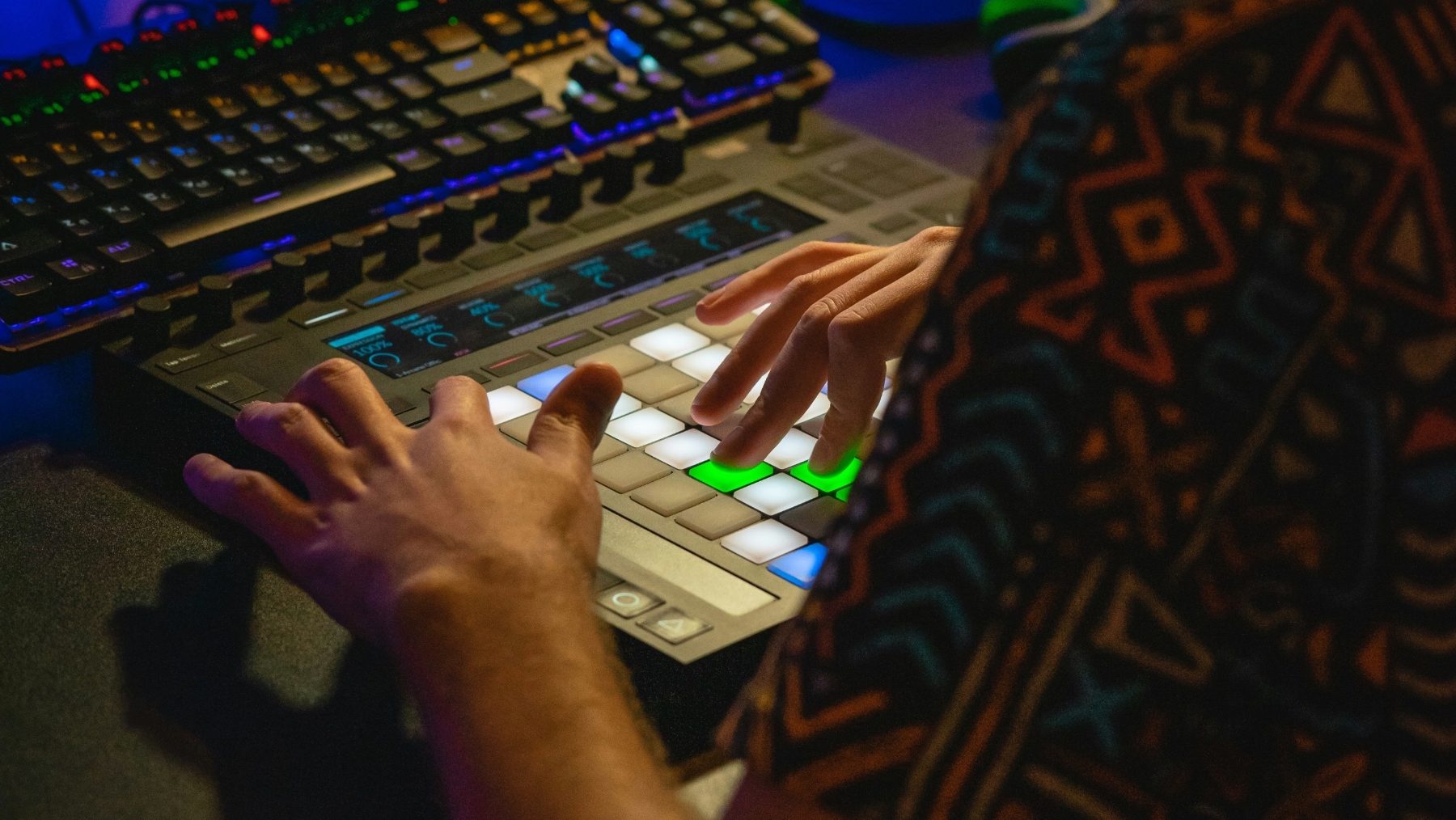

Sampling sits at the heart of modern electronic music. It’s more than lifting a sound from another track—it’s the process of taking audio from any source and reshaping it into something new. Producers use samples the same way visual artists use collage, turning tiny fragments of sound into original drums, melodies, textures or atmospheres.
Electronic music grew from this idea. Early house tracks borrowed drum machine hits and disco snippets. Hip-hop chopped funk breaks into gritty new rhythms. Today’s producers pull sounds from vinyl, film dialogue, field recordings, YouTube clips, modular synths, old samplers and huge online libraries. What matters isn’t where the sound came from, but how it’stransformed.
Sampling offers a creative shortcut for beginners and a powerful sound-design tool for experienced producers. You can:
- Turn a vocal into a pad or lead synth
- Chop a breakbeat into a completely new groove
- Layer random noises into unique percussion
- Build full tracks from textures you record yourself
In electronic music, samples aren’t just borrowed—they’re reinvented.
Where to Find Samples: From Records to Royalty-Free Libraries

Great sampling starts with great source material. You can pull sounds from almost anywhere, but the best producers know how to choose sources that spark ideas. Different places offer different strengths, so it helps to explore a mix of options rather than relying on just one.
- Vinyl and old recordings
Classic choice for character and unpredictability. Crackle, room noise and aged mixing techniques give samples a unique tone you won’t get from modern packs. Even short fragments from older records can inspire new drums, bass lines or textures. - Field recordings and everyday sounds
Recording your own samples instantly makes your music more personal. You can capture:
- Kitchen utensils as percussion
- Crowd noise for transitions
A smartphone mic works fine, and many DAWs clean up noise easily with EQ and transient shaping.
- Sample packs and royalty-free libraries
These are the fastest, safest and most beginner-friendly option. You get high-quality, pre-processed sounds that drop straight into a mix. Search by genre, BPM or key to find material quickly. - Online archives and public-domain resources
Websites host speeches, radio clips, old film audio and forgotten recordings. These can be chopped into unique textures or used as thematic elements in your track.
Quick Tip:
Try mixing sources: use a vocal phrase from vinyl, layer percussion from your kitchen, and fill space with a royalty-free pad. Blending sources makes your track harder to trace and more original.
How to Sample Legally

Sampling is a powerful creative tool, but beginners often worry about copyright. The good news is that most sampling problems can be avoided by knowing a few simple rules. You don’t need to become a lawyer—you just need to understand when a sample is safe to use and when it needs permission.
What you can sample without clearance:
- Royalty-free sample packs
These are designed for music production. You can use them in releases, even commercially.
- Public-domain recordings
Older works where copyright has expired (varies by country).
- Your own recordings
Field recordings, performances, Foley, sounds you design yourself.
What usually needs permission:
- Recognisable melodies, lyrics or hooks from commercial music
- Long samples from songs where the original timing and identity are obvious
If a sample is clearly from a known song, you should assume it needs clearance, especially vocals and melodic lines. Drum hits or tiny micro-slices are harder to trace, but they’re still technically copyrighted—even if nobody would recognise them.
Beginner-friendly rule of thumb:
If you can instantly tell where the sample came from, it’s risky. If you transform it into something unrecognisable, it’s usually safe creatively—but not legally guaranteed.
Pro Tip:
If you sample commercially without permission, change multiple elements (pitch, timing, envelope, fx, chopping). Making it your own isn’t just legal protection—it’s better artistry.
The Sampling Workflow: Chop, Rearrange, Reimagine

Once you’ve found a sound, your goal is to reshape it into something fresh. Sampling isn’t about dropping audio onto the timeline and looping it as-is—it’s about breaking it apart and rebuilding it into a new idea. A simple workflow helps beginners stay creative:
Step 1: Load Your Sample Into a Sampler or Drum Rack
Instead of editing on the main timeline, place the sample into a sampler plugin (like Ableton’s Simpler, FL Sampler, Logic’s Quick Sampler, or Kontakt). This gives you control over pitch, envelopes, filters and slicing tools.
Step 2: Chop It Into Slices
Slice the audio so you can trigger small pieces with MIDI. Chopping lets you reorganise rhythms, isolate syllables from vocals, or turn a melody into new notes. Try slicing:
- Every transient of a drum loop
- Each note of a vocal phrase
- Random moments of a long recording
Step 3: Rearrange and Trigger with MIDI
Now, you can “play” the sample like an instrument. Trigger slices in a new order, create a fresh rhythm, or build new melodies from tiny fragments. This is where a familiar sound stops sounding borrowed and starts sounding original.
Step 4: Stretch, Pitch, Filter and Shape
Use time-stretching, pitch-shifting, envelopes and filtering to develop tone and movement. Even simple tweaks can make a sample feel custom-made for your track.
Beginner Example You Can Try Right Now:
Take a vocal phrase → load into a sampler → slice each word → trigger only one or two syllables → lower pitch + add reverb → now you have a dreamy vocal pad.
Sound Manipulation Techniques for Unique Results

Once your sample is chopped and playable, you can transform it even further using sound-shaping tools. These changes don’t just polish the sample—they help you build completely original tones that fit your production style.
Pitch and Time Stretching
Changing pitch or stretching time instantly changes the mood. Pitching down creates dark, heavy tones. Pitching up gives a nostalgic and airy feel. Extreme stretching can turn short hits into evolving textures or pads.
Reversing and Envelope Editing
Reversing a slice adds tension or dreamy motion. Combine it with shorter attack or longer release times to build swells, pads or transitional sounds. Tight envelopes help drums punch harder, while longer ones create atmospheric layers.
Filtering and EQ
Filters shape tone, removing harsh highs or rumbling lows. EQ can carve out space so samples sit well alongside synths or drums. A simple low-pass filter plus resonance can morph a vocal into a synth-like instrument.
Transient Shaping and Layering
Transient tools sharpen drum hits or soften melodic fragments. Layering multiple samples—like three clap samples or two pitched percussion hits—creates a one-of-a-kind sound without starting from scratch.
Granular and Resynthesis
Advanced samplers turn audio into grains that can be stretched, scattered or pitched independently. This creates evolving drones, glitch textures or rhythmic elements from sounds that originally had no rhythm at all.
Callout Tip:
Turn any vocal snippet into a pad by stretching it, applying reverb freeze, low-passing it and adding a slow attack. The more you process it, the less it feels like a vocal—and the more it becomes your own instrument.
Using Samples Rhythmically: Drums, Grooves and Percussion

Sampling is one of the fastest ways to build unique drum patterns and grooves. Instead of relying on basic drum machine presets, you can chop real recordings, layer textures or steal micro-moments from unexpected sources. Great electronic drums often come from creative sampling—not just choosing a kick and snare.
Chopping Breakbeats
Breakbeats are drum recordings with natural swing and human feel. When chopped into slices, you can reprogram them into new grooves while keeping the character of the original drummer. Try:
- Rearranging hits to form new patterns
- Pitching slices individually
- Stretching only certain hits
Doing this keeps the groove alive but makes it completely different from the source.
Layering Drums for More Impact
Instead of using single samples, layer multiple kicks, snares or claps to create your own. For example:
- A sub-heavy layer underneath
Blend them with EQ and envelopes until they behave as one instrument.
Using Non-Drum Sounds as Percussion
Anything that has a transient can be a drum. Coins, cans, claps, finger snaps, doors closing—all can become percussion. Shorten the decay, compress slightly, and add saturation to make them cut through a mix.
Groove Extraction
Some DAWs let you extract timing from existing loops and apply the same groove to your own drum programming. This lets you borrow the swing from an old funk break and apply it to synthetic sounds or hard-hitting electronic kicks.
Quick Tip:
Combine acoustic samples with electronic hits. The natural swing from a breakbeat layered under a tight, punchy kick gives you a groove that feels both human and powerful.
Creative FX for Sampling: Beyond the Basics

Once your samples sit well rhythmically and tonally, you can push them further with effects that reshape their identity. FX don’t just add polish, they can be used to completely reinvent a sound—especially in electronic music, where sound design is part of the style.
Saturation and Distortion
Saturation adds warmth and grit, while distortion can transform clean samples into aggressive leads or gritty drums. Light saturation makes a snare or vocal slice feel richer, and heavy distortion can turn a bass sample into something unrecognisable.
Tape, Vinyl and Lo-Fi Emulation
Plugins that emulate tape and vinyl add noise, wobble and compression. These effects can glue samples together or add nostalgic character. They’re especially useful when mixing modern synths with old recordings.
Stutter, Glitch and Beat Repeat
For experimental genres, tools like stutter edits, glitch effects and beat repeat plugins slice and resequence audio in real time. These work well on vocals, percussion or transitions. Use them sparingly for accents, or automate them heavily for breakdowns.
Reverbs, Delays and Space Effects
Ambient FX like reverb and delay help turn samples into textures rather than foreground elements. Freeze functions, granular delays and feedback automation can build evolving pads, atmospheric risers or reverse-style transitions from ordinary sounds.
Modulation: Chorus, Flangers and Phasers
Modulation adds width, motion and variation. Minimal settings help a sample sit naturally in the mix, while extreme settings can reshape it into an entirely new tone.
Pro Tip:
For maximum creativity, apply FX, then resample the processed audio. This lets you keep pushing the sound further, layer it again, or chop it back into new slices—turning one sample into an entire palette.
Resampling: The Producer’s Cheat Code

Resampling is one of the most powerful techniques in electronic music. It’s the process of recording your processed audio again as a new file, then treating it like fresh material. Instead of stacking endless plugins, you “print” your changes and keep pushing the sound further.
Think of it like evolving a sound through generations. Each resample becomes more unique, more textured and less recognisable.
Why it’s so useful:
- You free up CPU by printing effects instead of keeping plugins active
- You commit to creative decisions, helping you finish faster
- You can apply new processing on top of older processing
- It turns one sample into dozens of custom variations
Try this workflow:
- Take a simple sound (like a vocal chop or synth hit)
- Add effects: reverb, distortion, filtering or pitch shifting
- Record/export it as a new sample
- Slice or stretch the new sample
- Add more effects and resample again
Every generation becomes a new instrument, new drum hit or new texture. This is how producers build signature sounds without needing expensive hardware.
Bonus Tip:
Try resampling with automation. Record your FX moves in real time—filter sweeps, stutter edits, delay feedback—and then chop the recorded audio into new slices. You’ll capture movement that no static plugin preset can create.
Building Full Tracks from Samples

Sampling isn’t just a way to make drums or cool textures—you can use it to build entire tracks. Once you’ve chopped, manipulated and resampled your sounds, the next step is arranging them into music that evolves and feels intentional.
Start with a Core Loop
Most sample-based tracks begin with a loop, whether it’s a chopped melody, a rhythmic texture or a drum groove. Treat it as your foundation. Don’t worry if it sounds repetitive—your arrangement and processing will introduce variation.
Create Contrast with Transitions
To avoid a loop sounding static, use transitions to mark movement between sections. Simple changes work well:
- Filter a loop during the build, then open it back up for the drop
- Add reverb throws on key moments
- Use reverse slices to lead into new parts
- Remove the kick or bass before the chorus for impact
These moves highlight changes without needing new material.
Add Original Elements on Top
Samples provide the character, but original parts help personalise the track. Try layering:
- Synth bass below a sampled melodic hook
- Extra percussion over chopped drums
- Vocal ad-libs, resampled pads or FX textures
Even one or two original elements can make the track feel like your own composition rather than a rearranged loop.
Vary the Loop Over Time
Small changes keep listeners engaged. You can:
- Change pitch in the second verse
- Swap slices in the chorus
- Use a filtered version in the breakdown
- Add more layers during the climax
The loop stays the same, but it evolves as the song progresses.
Quick Trick:
Take one loop and create three versions:
- 1)clean, 2) filtered/distorted, 3) stretched/ambient.
Use these versions in different sections instead of adding new instruments. It keeps the track cohesive and interesting.
Common Sampling Mistakes to Avoid

Sampling is full of creative possibilities, but a few habits can hold your tracks back. Knowing what to avoid will make your productions sound cleaner and more original.
- Using Samples Without Changing Them
Dragging a loop into your DAW without editing it makes your music sound generic, and often legally risky. Even small changes—chopping, pitch-shifting, stretching—can turn a sample into something fresh. - Ignoring Tuning and Key
If drums or melodic samples are out of tune with the rest of the track, you’ll feel tension, but not in a good way. Tune kicks, bass, and melodic slices to your project key, even if they’re percussive. - Overprocessing Until the Sample Loses Impact
Too many plugins can flatten transients, smear frequencies and remove character. Resample when things get heavy, and commit to fewer, intentional effects. - Clashing Frequencies with Synths and Drums
Samples that take up too much of the spectrum can fight with other instruments. Use EQ to carve space and make room for kick, bass and leads. - Forgetting About Timing and Groove
A sample might sound amazing but sit awkwardly in the rhythm of your track. Use slicing, quantisation and groove extraction to make it lock in properly.
Conclusion

Want to master sampling the way professional producers do? At pointblank, you learn by chopping audio, building drum kits, transforming vocals into instruments and experimenting with hardware samplers in real studio environments. Our expert lecturers show you how to turn samples into original music, guiding you through creative techniques that go far beyond loops and presets.
Whether you study in London, LA or join us online, you’ll work directly with industry-standard tools, develop your own sound palette and get personalised feedback on your projects. From beatmaking and sound design to arranging fully-fledged tracks, you’ll learn sampling as a real-world skill, not just theory.
Explore our Music Production, Sound Engineering and DJ Performance course at pointblank and start creating sample-driven tracks with confidence.
Inspired?
Thanks to the dedication of our industry expert instructors, pointblank has earned a prestigious Gold rating in the Teaching Excellence Framework (TEF), placing us among the very best institutions. Whether you’re passionate about DJing, music production, sound engineering, vocal performance, software engineering, radio, or songwriting, pointblank offers degrees or short courses in London, LA, Ibiza, and Online. No matter your location or aspirations, we are here to help make your dreams a reality.
Register to Access Free Courses, Plugins, Projects, Samples & More
Create a pointblank account with the orange button below and visit our Free Stuff page to get your hands on a range of free courses, exclusive music-making tools, and tutorials provided by the team.

