

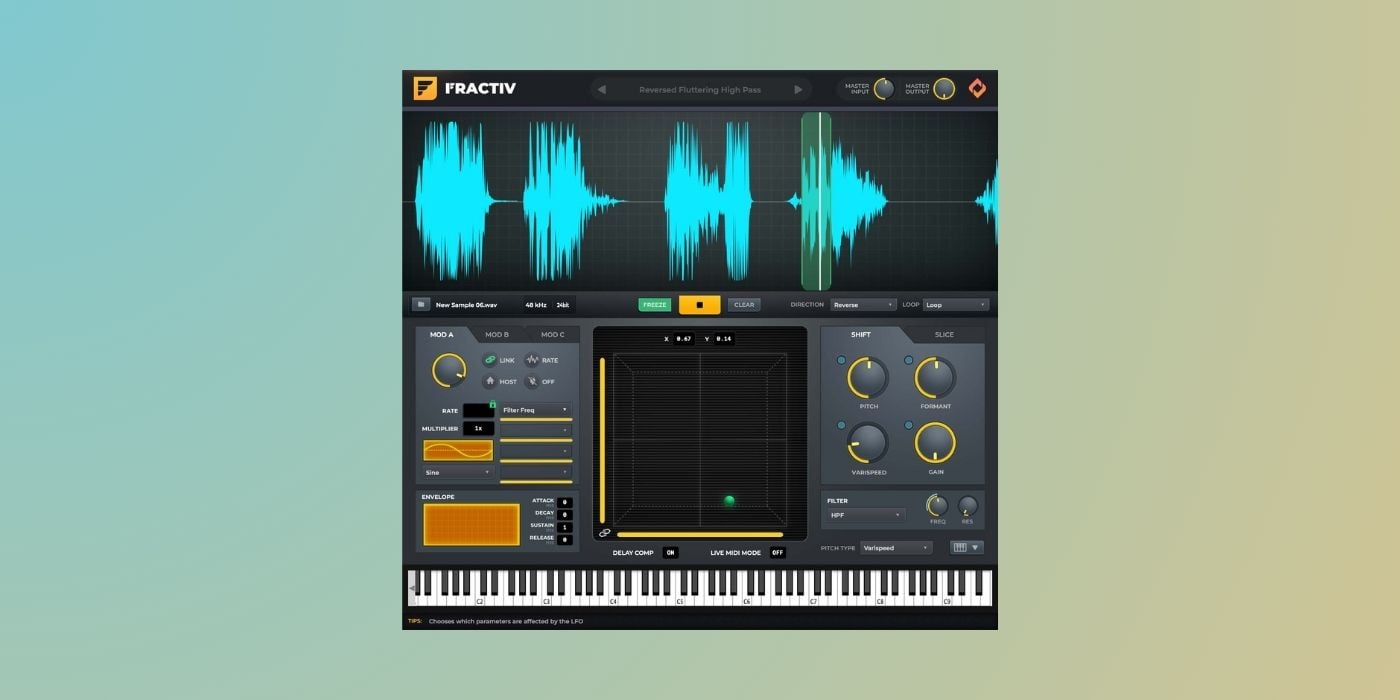

Sync Audio has released Fractiv, a granular effect and sampler instrument for macOS, Windows, and Linux. It is designed for intuitive and repeatable granular processing rather than randomness, which is the main focus of many other granular tools.
Fractiv works by continuously capturing incoming audio into a rolling buffer (up to 10 seconds) and then letting you manipulate that material in real time.
You can feed it live audio on a mixer insert, freeze the buffer at any moment, or load audio files directly via drag-and-drop or the built-in file browser. This makes it suitable for resampling workflows (obviously), but also sound design, and more traditional sampler-style use.
One of Fractiv’s main controls is the Grain Pad, a two-dimensional controller that determines which part of the buffer is played and how large the grains are. The X axis controls grain position within the buffer, while the Y axis controls grain size.
Moving the node across the pad scans through the sound and tightens or loosens the grain structure. This makes it super easy to move between recognizable audio and abstract textures in literally seconds, and also gives you fine control over the texture’s timbre.
Sensitivity sliders define how responsive the pad is, which is useful when performing or automating subtle movements.
Playback behavior is defined independently of grain size. Grains can play forward, reverse, or in ping-pong mode, and the sound can loop continuously or trigger once. These simple options have a big impact on the resulting texture, especially when combined with multiple grain layers and modulation.
Fractiv includes three dedicated modulation generators (A, B, and C). Each modulator can be freely assigned to multiple destinations, such as grain position, pitch, or filter parameters. I also like having the ability to link modulation rate directly to grain length, so modulation evolves as grains grow or shrink.

Alternatively, modulation can be set to a fixed rate in Hz or synced to the host tempo, which makes rhythmic granular effects much easier to dial in than drawing automation by hand.
Sound shaping is split into clear sections. The Shift tab handles pitch shifting, formant shifting, and varispeed processing. Pitch mode preserves duration but introduces latency, while varispeed behaves like tape, changing pitch and length together.
The Slice tab controls how many grain layers are active (up to eight), stereo spread, random offset within the buffer, and a decimate control for lo-fi textures. The global filter section provides low-pass, band-pass, and high-pass filtering with adjustable resonance.
Fractiv can be loaded either as an effect or as an instrument. In instrument mode, you can trigger the buffer chromatically via MIDI, choosing between a time-preserving pitch algorithm or classic sampler-style varispeed playback. An onscreen keyboard is included, and most parameters support MIDI learn for hands-on control.
The recommended workflow is to record Fractiv’s output while performing parameter changes, then edit the results into new samples or layers. This approach aligns well with the plugin’s real-time design and avoids treating it like a static insert effect .
Fractiv is available in VST3, AU, AAX, and standalone formats for macOS, Windows, and Linux. It doesn’t require iLok, supports online and offline activation, and currently ships with an introductory price of $79 USD (regularly $129 USD).
More info: Fractiv ($79 intro price)
More:
Last Updated on January 20, 2026 by Tomislav Zlatic.

