

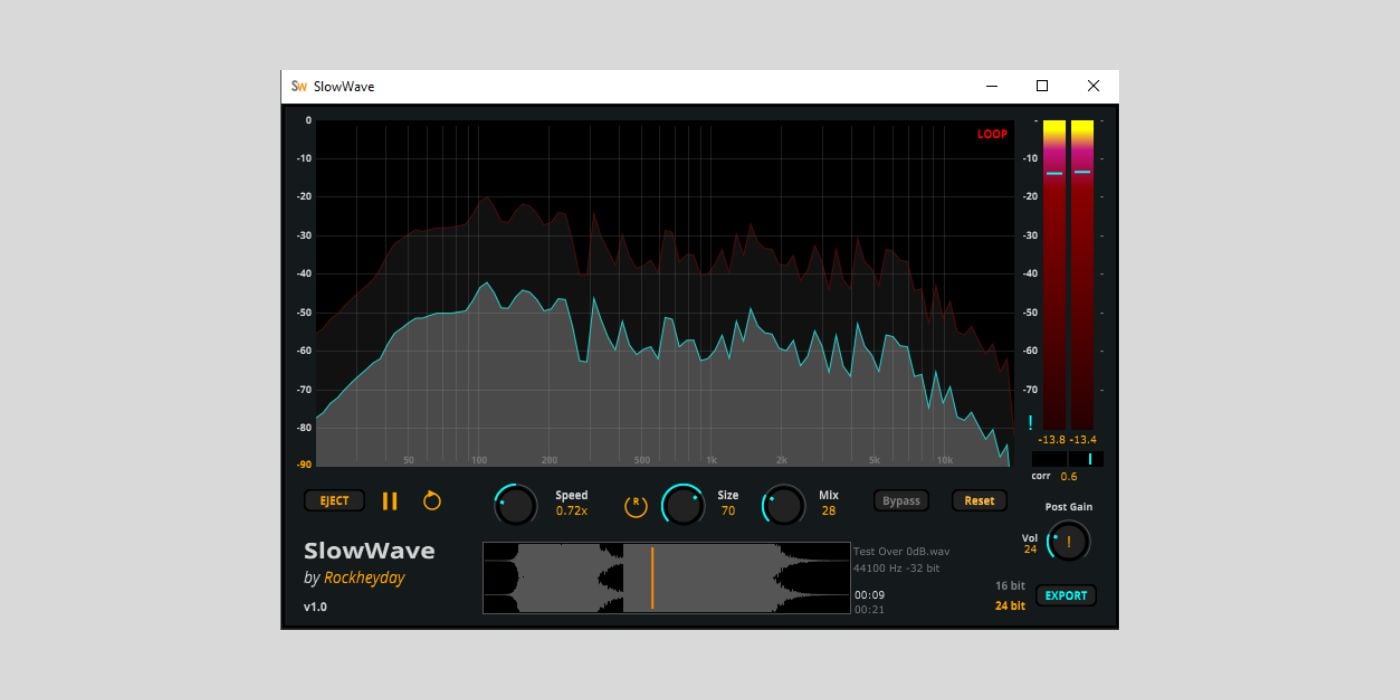

Rockheyday has released SlowWave, a free, standalone Windows app that instantly applies slowed-down playback and lush reverb to any audio file.
At 40 (someone recently called me unc and I had to Google it), I’m definitely not in the target age group for this kind of effect. But even so, I instantly figured out what this thing does (who’s the unc now?).
If you’ve spent any time on YouTube Shorts, Instagram Reels, or TikTok, you probably will too. It’s that melancholic sound where a track is slowed down and drenched in reverb, often turning even upbeat songs into something moody.
It works beautifully on synthwave, but I’ve also heard it used on pop, hip-hop, indie, and even older tracks. And you typically hear this as background music in short-form videos like reels.
Here’s a good example.
SlowWave is basically an app that applies this same effect to any music you feed into it. Whatever the original vibe, it will transform it into something hazy and melancholic.
But it’s worth noting that SlowWave is not a plugin. It’s a standalone application for Windows, focused on listening rather than DAW-based production.
You simply drag and drop an audio file into the app, hit play, and tweak a handful of controls to dial in the sound. Playback speed can be stretched from 0.5x to 1.5x, while the Size and Mix controls shape the reverb from subtle ambience to a full-on, washed-out, drenched-in-reverb sound.
In terms of GUI design and layout, SlowWave is more sophisticated than you might expect from a small free tool. You get a detailed dual-layer FFT spectrum showing dry and processed signals, LR peak meters, stereo correlation, and post-gain trimming to keep things under control. Looping is supported, too, which makes it easy to audition specific sections of a track.
That said, there is one important limitation in the free version: you can’t export audio. If you want to render the processed sound to a WAV file, you’ll need to buy the full version, which costs $4.99.
Now, as producers, we can recreate this effect manually in a DAW, or even work around the WAV export limitation by recording system audio. Still, the paid upgrade is inexpensive and unlocks proper WAV export in 16-bit or 24-bit.
SlowWave isn’t a must-have production tool, but it’s a fun app for previewing tracks with this moddy effect or just rediscovering your music library in a new light. If you’re into slowed and reverbed sounds, it’s definitely worth a try.
SlowWave is available as a standalone application for Windows 7, Windows 10, and Windows 11. The free version disables audio export, while the $4.99 full version adds WAV export at up to 24-bit resolution.
Download: SlowWave (FREE with audio export disabled, $4.99 for the full version)
Deal of the day 🔥: Get the UA Moog Minimoog for only $29 + FREE gift!
More:
Last Updated on January 12, 2026 by Tomislav Zlatic.

