


As an audio engineer, a surprising amount of time is spent not mixing or mastering, but managing files, links, and feedback. Cloud storage folders multiply, email threads grow long, and important notes get buried. Even with good intentions, projects can quickly become fragmented.
Opusonix is designed to remove that friction by combining file storage, structured feedback, and collaboration into a single workspace. After using it on real-world sessions, it’s clear that Opusonix is less about adding another tool and more about simplifying the entire review and collaboration process.
Opusonix Helps You Make Better Music
Opusonix is built around the idea that better organization and clearer feedback lead to better musical decisions. In practice, it delivers this in a way that feels natural for engineers and clients alike.
One of its most valuable features is timestamped commenting. Feedback is attached directly to specific moments in the audio, eliminating vague instructions and misunderstandings. Voice comments are also supported, which is especially helpful when describing tone, feel, or nuanced mix decisions that are hard to capture in text alone.
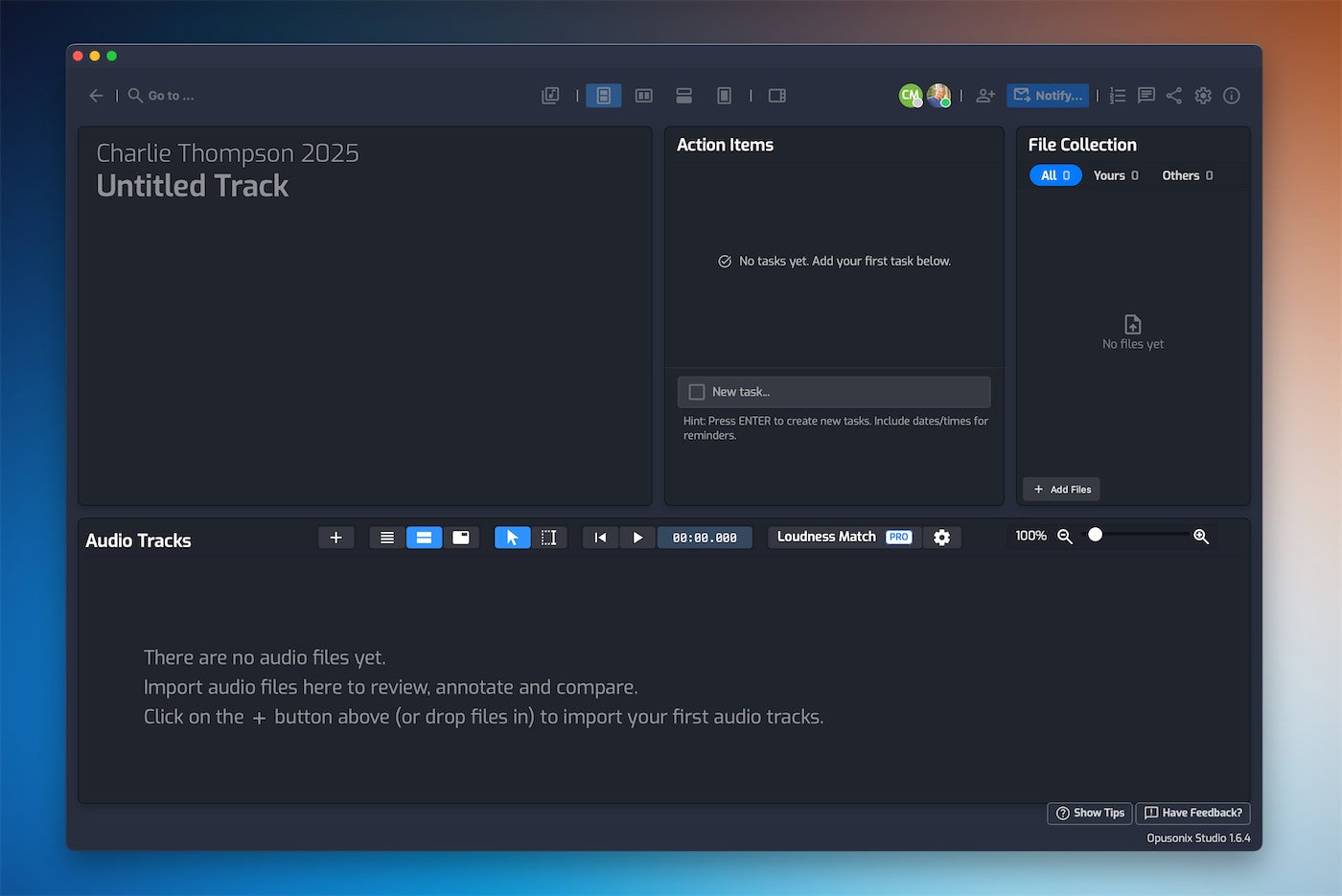
Everything related to a track lives inside a centralized project workspace. Mix revisions, notes, tasks, comments, and supporting files are all grouped together. Instead of jumping between emails, cloud folders, and messaging apps, I can see the entire project context in one place.
The conversational track notes act as a living document for the project. I can quickly see who said what, track important decisions, and update notes as the mix evolves. Because the notes sit right next to the audio, nothing feels disconnected from the actual music.
How I Use Opusonix in My Workflow
My typical workflow in Opusonix starts by creating a new track project and inviting my client(s) by entering their email addresses. During the invite process, I can attach a personal message explaining next steps or what files I need from them. Clients can immediately drop their assets into the Files Pod, keeping everything organized from the start.
Once files are in—or if I’ve received assets via a Google Drive link—I’ll upload a rough mix into the Audio Tracks Pod. Any notes I’ve already received get pasted into the Notes Pod, which my clients can also edit. This helps establish a shared understanding of goals before deeper mix revisions begin.
When mixes are in the Audio Tracks Pod, both my clients and I can listen to the track and leave comments. The “M” key shortcut lets me drop comment markers while playback is running, making it extremely fast to type a large number of precise notes during a single pass. These on-track comments are very specific, easy to follow, and can turn into threaded conversations or simple reactions. A quick thumbs-up often replaces an entire email reply.

As issues get addressed in later revisions, I mark comments with the “Completed” emoji, which makes progress very clear. I haven’t personally relied heavily on the built-in task list yet, but it’s easy to see its value. It provides a clear overview of remaining actions, what’s coming next, and what’s already been completed. I can also see how this feature helps clients understand where the project stands without needing to ask.
When I have a new mix ready, I simply upload it into the Audio Tracks Pod. Opusonix’s built-in A/B testing, especially with loudness matching, makes it easy to hear real differences between revisions. I often import a reference track as well, which has proven extremely helpful for guiding tonal balance and overall direction.
When I need to notify clients about important updates—such as a new mix revision, edited notes, or new comments—I don’t need to open my email client. Opusonix includes a built-in notification feature that lets me send update emails directly from the project. I select who should receive the message, type a brief note, and hit send. There’s no need to look up email addresses or search through text message threads. Everything happens inside the same platform.
From the client side, this has been a big win. Several clients have commented on how convenient it is to go to one place to see everything: notes, mixes, feedback, and files. Many have mentioned how much cleaner and more efficient this feels compared to the old email-plus–Google Drive workflow, where information was scattered and easy to miss.
For album-level work, Opusonix includes an Album Planner that makes sequencing and testing different track orders simple and lightweight. Combined with public playlists, it’s easy to share demo lists, test albums, or set lists with external listeners using a single link.
Opusonix Simplifies Engineer–Client Collaboration
Where Opusonix really stands out is collaboration.
Each track project lives in a single workspace, accessible via a single link, for its entire lifespan. Instead of sending new links for every revision or download, both engineers and clients use the same link from start to finish. In practice, this dramatically reduces email traffic.
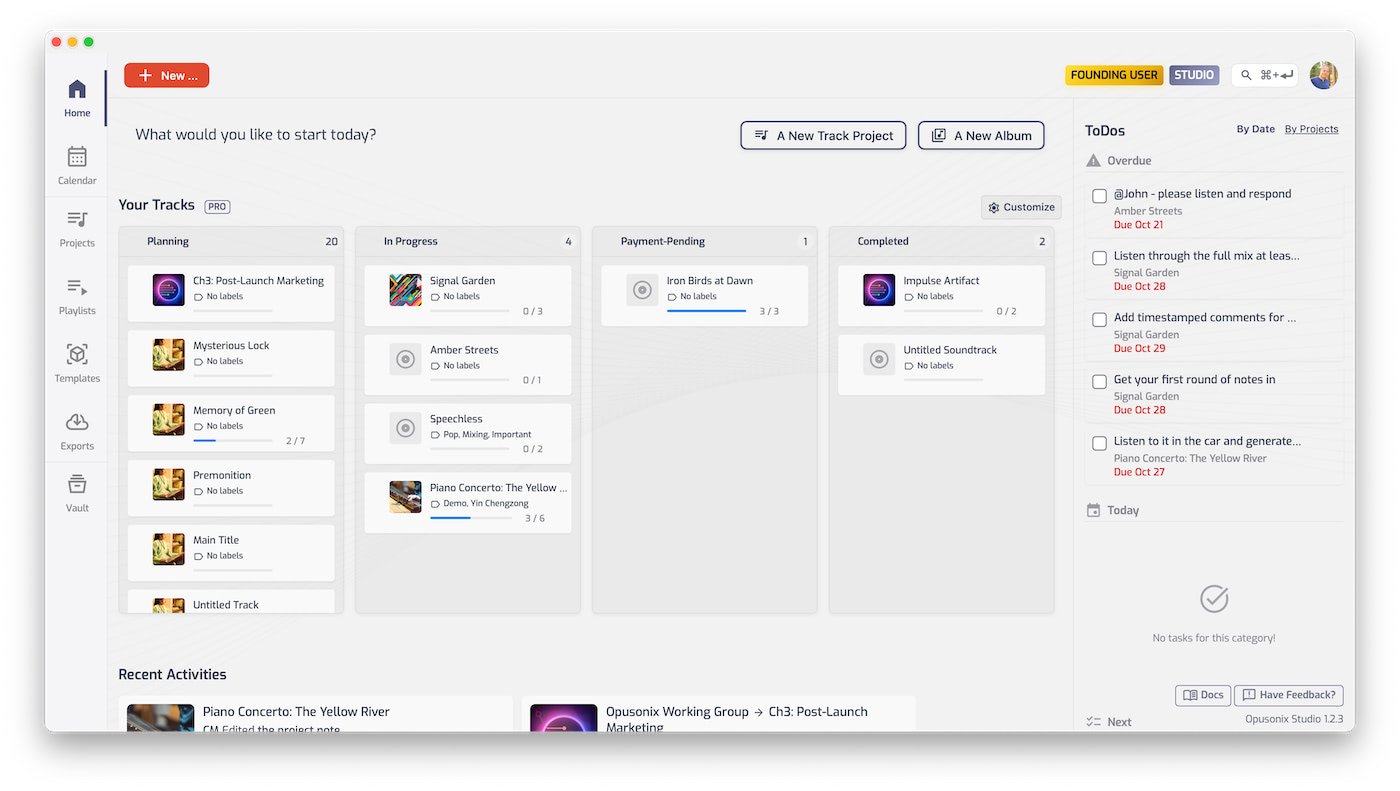
The workspace supports both real-time and asynchronous collaboration, allowing clients to leave feedback on their own schedule while engineers respond when it makes sense. This flexibility keeps projects moving without constant coordination.
Opusonix also helps keep clients happy. The centralized workspace ensures that notes, tasks, files, mixes, and comments are neatly organized together. Built-in file storage reduces reliance on third-party services, while clear revision management and loudness-matched A/B testing help everyone make better decisions.
On-track conversations keep feedback precise, and export tools make final delivery straightforward and professional.
Pricing & Availability
Opusonix offers a generous free tier. **Opusonix Free** includes 1GB of storage and up to 10 track projects, which is enough to try the platform on real sessions.
For professionals, **Opusonix Pro** costs $9.99 per month and includes 200GB of storage, built-in task management and calendar features, up to 500 track projects, loudness matching, and additional advanced tools. All users receive a 7-day free trial of Opusonix Pro.
Final Thoughts
Opusonix significantly reduces the need for third-party cloud storage and cuts down on email communication. By keeping files, mixes, notes, tasks, and conversations inside a single shared workspace, everyone involved always knows where to go and what’s current.
Just as importantly, Opusonix doesn’t replace your DAW—it complements it. Your DAW remains the creative center for recording, editing, and mixing, while Opusonix handles collaboration, feedback, organization, and decision-making. By making audio collaboration simpler and more structured, Opusonix allows engineers and clients to stay focused on what matters most: making better music.
About Opusonix
Opusonix is developed by NOTES 17 LLC, an Indianapolis-based software company that has focused on productivity and workflow solutions since 2014. First launched in July 2025, Opusonix has quickly gained recognition and approval from both local and international audio engineers.
Links
Opusonix Official Website: https://opusonix.com/
Opusonix Blog: https://opusonix.com/blog/
Opusonix Documentation: https://opusonix.com/docs/
Opusonix Youtube Channel: https://youtube.com/@opusonix
Last Updated on January 21, 2026 by Tomislav Zlatic.

