

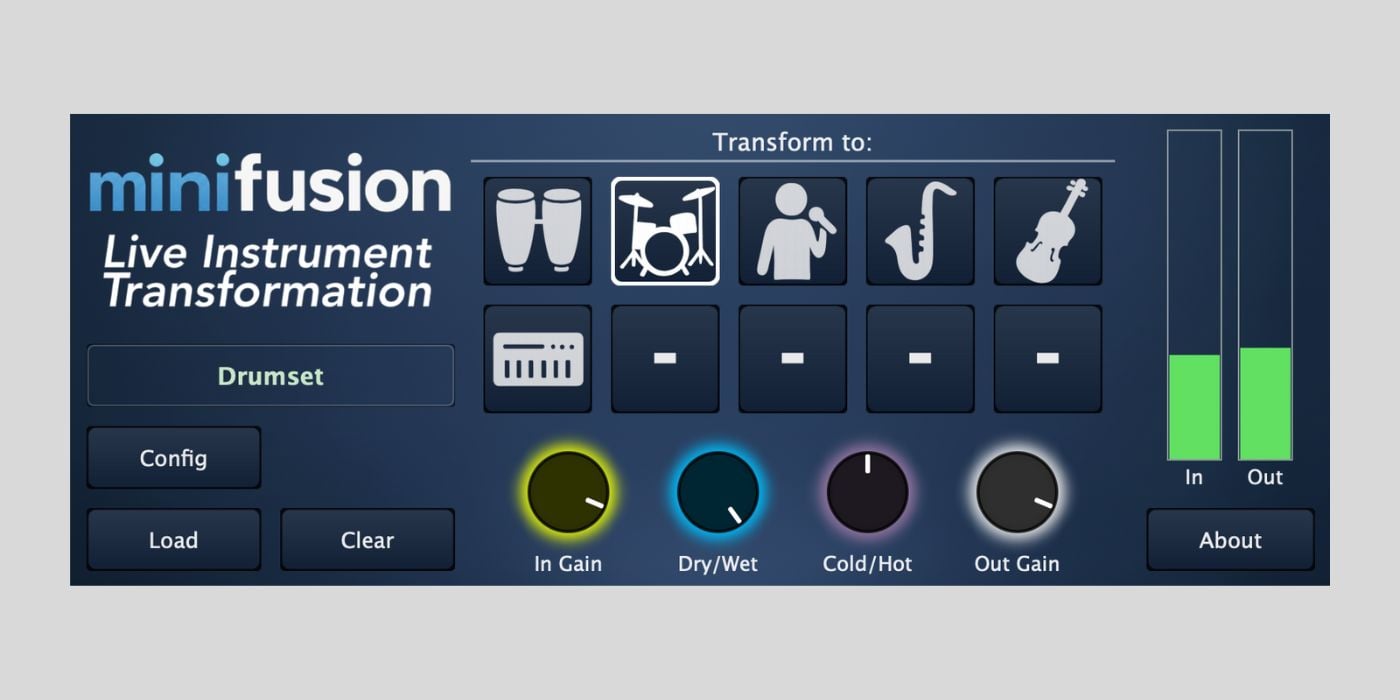

Freshly-released Minifusion is a new live timbre transferring system for macOS and Windows. It is now in Beta and is looking for users to help test the plugin.
The advent of AI in music has ushered in a wave of plugins and services that utilize neural networks and machine learning, such as Eldoraudio’s Piano Audio-to-MIDI Converter and Dawsome’s ZYKLØP.
Minifusion uses neural networks for live timbre transfer; in simple terms, you can make one thing sound like another on the fly.
Minifusion is the brainchild of Franco Caspe, a PhD candidate from London’s Queen Mary University. Franco developed the plugin as part of his PhD, and this beta stage is an opportunity for users to explore current features and help shape the future of the project.
To download the plugin, the developer asks that you complete a short survey and provide an email address. The survey takes less than one minute, and it’s all about your preferences for products like Minifusion; nothing too intrusive.
Minifusion is available in AU and VST3 formats for macOS (M1 chip or newer) and Windows (11 – Windows 10 is supported, but future updates are not guaranteed).
If you check out the Minifusion website, you can see some video demonstrations of the plugin at work.
Minifusion supports live timbre transfer with musical instruments and voice, which means you can do all sorts of things, like turn beatboxing into real drums, guitar into piano, etc.
On the surface, Minifusion looks like a lot of fun, especially the beatboxing demo and the electric guitar-to-bowed-strings transformation.

I can imagine in a folk or trad setting, breaking out a fiddle-esque guitar solo could be a welcome novelty on stage (I know MIDI guitars exist, and controlling VSTs is an option, but MIDI guitars are about as popular as meat in a vegan restaurant).
If you’re interested in the technical side of Minifusion, you can access all current datasets via the website.

Minifusion is compatible with BRAVE models, allowing you to train your own models and expand your plugin usage.
I said Minifusion looks like fun, and it does, but it’s about finding practical use for these new tools that matters most, and the developer sees potential for sound design, performance, and sketching ideas.
I like the sound design and sketching elements most.
There are certainly opportunities for fun and even practical use cases on stage, but it’s a thin line you can easily overstep.

The fiddle-esque guitar solo I mentioned is something I’d consider quite cool and entertaining as an unexpected, and rare, treat at a gig.
I never want to reach a point where I can watch someone on a stage, humming John Coltrane’s solo from Giant Steps into a microphone, with a computer making it sound just like the record (although, in today’s world, there’s every chance that could win you a Grammy).
But, in the realm of sketching ideas, taking something you can’t play on a real saxophone, that’s tricky even on a MIDI keyboard, and using your voice to audition an idea with a particular sound quickly is very interesting.
What I’m getting at is that, even as someone slightly skeptical about the terms AI, machine learning, and neural networks in music, it’s how we use the technology that makes the difference.

We can use technology to avoid doing something, or use it to help us do something, and if it’s the latter, it’s a good thing.
Minifusion is at the beginning of a long journey, but it has the potential to help musicians enhance existing ideas, develop new ones, and create unique and unusual sounds, which makes it worth exploring.
Download: Minifusion (FREE Beta – email required)
Deal of the day 🔥: Get 90% OFF UJAM UFX REVERB Version 2 (only $5)!
More:
Last Updated on November 18, 2025 by Tomislav Zlatic.

