

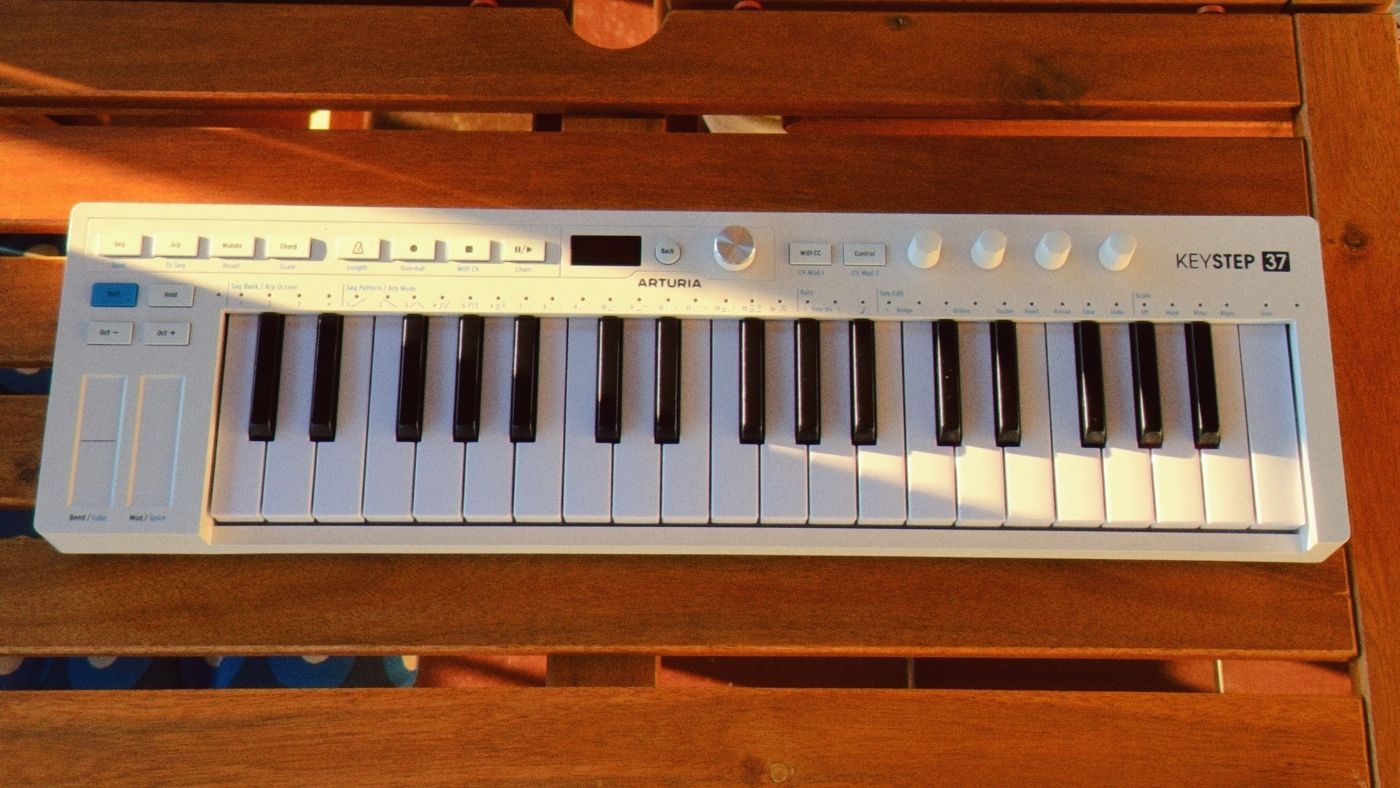

The KeyStep line has always been about Arturia packing way more features and connectivity than you’d expect from such a compact controller, and sometimes still making it work. Well, they’ve done it again.
With the KeyStep 37 mk2, Arturia has moved from 32 to 37 slimkey keys, added a dedicated OLED display with a clickable encoder, four additional encoders, two extra buttons, and a new Mod 2 CV output.
The latest version covers more ground than its predecessor, but keeps the same overall backpack-ready footprint and connectivity-first approach.
One thing I immediately liked about the mk2 is the move to 37 keys. It still looks and feels super compact, but the added range makes a real difference when sketching melodies. Working on a 25 or 32-key controller often means constant octave switching just to stay in a comfortable playing range, and those extra five keys help more than I expected.
What’s New
Apart from the extended keys, Arturia has added four encoders along the right side of the unit, a screen, and a clickable encoder for menu navigation. Together, these make the KeyStep 37 mk2 workflow much more hands-on in practice.
Parameters that previously required navigating menus can now be accessed directly, especially when working with the sequencer or playing around with the generative tools.
The encoders are context-sensitive and adjust to whatever mode you’re in, whether that’s the Sequencer, Arpeggiator, Mutate, Chord mode, or Step Recording. Here’s a quick overview if you’re interested in the details.
In Sequencer mode, they handle Ratchet, Time Division, and Randomization. In Arpeggiator mode, they control Arpeggio Type, Time Division, Octave Range, and Arpeggio Length.
In Mutate mode, the four knobs give direct access to Probability, Randomness, Polyphony, and Density. In Chord mode, they let you edit chord Type, Spread, Strumming, and Voicing.
It’s a more hands-on approach, and I love that Arturia pushed this toward a workflow where you can keep your hands on (ha!) the controller rather than stepping through nested settings.
The small OLED screen works well for its size. It shows the current pattern, arpeggio mode, edit values, and parameter names clearly enough that you always know where you are.
The screen also functions as a real-time display when you’re recording sequences, giving you a visual count-in and confirming the values as you adjust them.
Sequencer
The sequencer is 8-voice polyphonic, with four banks of 16 patterns giving you 64 in total. Each pattern can run up to 64 steps with up to 8 notes per step, and patterns can be chained together for longer arrangements or evolving live sets.
You can record in step time or in real time. But the big news here is that mk2 adds unquantized real-time recording, which means you can capture the natural timing and feel of a performance instead of forcing everything into a fixed grid.
This opens the door to more natural-sounding sequences, and if you’re skilled enough, the “natural” here will mean groovy rather than sloppy.
Arturia also included 39 LEDs that track note activity in real time. Every note the keyboard, sequencer, or arpeggiator plays lights up the corresponding LED. In Scale mode, notes within the active scale light up white, and corrected (transposed) notes show in green.
I like gear that shows you what’s happening in the sequence as it plays rather than making you guess. It simply feels more natural to interact with a sequencer this way, and the LED guide here makes a ton of difference when working with evolving patterns, arpeggios, or anything that’s been through Mutate.
Arpeggiator and Generative Tools
The arpeggiator has 16 modes. The first six are classic direction-based patterns, up, down, and variations.
Modes 7 through 15 are where it gets more interesting. These are generative phrase arpeggios that use the notes you hold to build evolving sequences rather than simple cycles.
Each mode has a different density and rhythmic character, and you can build arpeggios of up to 64 notes by holding keys across different octave positions.
Mutate is one of my favorite additions. It applies random variations to sequences or arpeggios on the fly, with the four encoders giving you direct control over probability, randomness, polyphony, and density.
I’ve spent more time than I’d like to admit with this. It’s pure fun and perhaps the number one reason why I kept coming back to the KeyStep 37 mk2 every day.
Spice works alongside Mutate to make sequencing so fun. It’s accessed by holding Shift and sliding the Modulation Strip and injects randomness specifically into gate length and ratchet, so rhythms evolve and repeat in ways that you simply don’t get from a basic sequencer.
I love that the mk2 leans into this kind of idea generation. Mutate, Spice, and the phrase arpeggio modes all point you toward morphing and exploring phrases instead of just playing back what you recorded. It’s perfect for a jam-oriented setup or simply discovering new musical ideas with your favorite synth.
The less exciting (but still undeniably useful) Scale mode quantizes the keyboard to a selected key and mode. There are 15 preset scales available, including major, minor, blues, pentatonic variations, and several world scales, plus a user-defined option.
Scale can be set globally to affect the keyboard, sequencer, and arpeggiator together, or assigned individually to specific sequencer patterns.
Chord mode lets you build a custom voicing by holding the Chord button and pressing the notes you want, then trigger that chord with a single key, with control over spread, strum timing, strum type, and voicing.
Connectivity
The rear panel handles a wide range of connections, as expected from Arturia. They pioneered this approach to connectivity in their hardware products, and it shows here, too.
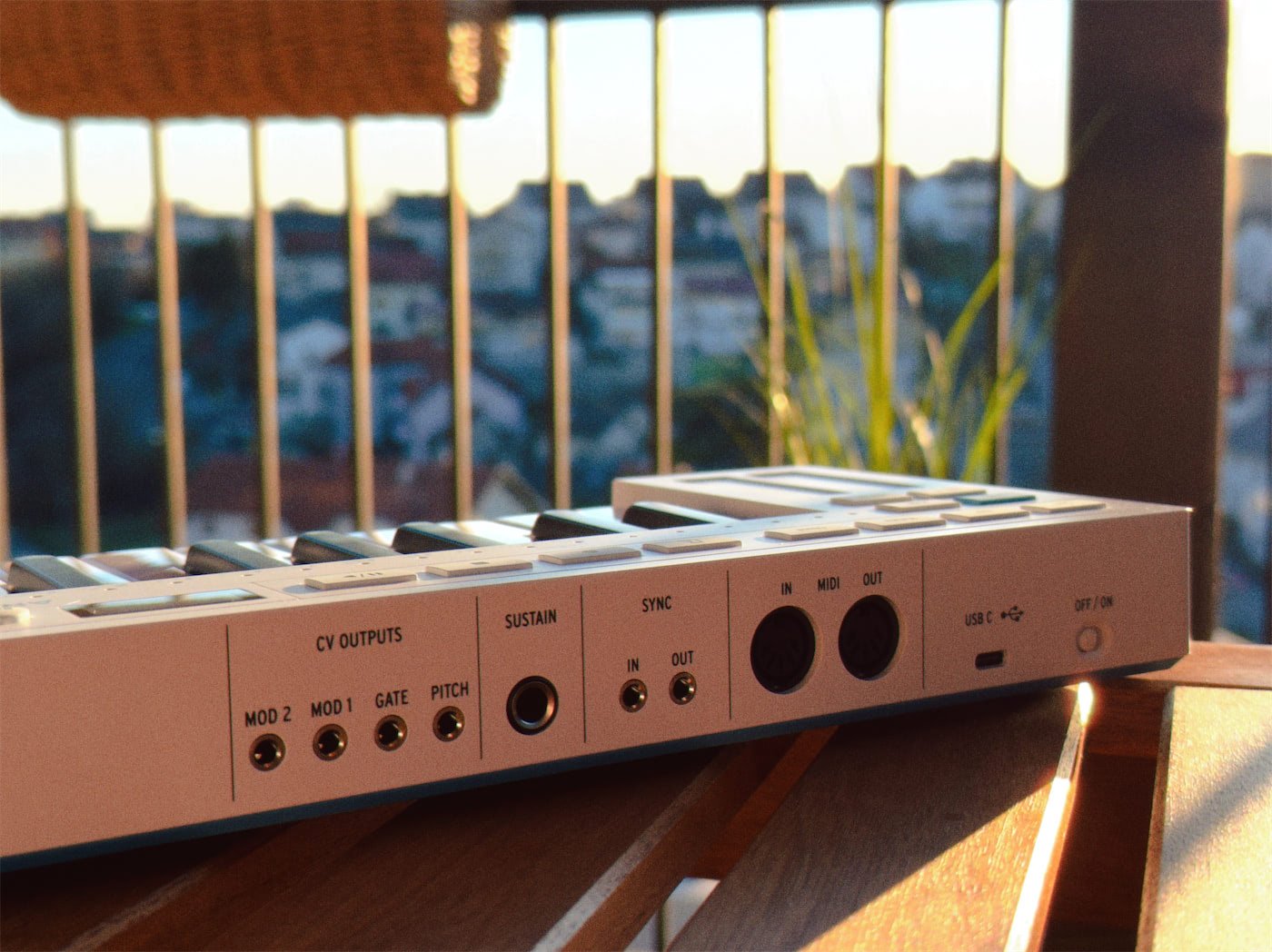
On the CV side, there are four outputs: Pitch, Gate, Mod 1, and Mod 2, with Mod 2 being new to the mk2. The Mod outputs can be assigned to a range of sources, including aftertouch, velocity, mod strip, random per-step, or pulse per-step.
MIDI In and Out are present via standard 5-pin DIN connectors. There’s a Sync I/O for linking with pre-MIDI gear that uses analogue or MIDI sync. The pedal input accepts either a sustain footswitch or an expression pedal. Power and data are delivered via the new USB-C connector, and Arturia also included a dedicated power switch.
All of this makes the KeyStep 37 mk2 capable of so much more than a DAW-only workflow. The USB-C, MIDI DIN, and CV/Gate routing make it equally comfortable in a software setup or a hardware and modular rig.
Build Quality
Arturia’s slimkey keyboards have always felt good to me, considering their size, and the situation is the same here. The keys have just enough spring to feel responsive when playing, and the velocity and aftertouch tracking work well.
I’m not used to having aftertouch in a keyboard this small, so that’s an excellent bonus in itself.
The buttons across the panel each have a tactile click, not the rubberized firm type you find on some other controllers. That tactile feedback matters a lot when toggling modes or hitting transport controls during a performance.
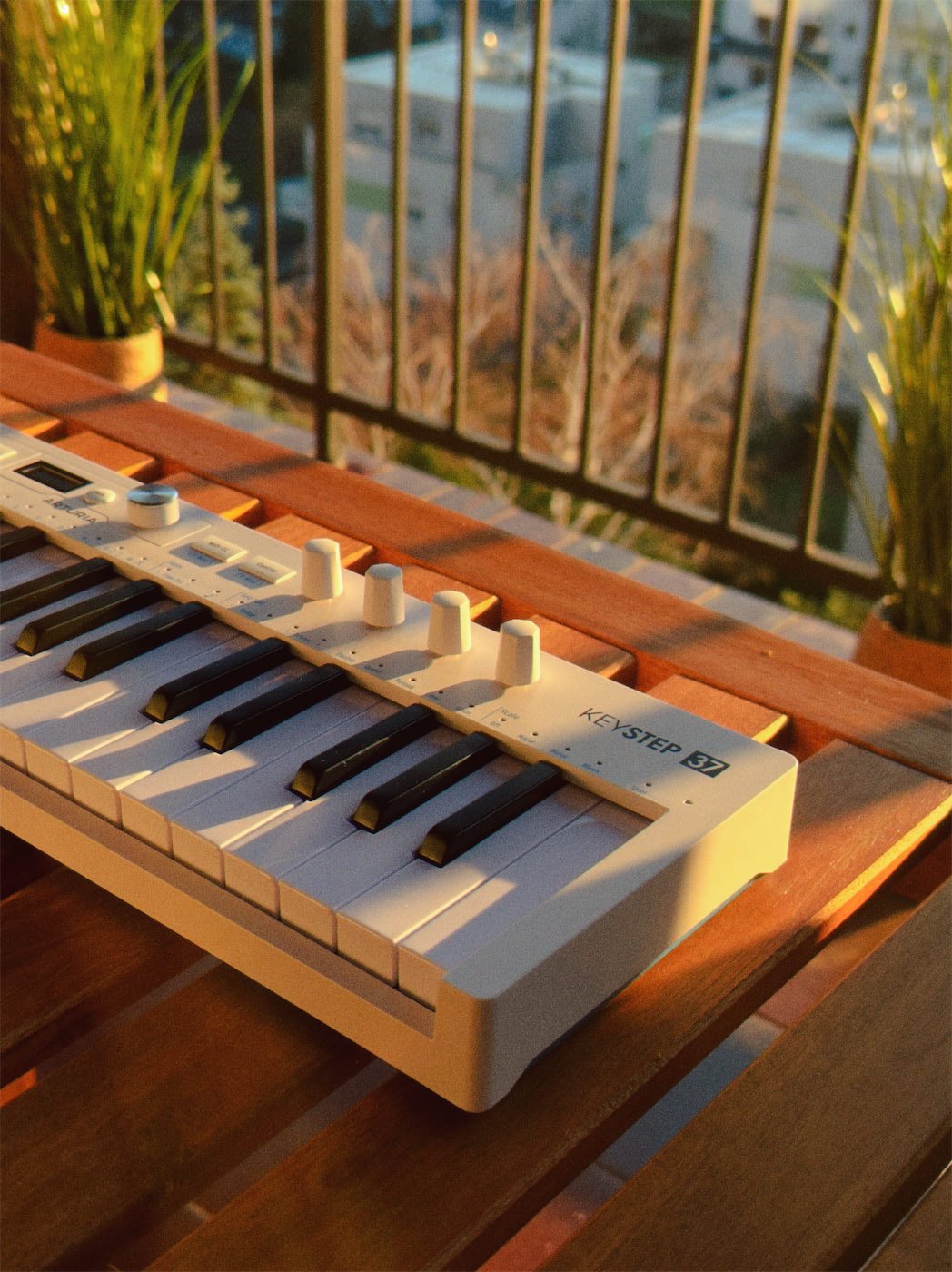
The knobs are pretty basic but work well and feel smooth across the range. Of course, I’d love to see eight knobs instead of four, but it’s hard to complain about this with a controller in this size range.
Another personal gripe of mine is that the pitch and modulation controls use touch strips rather than wheels, and this is consistent with Arturia’s other compact controllers. I still tend to prefer wheels in this position, but the strips work perfectly fine.
And there’s a useful bonus with the touch strip setup. You can press a specific position on the pitch strip to jump directly to that value, which allows for pitch jumps and effects that aren’t possible with a standard wheel.
The Verdict
The KeyStep 37 mk2 takes a big step forward over its predecessor.
The added keys, encoders, display, and generative tools make it more playable, and the combination of USB-C, MIDI DIN, and four CV outputs is another reason why it’s a perfect fit for a wide range of setups.
If you want something that handles MIDI control, pattern sequencing, generative arpeggiation, and CV routing in a single portable unit, it is a solid option worth considering.
Friendly warning: Mutate is dangerously fun, so schedule some extra time in your calendar for sequencing with the KeyStep 37 mk2.
More info: Arturia KeyStep 37 mk2
Last Updated on February 26, 2026 by Tomislav Zlatic.

