

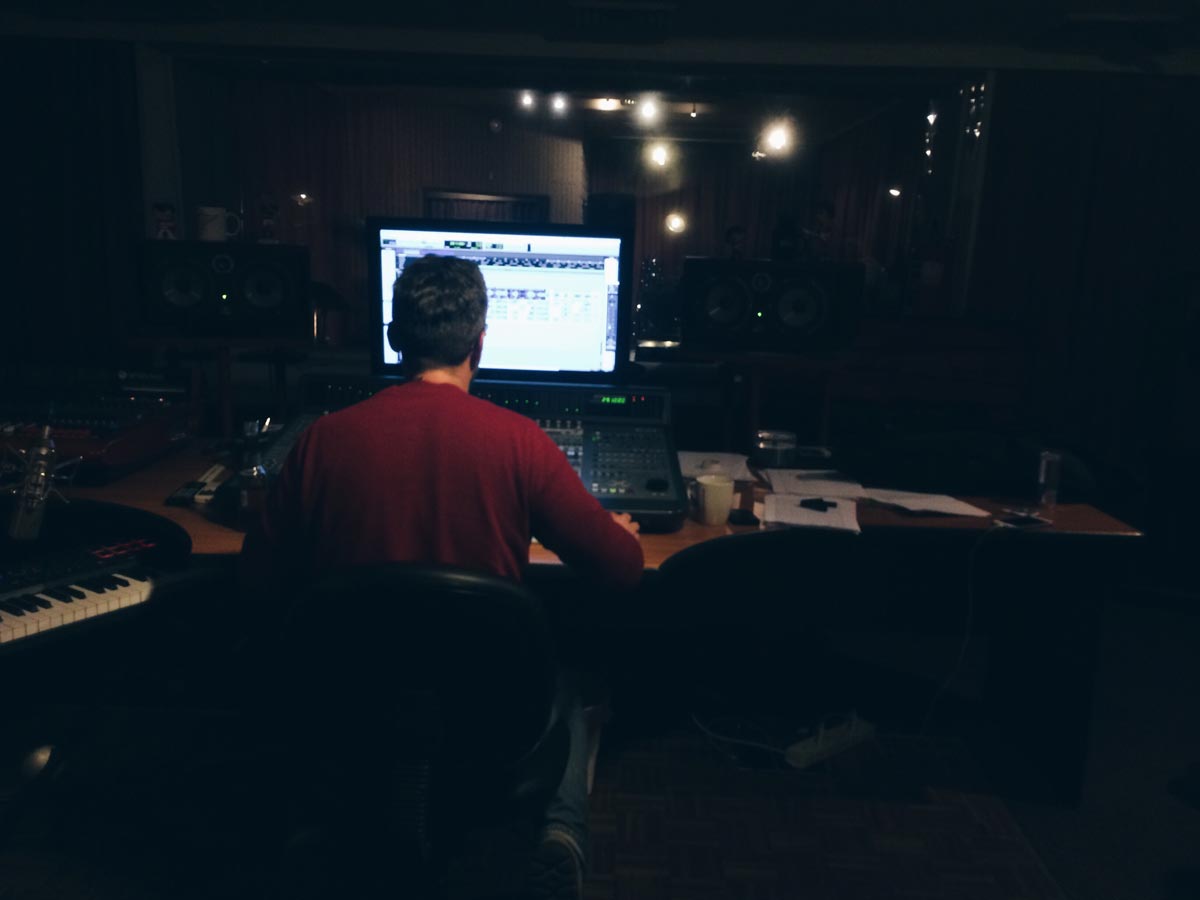

Imagine a blank canvas before you, filled with infinite possibilities. With every adjustment, twist of knob, the power is in you to sculpt your music. There are no rules you have to follow. It’s only, you.
This is what it means to be mixing your music.
Generally – mixing music is the process of blending individual audio tracks together to create a cohesive and balanced final audio mix. That’s the definition. You would put in elements like volume, panning, compression, EQ, and adding effects to achieve a polished and professional sound.
Sure, mixing music means making sure they sound good on different playback systems. Ultimately, your goal is that listeners enjoy the experience of listening to your music track. But beyond that, mixing can be creative. Put in your own twist. Do something unorthodox. Because that might just be what it takes to perk of up the attention of your listeners.
But should you learn to mix your own music? Why? Here are some reasons.
1. Creative Control
Remember there is no hard and fast rule for mixing music, regardless if you’re mixing music for vlogs, film, radio, or other projects. As the person mixing, take advantage to reflect your unique style and intentions. What makes you stand out? Can someone listen to a music piece and immediately recognize that it’s you?
By learning to mix your own music, you gain complete creative control over the final sound of your recordings. You can shape and mold the audio elements to align with your artistic vision,
2. Faster Turnaround
Mixing used to be something only done by the big studios. Today, anyone with a computer can mix their music.
Some people will say mixing with hardware equipment is different from software. While there are some truths to that, the reality is most of your listeners won’t even hear the difference. Whether you mix on hardware or software doesn’t relate to how much someone would enjoy your music.
One of the biggest benefits of having the knowledge and skills to mix your own music is that you can work much faster, without having to rely on others for mixing. This helps you release your music faster.
3. Enhanced Communication
It’ll be easier to work with other engineers and producers if you know their processes. Even if you know only a bit. People tend to simplify the work of others.
With some mixing knowledge under your belt, it’ll be easier for you to collaborate, articulate your desired sound and even discuss technical aspects with other professionals in your space.
4. Improved Songwriting
Learning to mix can provide value to your production process, allowing you to make informed decisions during the songwriting stage. Understanding how different elements interact in a mix can help you compose with a clearer vision, making choices that optimize the impact and effectiveness of your songs.
5. Troubleshooting and Polishing
As a musician who does his own mixing, you become adept at identifying and addressing common issues in recordings. You can troubleshoot problems such as imbalance, frequency masking, or unwanted noise, ensuring that your final mixes are polished, professional, and ready for release.
6. Empowerment
It’s highly empowering to be able to know what goes in behind the production of a music piece. Rather than just composing, knowing the nitty gritty details that goes behind a music track, plus being able to do it when time calls is highly empowering for a musician. Do it.
7. Affordability
If you’re just starting out or early in your career, hiring a professional audio engineer may be out of the question. By doing your own mixing, especially early in your career, you can save money by handling the mixing process yourself.
Overall, it’s not a question that mixing is a highly valuable skill set that empowers you as a musician.
Ready to get started? Here are some quick-fire tips from my experience in mixing.
Setting up your mixing environment
Successful mixing starts with education. But secondly, it’s also the room you mix your music in, and the equipment you use.
For a start, choose a mixing setup room that is acoustically suitable. Avoid rooms with excessive echo or reverberation, as they can interfere with your ability to accurately hear and evaluate. Consider implementing acoustic treatment in your mix room to minimize reflections and control the room’s sound characteristics. This may include adding bass traps, diffusers, absorbers, and acoustic panels strategically placed on walls, ceilings, and corners.
Additionally, position your studio monitors correctly for optimal sound reproduction. The monitors should form an equilateral triangle with your listening position, where the distance between the speakers and your ears is equal. Angle the speakers slightly inward to focus the sound toward your listening position.
To minimize vibrations and unwanted resonances, place your monitors on stable stands or isolating pads. These pads help reduce the transmission of vibrations to the surface they are placed on, ensuring cleaner and more accurate sound reproduction.
Gather a collection of well-mixed and mastered reference tracks that represent the sound you aspire to achieve. Use these tracks as a reference during your mixing process to compare and evaluate the tonal balance, stereo imaging, and overall sound quality of your mix. Don’t forget to soundproof your studio for any noise leaks to keep your neighbor’s nagging at bay. 🙂
Organizing Your Tracks for Mixing
One of the biggest realizations that came to me is to organize tracks for mixing. This means color coding them, labeling them, and having a structure in your arrangement window. It’s a vital step in the mixing process, as it allows for better workflow, clarity, and efficiency when working on your music production. An effective track organization helps you navigate and work faster.
One of the key aspects of organizing tracks is grouping similar elements together. This involves categorizing tracks based on their function or instrument type. For example, grouping all drum-related tracks such as kick, snare, toms, and cymbals together allows for quick access and control over the entire drum kit. Similarly, grouping all vocal tracks, such as lead vocals, backing vocals, and harmonies, helps maintain clarity and accessibility during mixing.
Utilizing color coding and labeling is another effective way to organize your tracks. Assigning different colors to various track groups helps visually distinguish between different elements, making it easier to identify and locate specific tracks at a glance.
For instance, you could assign a specific color to all drum tracks, another color for guitars, and so on. Additionally, using clear and descriptive labels for each track helps quickly identify their purpose or content, reducing confusion and speeding up your workflow.
Adopting a consistent naming convention for your tracks is also beneficial. Using standardized naming formats such as “Instrument_Name” or “Track_Type – Instrument_Name” ensures consistency across your project. This simplifies navigation and allows you to locate specific tracks more efficiently, especially when working with larger sessions.
Adding Depth and Ambience
To add depth and ambiance while mixing your sound, utilize techniques such as reverb, delay, panning, and spatial placement. Apply reverb using send/return tracks, tailoring the settings to match the desired ambiance and using multiple instances for different elements. Use subtle delays on send/return tracks to create a sense of spaciousness and movement.
Experiment with panning to simulate the position of elements in a physical space and automate parameters for dynamic shifts.
Consider using stereo imaging plugins or convolution reverbs to widen the mix and add authentic room or space characteristics. Carefully apply these techniques to enhance the overall mix, providing a captivating and immersive sonic experience.
Mixing for Different Playback Systems
Firstly, ensure that your mix translates well across different speaker systems by periodically checking your mix on different monitors, headphones, and different-grade speakers. Pay attention to the frequency balance, stereo imaging, and overall tonal characteristics.
Additionally, consider the acoustic environments in which your music will be listened to and make adjustments accordingly. For example, if it will be primarily enjoyed in cars or on portable devices, pay attention to the low-end frequencies and ensure they remain controlled and balanced.
A cool tip is to test your mix on different sound systems and use that as a reference. Remember your goal: Listeners to enjoy your music, listening on common speakers.
Finalizing your Mix
Fine-tuning and finalizing the mix is a crucial step in the audio production process. Begin by critically listening to the entire mix, focusing on balance, clarity, and overall impact.
Make subtle adjustments to individual tracks, EQ settings, and levels to ensure each element sits well within the mix and contributes to the desired sonic vision. Pay attention to the stereo field, ensuring elements are appropriately panned and create a sense of depth.
Continuously reference the mix on different playback systems to ensure it translates well across various devices. Additionally, apply compression and limiting to control dynamics and achieve a balanced and polished sound.
Finally, take breaks and revisit the mix with fresh ears, making any necessary refinements until you are satisfied with the final result.
Parting Thoughts
If you are stepping into the world of music or have been part of it for a while and looking to grow your career with a uniqueness to your music that people can recognize you from, learning this skill would be of great help. Remember that learning to mix music is a journey, and it requires patience, practice, and a willingness to continuously improve.
Take advantage of the abundant resources available, such as online tutorials, courses, and forums, to develop your skills and gain insights from experienced professionals.
Mixing is both an artistic and technical process that requires practice, a keen ear, and attention to detail. Understanding the role of each element in the mix, making critical decisions to balance frequencies, sculpting the sonic landscape, and creating a sense of space and depth can greatly enhance the impact and the overall quality.
With dedication and continued learning, you can develop your own unique mixing style and bring your musical vision to life with clarity, depth, and professional polish.
And as with anything. Trust your ears and your guts.

