

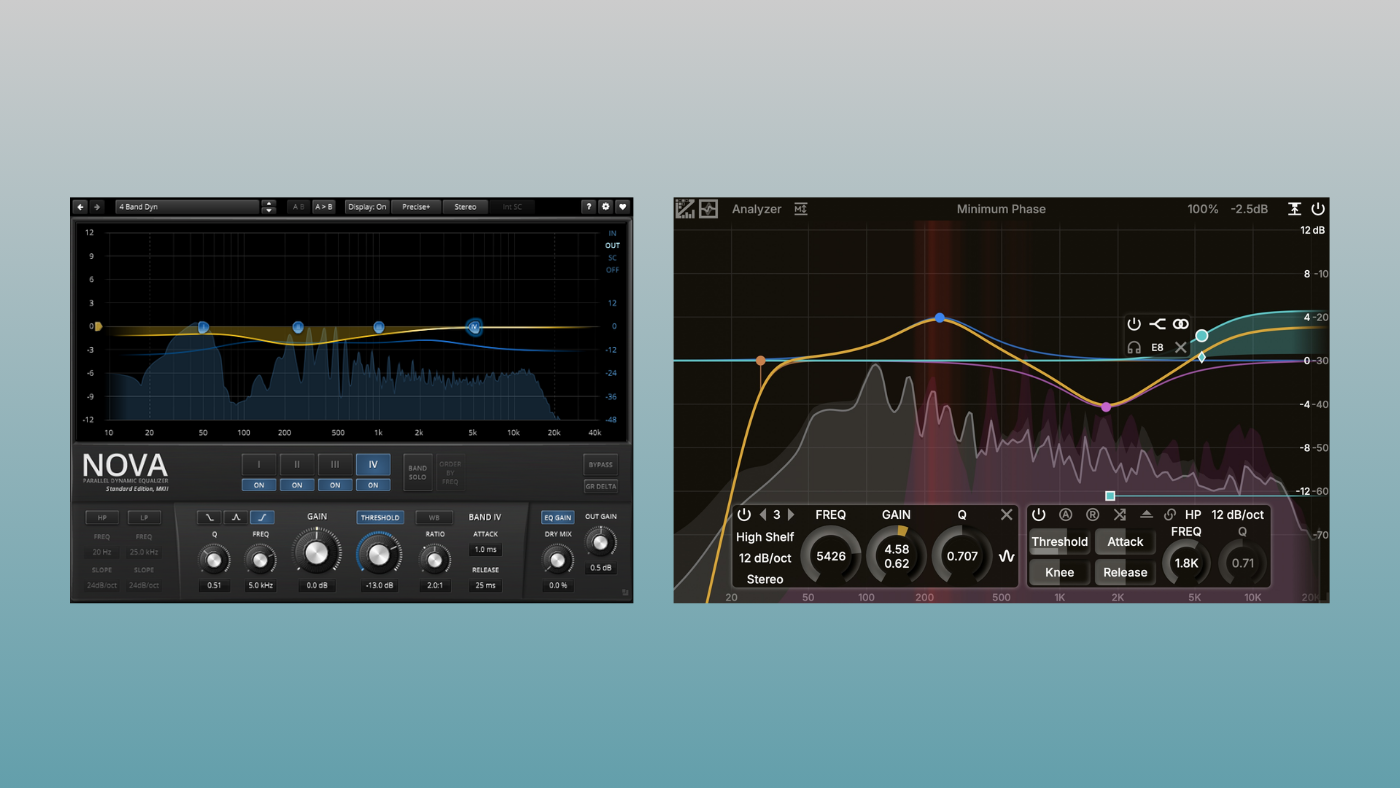

Every “must-have” plugin list tells you to buy FabFilter Pro-Q. And yes, it’s one of the best EQs ever made. But here’s the thing: most producers don’t actually need it.
Two free plugins now cover what used to require an expensive purchase. I’ve been testing them on real projects, and I realized that the gap between “free” and “paid” has never been smaller.
TDR Nova and ZL Equalizer 2 together handle static EQ, dynamic EQ, de-essing, resonance control, M/S processing, and even EQ matching. If you’re not working in surround or running 50+ instances with cross-plugin analysis, these two are enough.
Here’s what each one does, where they shine, and the trade-offs compared to a paid EQ.
TDR Nova: The Problem Solver
What it is: A parallel dynamic EQ with 4 bands plus HP/LP filters.
TDR Nova has been my go-to free dynamic EQ for years, and it’s still one of the best tools for fixing specific frequency problems, paid or free.
Where Nova excels
De-essing and harshness control. Nova’s dynamics section is built for precision. You can set a band around 5-8kHz, dial in the threshold, and let it compress only when sibilance hits. It’s surgical and sounds natural.
Resonance taming. I use it to fix boomy room modes, ringy snares, and honky vocals. Nova handles reactive cuts better than most static EQs. The dynamics respond to the resonance, not the entire signal.
Sidechain ducking. You can feed an external sidechain into Nova’s bands. Do you want your kick drum ducking the bass? This is one of the cleanest ways to do it.
Wideband compression. Nova can also act as a full-band compressor alongside the EQ bands. It’s not a replacement for a dedicated compressor, but it’s useful for gentle glue or density.
The limitations
- 4 bands only (plus HP/LP). For more complex curves, you’ll need multiple instances.
- No linear/zero-phase mode. Nova is minimum-phase only.
- CPU usage. It’s heavier on resources than lightweight EQs, though this varies by system (around 2% per plugin instance on my M1 MacBook Air).
Best for: De-essing, resonance control, frequency-selective compression, sidechain ducking.
ZL Equalizer 2: The Workhorse
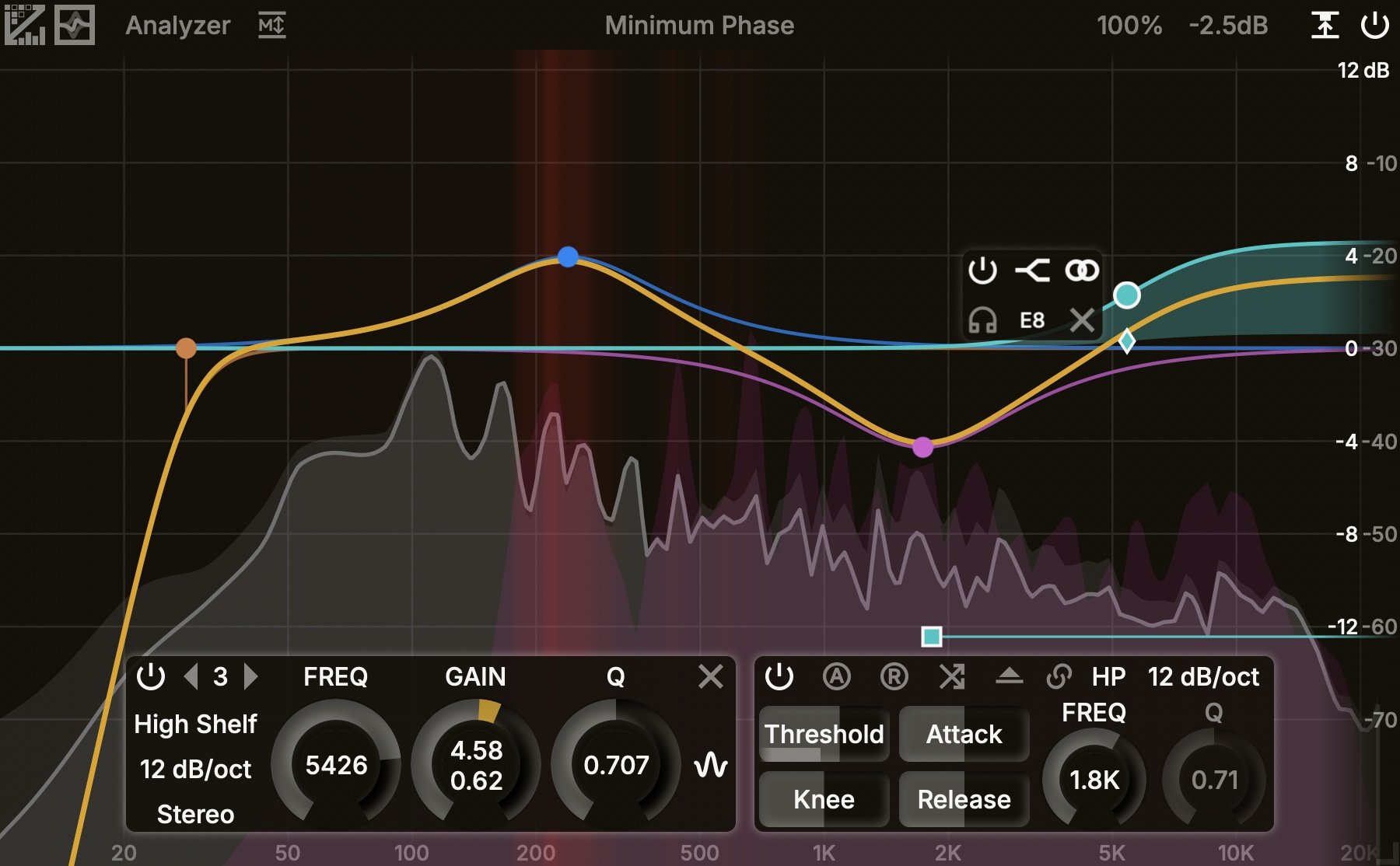
What it is: A FabFilter Pro-Q-style parametric EQ with dynamic bands, multiple phase modes, collision detection, and EQ match.
ZL Equalizer 2 is the newer plugin here, and it’s very ambitious for a free, open-source project. If you’ve used Pro-Q, the workflow will feel familiar (but without the price tag). You get an interactive spectrum, draggable nodes, and a packed feature set.
Where ZL Equalizer 2 excels
Day-to-day mixing EQ. This is now my “main EQ.” It’s the one I load on every track for cuts, boosts, and shaping. The interface is fast, and you can add up to 24 bands. The spectrum analyzer is also useful when mixing with headphones.
Per-band stereo modes. Each band can operate in Stereo, Left, Right, Mid, or Side. For M/S work, this is as flexible as most paid options.
Multiple phase structures. ZL Equalizer offers Minimum Phase, Matched Phase, Mixed Phase, and Zero Phase modes. If phase coherence matters to you (for example, in mastering and parallel processing), you have options here that Nova doesn’t provide.
Collision detection. The plugin can highlight frequency collisions within your signal. This helps spot masking issues without loading a second analyzer.
EQ Match. ZL includes a built-in EQ matching feature. It’s still being refined (the developer notes some bugs), but it works for basic reference matching.
The limitations
- Steeper learning curve. More features mean more complexity, and the GUI lacks Pro-Q’s polish.
- Latency in some modes. Zero Phase mode adds ~171ms of latency. Matched Phase adds ~11ms. I wouldn’t recommend automating parameters in these modes.
- Installer issues. The installers aren’t notarized on macOS, which can trigger Gatekeeper warnings.
Best for: General-purpose EQ, M/S processing, mastering (with phase mode options), replacing a paid “main EQ.”
Quick Comparison
| Feature | TDR Nova | ZL Equalizer 2 |
|---|---|---|
| Max bands | 4 + HP/LP | 24 |
| Dynamic EQ | Yes (core feature) | Yes (per band) |
| Linear/Zero Phase | No | Yes (with latency) |
| M/S per band | Limited | Full (L/R/M/S) |
| EQ Match | No | Yes |
| Sidechain input | Yes (ducking workflows) | Yes (for EQ match/dynamics) |
| Maturity | 10+ years, very stable | Newer, actively developing |
| CPU | Moderate-heavy | Efficient (per user reports) |
When You Might Still Want a Paid EQ
I’m not going to pretend free plugins cover everything. Here’s where Pro-Q and similar paid EQs still win:
Workflow speed at scale. Pro-Q’s interface is famously fast. If you’re running 40+ instances across a session and need to make quick moves constantly, the speed adds up.
Cross-instance spectrum analysis. Pro-Q can show the spectrum of other Pro-Q instances in your session. That’s a genuine workflow advantage for spotting conflicts across tracks.
Surround and immersive audio. Pro-Q supports up to 9.1.6 with per-band speaker selection. If you work in Atmos or film, these free EQs won’t cut it.
Long-term support and edge-case stability. Paid plugins from established companies have years of QA across every DAW and OS combination. ZL Equalizer 2 is excellent, but it’s also open source and actively evolving, which means occasional bugs.
The Bottom Line
In my experience, for 95% of EQ tasks (surgical cuts, gentle boosts, de-essing, resonance control, M/S shaping), TDR Nova and ZL Equalizer 2 are enough.
Nova is my problem solver EQ. When something needs to react dynamically (sibilance, resonances, frequency ducking), I reach for Nova.
ZL Equalizer 2 is my main EQ. When I need a fast, modern parametric with lots of bands and extra features, it delivers.
Together, they cover static EQ, dynamic EQ, phase options, M/S processing, and basic EQ matching. That’s almost everything most producers use Pro-Q for, without spending $179.
Save your money for something that actually requires it.
BPB Testing Methodology: I conducted a comparative analysis of these tools using Plugin Doctor and frequency-spectrum monitors to verify phase coherence and dynamic accuracy across various sample rates. Every recommendation is based on 15+ years of mixing experience and a thorough evaluation of the February 2026 stable builds.
Want more free plugin recommendations? See our complete guides to Best Free Dynamic EQ Plugins and Best Free DAWs for more tools to build a professional mix without spending money.
Last Updated on February 18, 2026 by Tomislav Zlatic.

